MAINTENANCE/SERVICE
Form # 169017 180 Issue – June 2008
7.12.7 Gauge Light
a. Shutdown engine and remove the key. Turn off
the lights.
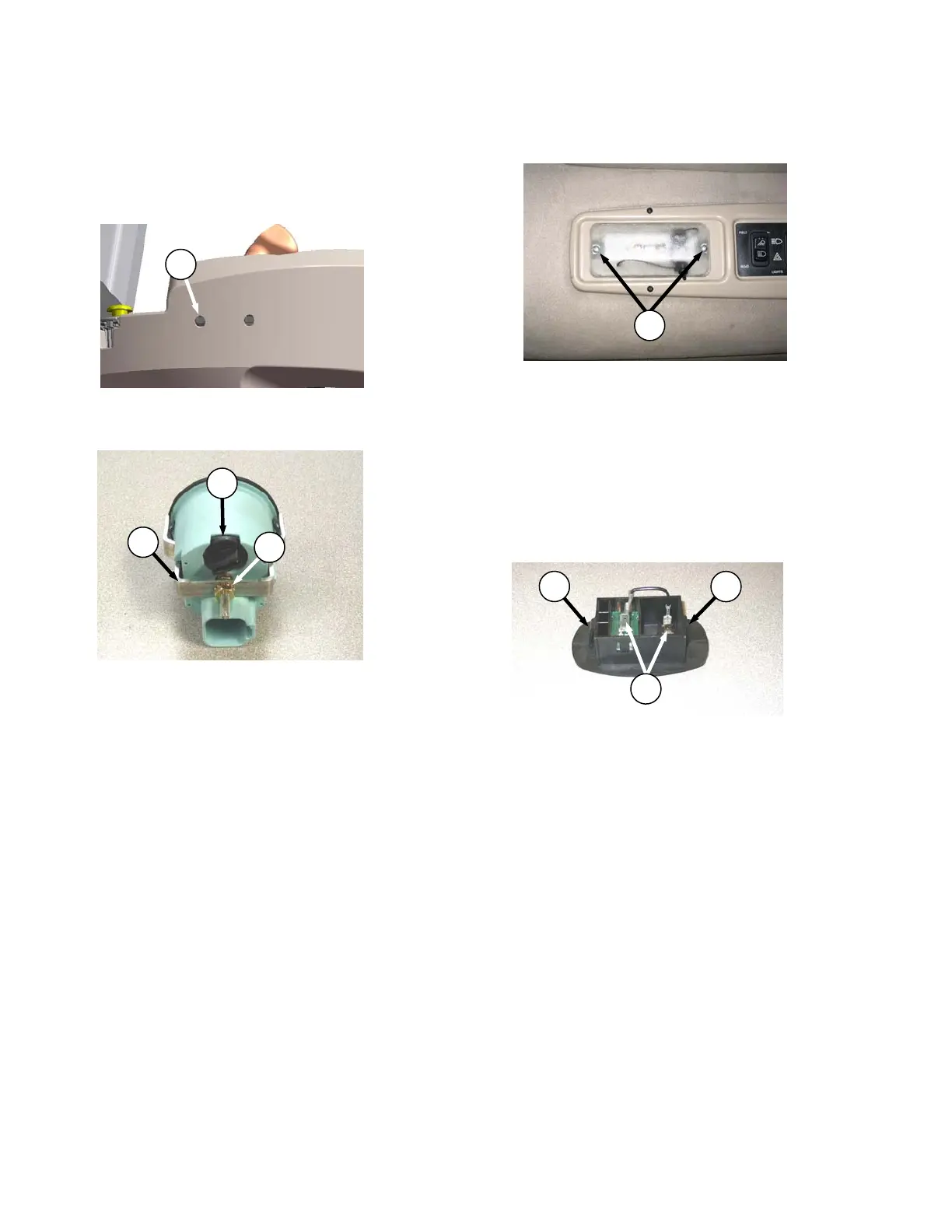
b. Remove the appropriate gauge access hole
decal (D) behind the operator’s console.
c. Remove nut (E) securing mounting bracket (F)
to gauge inside the console.
d. Pull gauge out from console. It is not necessary
to disconnect the wiring harness to back of
gauge.
e. Twist bulb holder (G) counterclockwise until
loose and pull bulb holder from back of gauge.
f. Insert new bulb into gauge and turn clockwise
until it locks.
g. Push gauge into console.
h. Locate bracket (F) onto back of gauge and
secure with nut (E). Tighten nut to 75-96 in-oz
(530-678 mN·m).
i. Replace gauge access-hole decal (D).
7.12.8 Dome Light
a. Shutdown engine.
b. Remove two screws (H) from plastic lens and
remove lens.
c. Replace bulb.
d. Reinstall plastic lens with screws (H).
7.12.9 Ambient Light
a. Shutdown engine.
b. Push against tabs (J) with a screwdriver and pull
ambient light fixture out of cab roof.
c. Remove connectors (K).
d. Connect wires to new light fixture.
e. Push into place in cab roof until tabs hold fixture
in place.
7.12.10 Turn Signal Indicators
If the turn signal indicators on the CDM do not
function, contact your Windrower dealer.
J
J
K
D
E
F
G
H



 To Next Page