OPERATOR’S STATION
Form 169017 29 Issue – June 2008
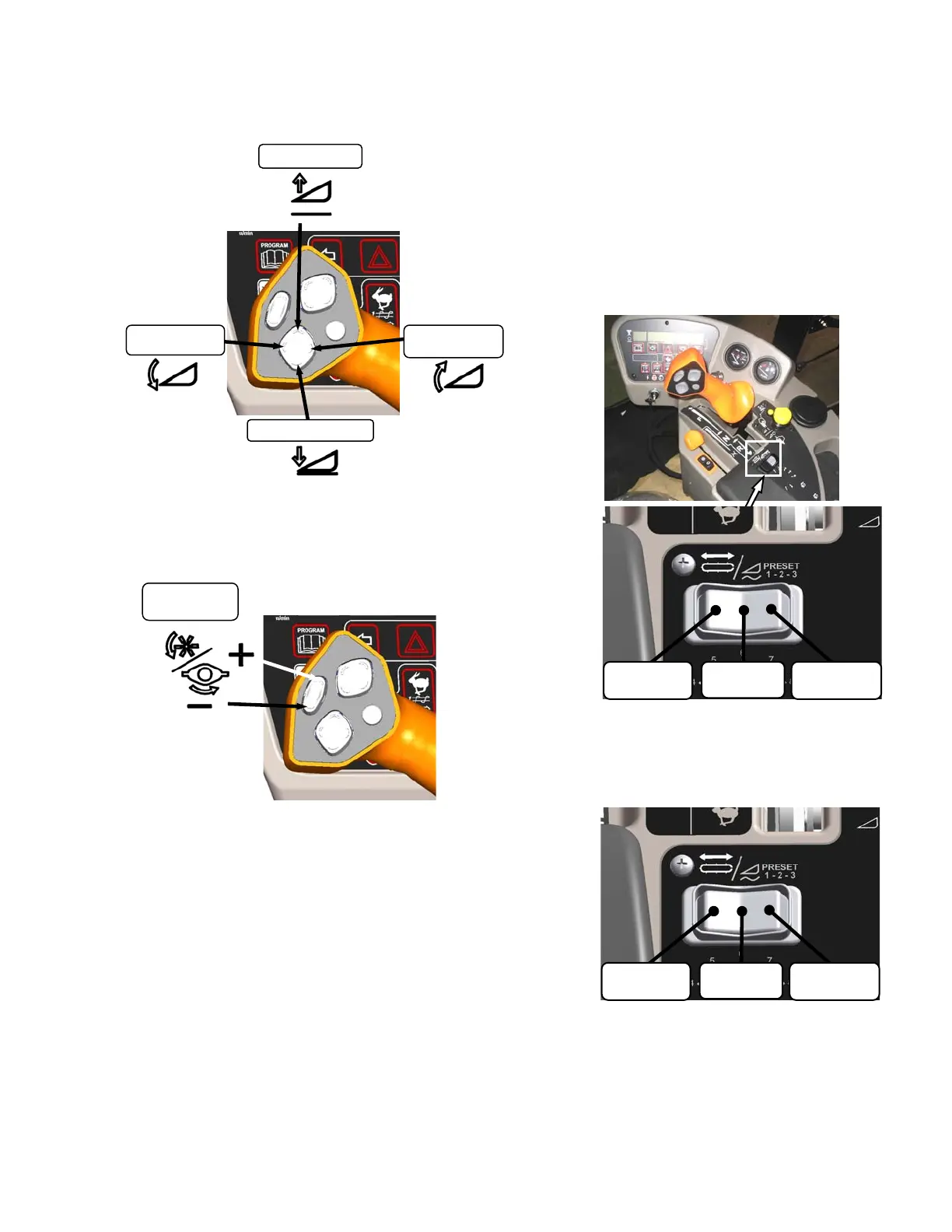
5.16.3.3 Header Position Switches
Press and hold switch at location shown to move
header.
Release switch at desired position.
5.16.3.4 Reel & Disc Speed Switches
Press and hold switch at location shown to
change reel or disc speed.
Release switch at desired speed.
Auger Header
Auger speed automatically adjusts when reel
speed is changed.
IMPORTANT
Reel speed on auger header must not
exceed 85 rpm. Auger speed not to
exceed 320 rpm.
Draper Header
Reel speed is limited in INDEX HEADER
SPEED mode.
Rotary Header
Conditioner speed automatically adjusts when
disc speed is changed.
5.16.4 Console Header Switches
The operator’s console contains switches for the
following header functions that are most often
used while the windrower is stationary.
5.16.4.1 Deck Shift/Float Preset Switch
Draper Header with Deck Shift Option -
Controls deck shifting for double windrowing
options with a draper header.
Draper Header with Fixed Decks/Auger
Header/Rotary Header
Selects pre-programmed header float settings.
Refer to Section 6.4.2 Flotation, for instructions
to preset the float.
HEADER
TILT UP
HEADER DOWN
HEADER
TILT D
WN
HEADER UP
REEL / DISC
SPEED
SLOW
FAST
CENTER
DELIVERY
RIGHT SIDE
DELIVERY
LEFT SIDE
DELIVERY
FLOAT
PRESET 2
FLOAT
PRESET 3
FLOAT
PRESET 1



 To Next Page