Chapter 9 Advanced features
Page 9-2 MAN 0384
9
Obscuration settings
The obscuration is a measure of how much sample is in the beam at any one time.
If this is too high multiple scattering may occur, if it’s too low insufficient signal
will be detected and precision lost. Setting limits enables the system to detect poor
conditions and take action either to ignore data, raise alarms or trigger the meas-
urement process once a limit has been exceeded. Values can be set manually or
default values for the selected sample handler can be enabled.
Obscuration settings can be used when measuring wet or dry samples. However,
obscuration settings are the preferred method for making dry measurements.
If using the SOP Wizard, click on the Measurement… button on the Measure-
ment dialogue, as described in the appropriate dispersion unit manual.
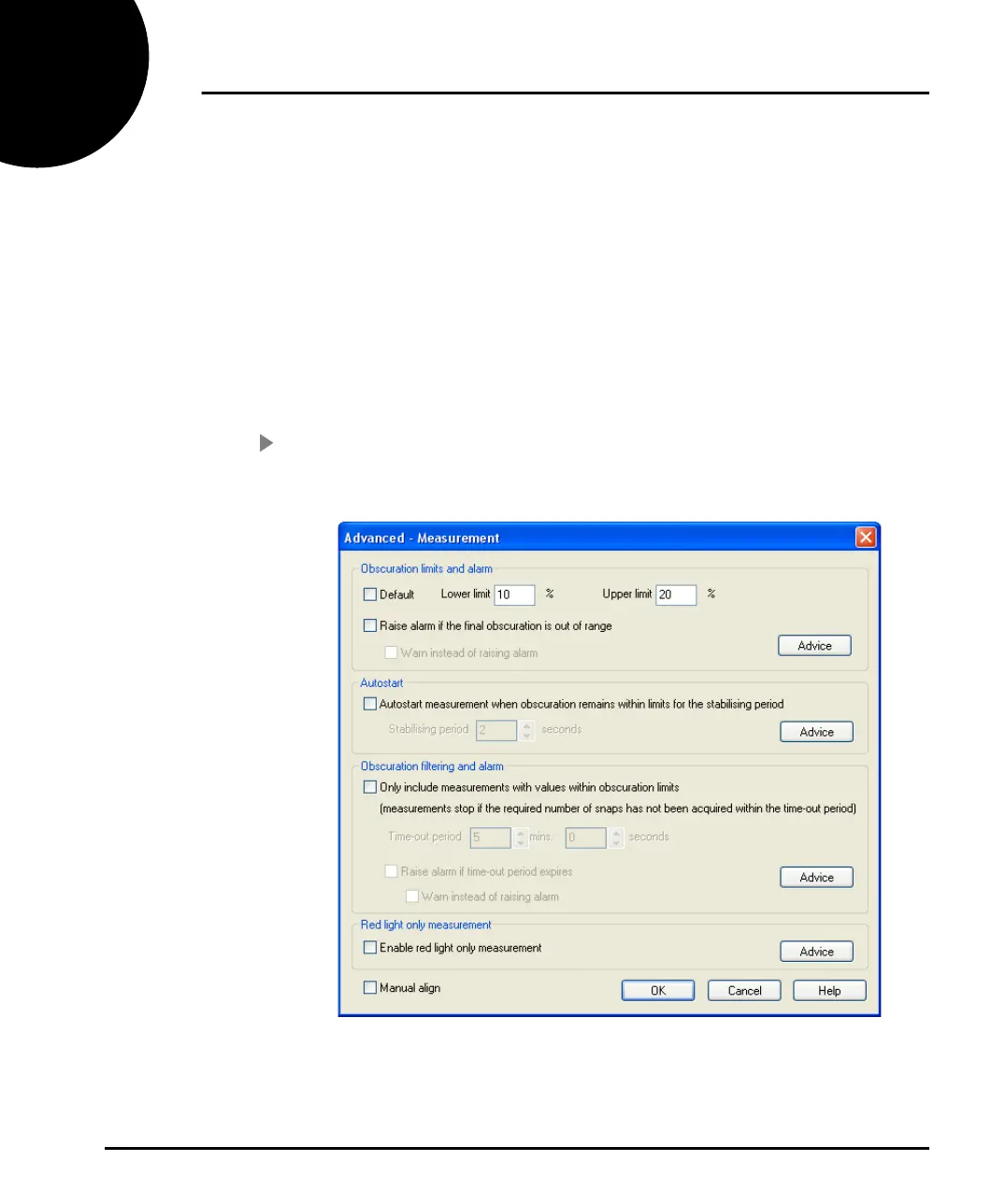
To change the obscuration settings:
1. For a manual measurement, click the Options button then click on the Meas-
urement… button from the Measurement tab. This dialogue will appear:
2. Set obscuration limits by typing the desired limits into the Lower limit and
Upper limit boxes. Selecting the Default check box will return the limits to
the system defaults.
MAN0384-1.0 Mastersizer 2000.book Page 2 Tuesday, March 20, 2007 8:56 AM



 To Next Page