Chapter 9 Advanced features
Page 9-8 MAN 0384
Editing results
What happens if the user makes a measurement then at a later date wants to change
one of the parameters of the result? For example, suppose that days after a measure-
ment the Refractive Index specified as an optical property is found to be incorrect.
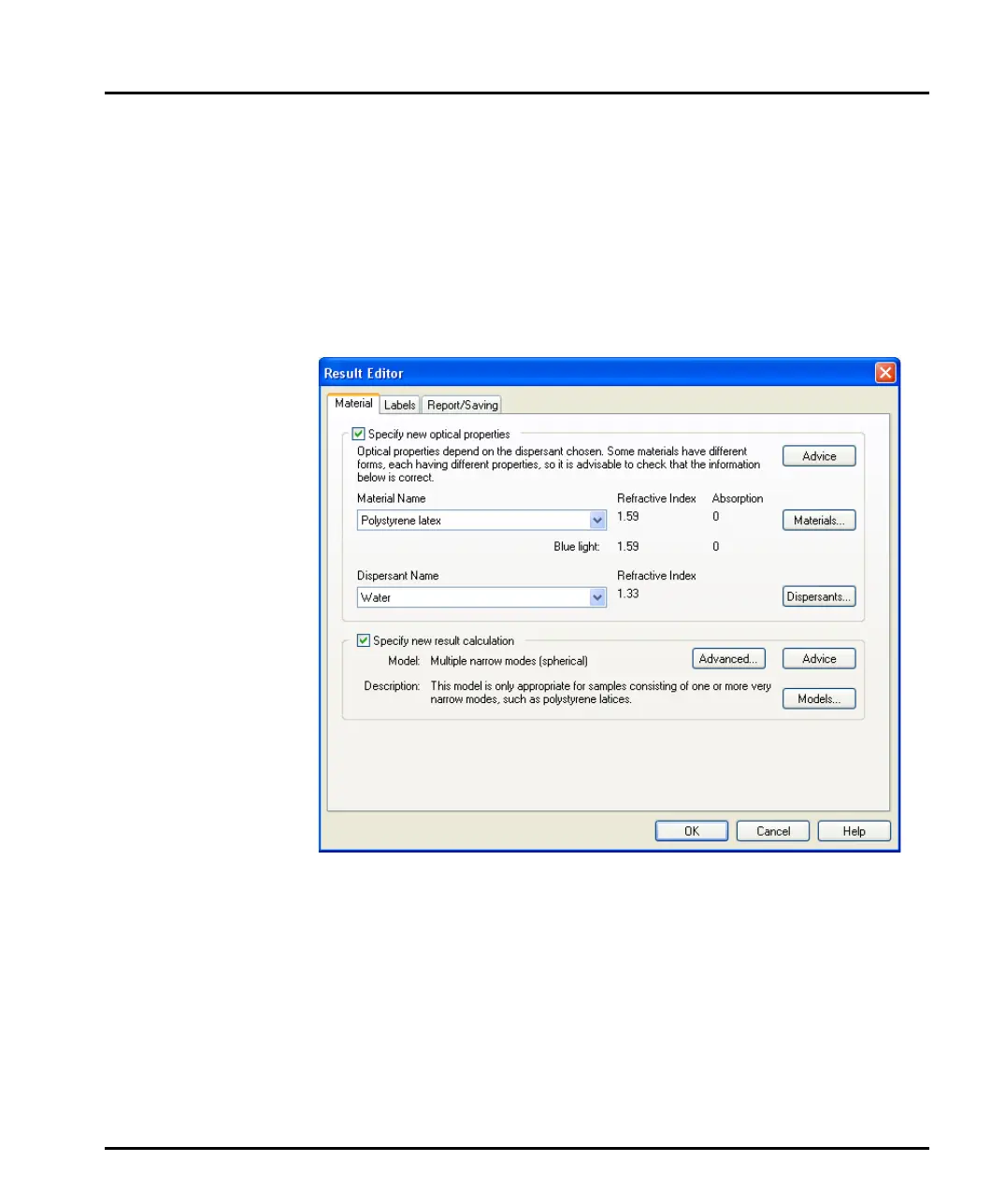
A user can change the properties of the record by selecting it then using Edit-
Result editor.
The Result Editor dialogue contains tabs similar to the SOP Wizard’s Material,
Labels and Report/Saving dialogues:
Each section has a Specify new result calculation check box that, when selected,
lets the user change the settings. The Measurement Options section in Chapter
4 has details of these dialogues.
Remember that the original record cannot be changed. When a user alters a record
using the Result Editor the changes are saved as a new record. A modified record
can always be identified as its Source parameter shows whether the record has
come from a measurement or been recalculated using the Result Editor.
When the Result Editor is closed down, any changes specified are remembered so
that the next time Result Editor is opened the changes can be assigned to a new
record.
MAN0384-1.0 Mastersizer 2000.book Page 8 Tuesday, March 20, 2007 8:56 AM



 To Next Page