Security Chapter 10
Mastersizer 2000 Page 10-5
Setting up user groups
All users must be a member of at least one user group.
Note
Only users assigned to the Administrators group can add or edit the user
group properties. We recommend setting up at least two administrator
users, so the system can still be accessed if one user’s password is lost.
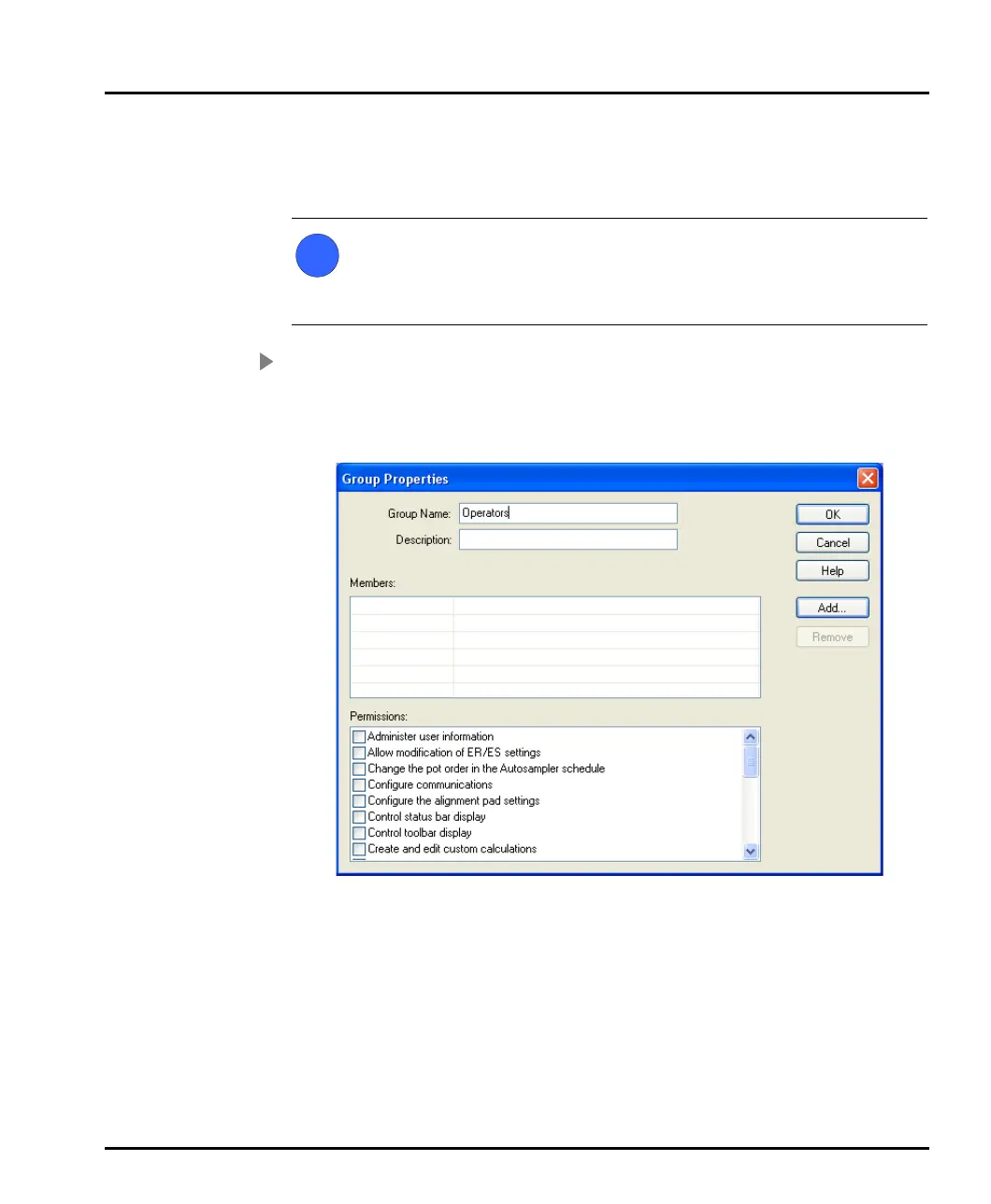
To add a new group:
1. In the Security Configuration dialogue select User-New Group... or dou-
ble-click on an empty Groups row to display the Group Properties dialogue
shown below:
2. Enter a Group name and a Description of the group’s purpose. Example
names might be:
Operators – general users of the system.
Supervisors – skilled users who can perform configuration and create
SOPs.
3. The Members list shows all the users currently assigned to the group. To add
a user click Add; a list of all users not currently allocated to that group is
i
MAN0384-1.0 Mastersizer 2000.book Page 5 Tuesday, March 20, 2007 8:56 AM



 To Next Page