Handling measurement files Chapter 7
Mastersizer 2000 Page 7-3
Searching and sorting records
The software has powerful search capabilities that allow users to find records
within measurement files that match a search criterion.
Records in a measurement file can also be sorted into alphanumeric order by
selecting a field header in the Records tab.
Searching records
Users can search many measurement files to find records matching a set of search
criteria they define. Any parameter contained in the file can be a search clue. For
example, it is possible to search all measurement files for records measured after a
certain date that contain a D(v, 0.5) value of more that 50 microns.
To search measurement files:
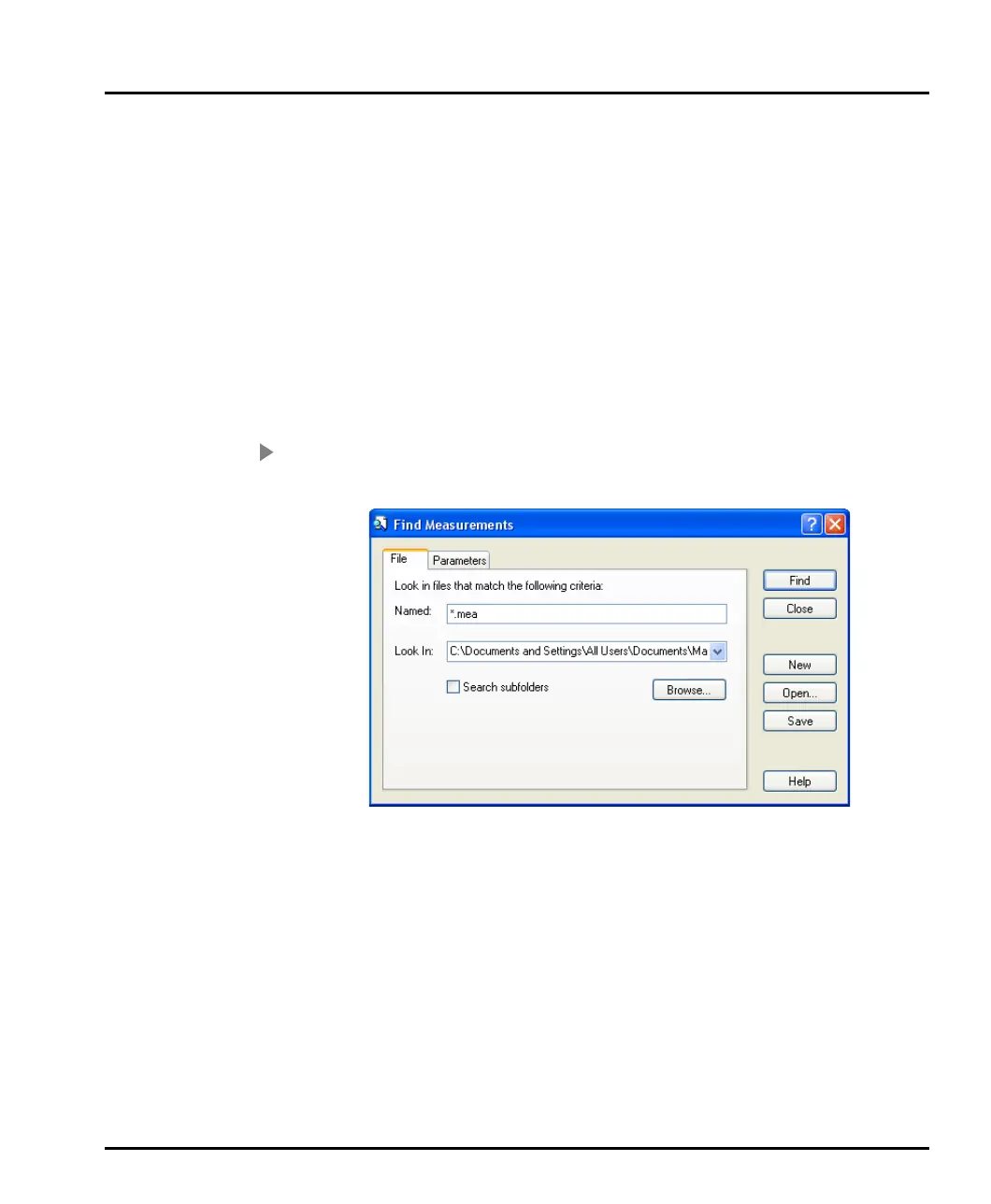
1. Select Tools-Find measurements to open this dialogue:
2. Use the Files tab to specify which measurement files to search. Use the
Browse button to select a directory which contains the measurement files
(enabling the Search subfolders check box extends the search to all sub-
directories of this directory).
In the Named box specify the name of the measurement files to be searched.
By default this is set to *.mea, which will search for all measurement files in
the selected directory. Wild cards can be used to narrow down the search. For
example selecting “Titanium*.mea” will search for all measurement files
beginning with “Titanium”.
3. Select the Parameters tab to specify the search criteria.
MAN0384-1.0 Mastersizer 2000.book Page 3 Tuesday, March 20, 2007 8:56 AM



 To Next Page