Chapter 7 Handling measurement files
Page 7-8 MAN 0384
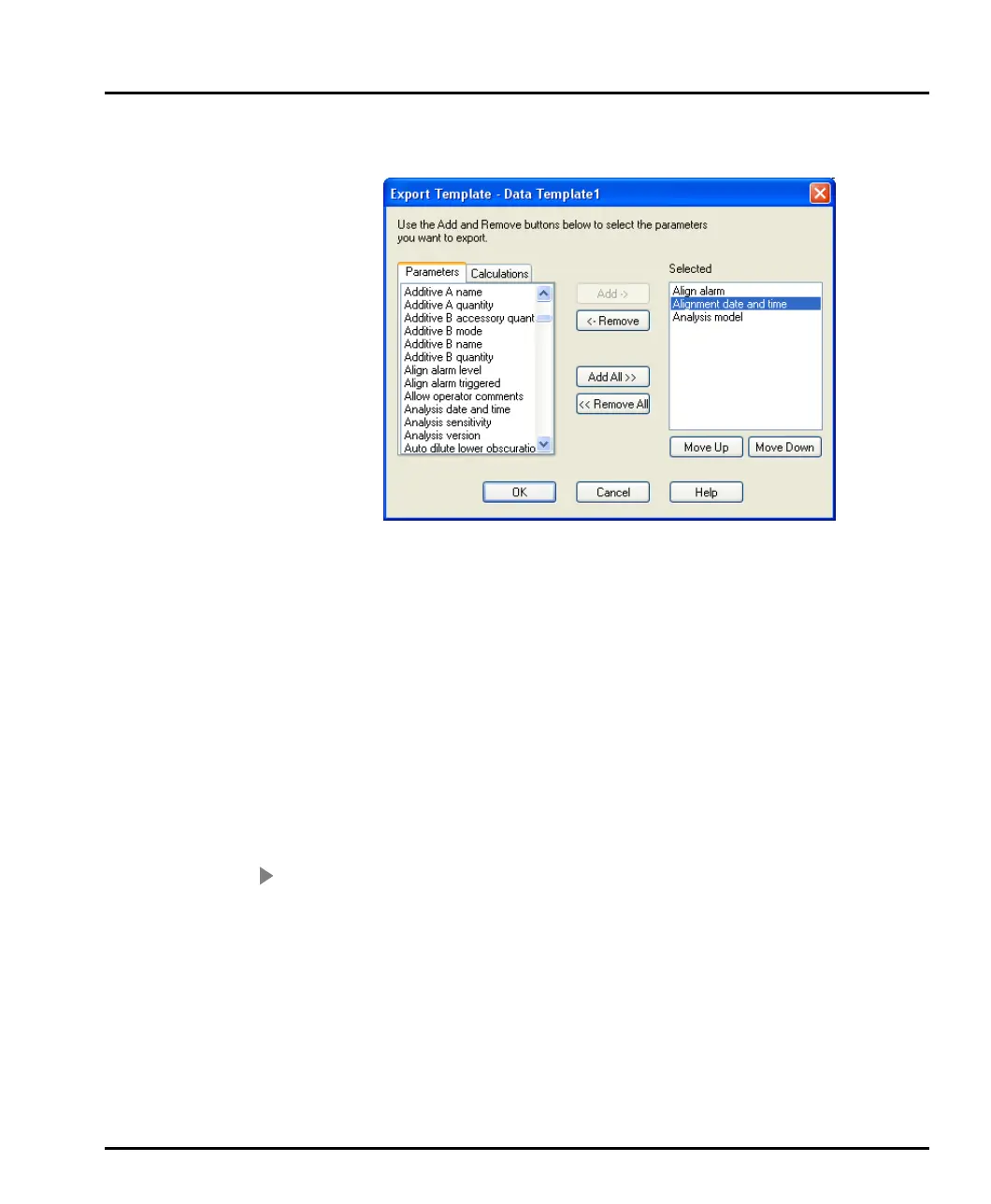
Having created it, set the template’s parameters by pressing the Edit.. button to
open this dialogue:
The Parameters list box displays all parameters available in a measurement record.
The Selected list box displays all parameters that are to be included in the tem-
plate. Add or remove parameters from this list by using the Add and Remove but-
tons.
To change the order in which the parameters are displayed in the Selected list,
select a parameter then press the Move up or Move Down buttons as appropriate.
A standard template Result Analysis(M) is supplied that exports all fields of the
standard report page Result Analysis(M).
Extracting an SOP
The SOP settings used to produce a measurement can be extracted for reuse.
To extract an SOP:
1. Select a record in the measurement file.
2. Either right-click on the record and select Extract in the menu this displays, or
select Edit-Extract SOP.
3. The Extracted SOP editor dialogue opens, showing the SOP or manual
measurement parameters used to make the original measurement.
4. Make any required changes to the settings and then click OK.
5. Specify the SOP file to save the changes to as a new SOP.
MAN0384-1.0 Mastersizer 2000.book Page 8 Tuesday, March 20, 2007 8:56 AM



 To Next Page