Identifying the features Chapter 3
Mastersizer 2000 Page 3-7
Wet cell
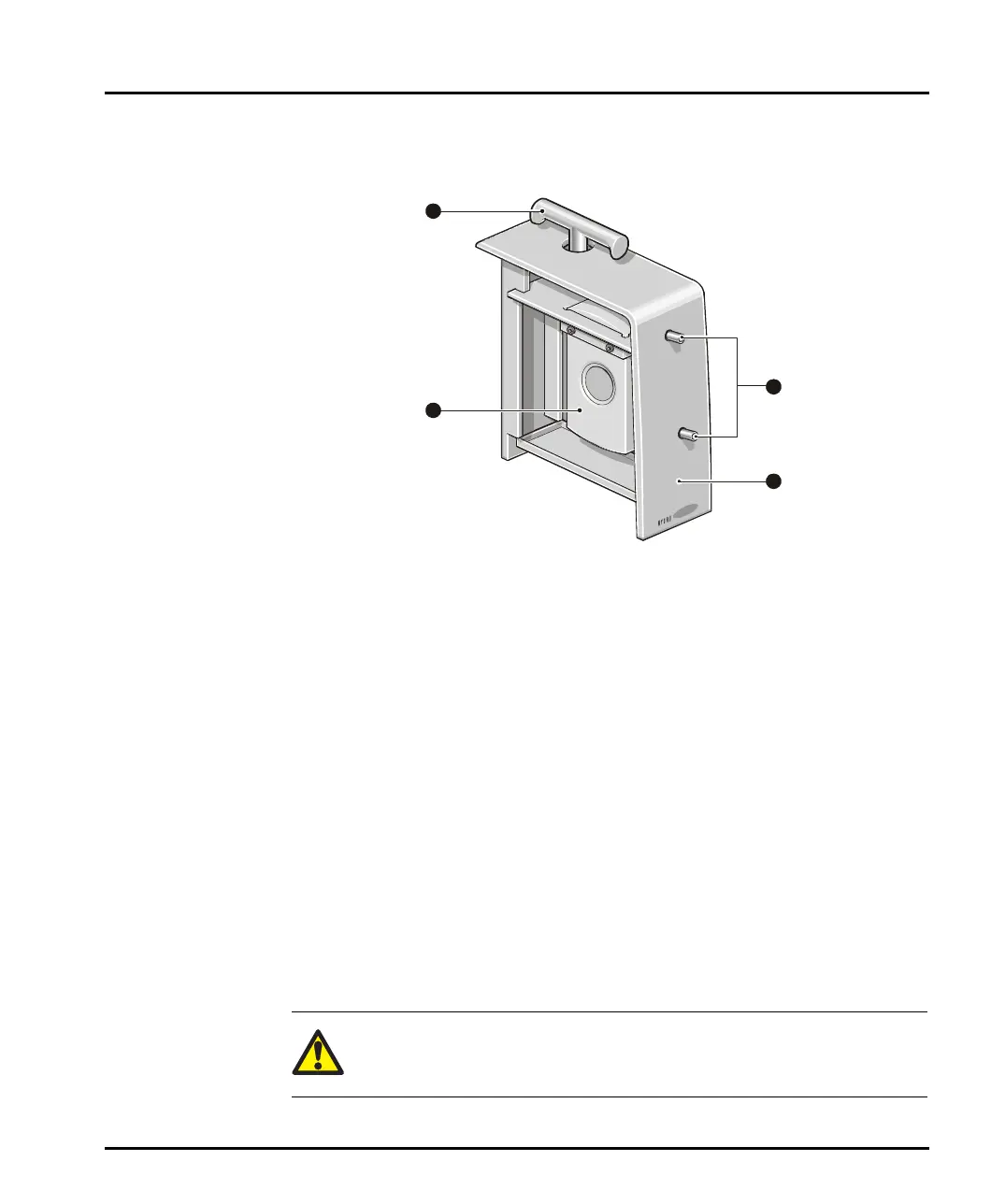
The features of a wet cell are detailed below:
ill 4860
Light shroud
This shroud stops light entering the cell area during a measurement. More impor-
tantly, it protects the user from laser emissions. Never operate the system if any
of the covers is damaged.
Cell
The cell has a pair of windows that allow the laser to pass through the sample. The
windows can be removed for cleaning/replacement (see the Essentials Manual).
“Cell in” and “Cell out” connectors
The sample is recirculated through the cell and back to the dispersion unit. These
connectors attach the cell to the dispersion unit. The tubing must be connected
correctly. The tube from the dispersion unit to the cell must be connected to the
Cell in connector. This allows any trapped air bubbles to rise through the cell. The
connectors are colour coded to aid correct connection.
Locking handle
The locking handle is rotated anti-clockwise to lock the cell in place.
Caution!
Never try to lift the optical bench by this handle.
4
3
1
2
MAN0384-1.0 Mastersizer 2000.book Page 7 Tuesday, March 20, 2007 8:56 AM



 To Next Page