Chapter 4 Making measurements - a tutorial
Page 4-6 MAN 0384
Making a basic manual measurement
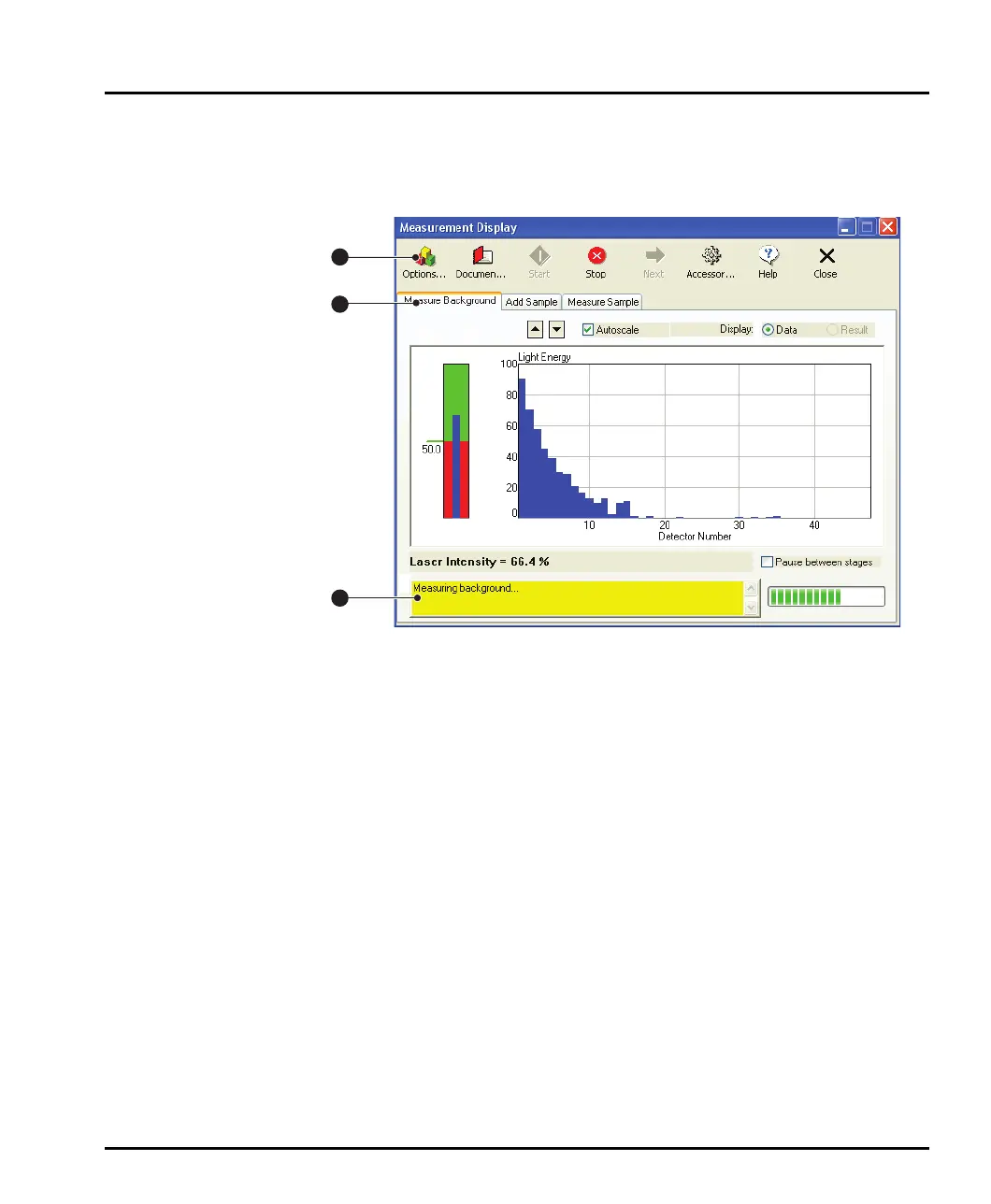
To make a manual measurement select Measure-Manual. The Measurement
Display dialogue shown below will appear:
ill 7754
The software will automatically make an electrical background measurement and
an optical background measurement then align the optics. The main features of this
display are:
The Status area at the bottom left of the dialogue reports what is going on.
The information in the dialogue changes as the measurement progresses.
The tabs show information on the four stages of making a measurement:
Measure Background – the measurement data from a particle field is
contaminated by background electrical noise and also by scattering data
from dust on the optics and contaminants floating in the “clean” disper-
sant. The Measure Background facility automatically makes a measure-
ment of the system containing only clean dispersant when a manual
measurement is started, as well as a measurement of the electrical back-
ground. This background information is subtracted from the sample meas-
urement in order to “clean” the data.
Add Sample – this tab shows how much sample has been added to the
tank for measurement. The system measures how much sample is added
by monitoring the “obscuration” of the beam caused by the sample being
added to the dispersant. The obscuration is simply the fraction of light
“lost” from the analyser beam when the sample is introduced. For example
1
2
3
MAN0384-1.0 Mastersizer 2000.book Page 6 Tuesday, March 20, 2007 8:56 AM



 To Next Page