Chapter 4 Making measurements - a tutorial
Page 4-12 MAN 0384
Making a basic manual measurement
To make a manual measurement select Measure-Manual. First fill the beaker
with clean dispersant, then use the dispersion unit to pump the dispersant through
the cell - this will be prompted by the software. The Measurement Display now
appears and the software automatically makes an electrical background measure-
ment, followed by an optical background measurement and alignment of the
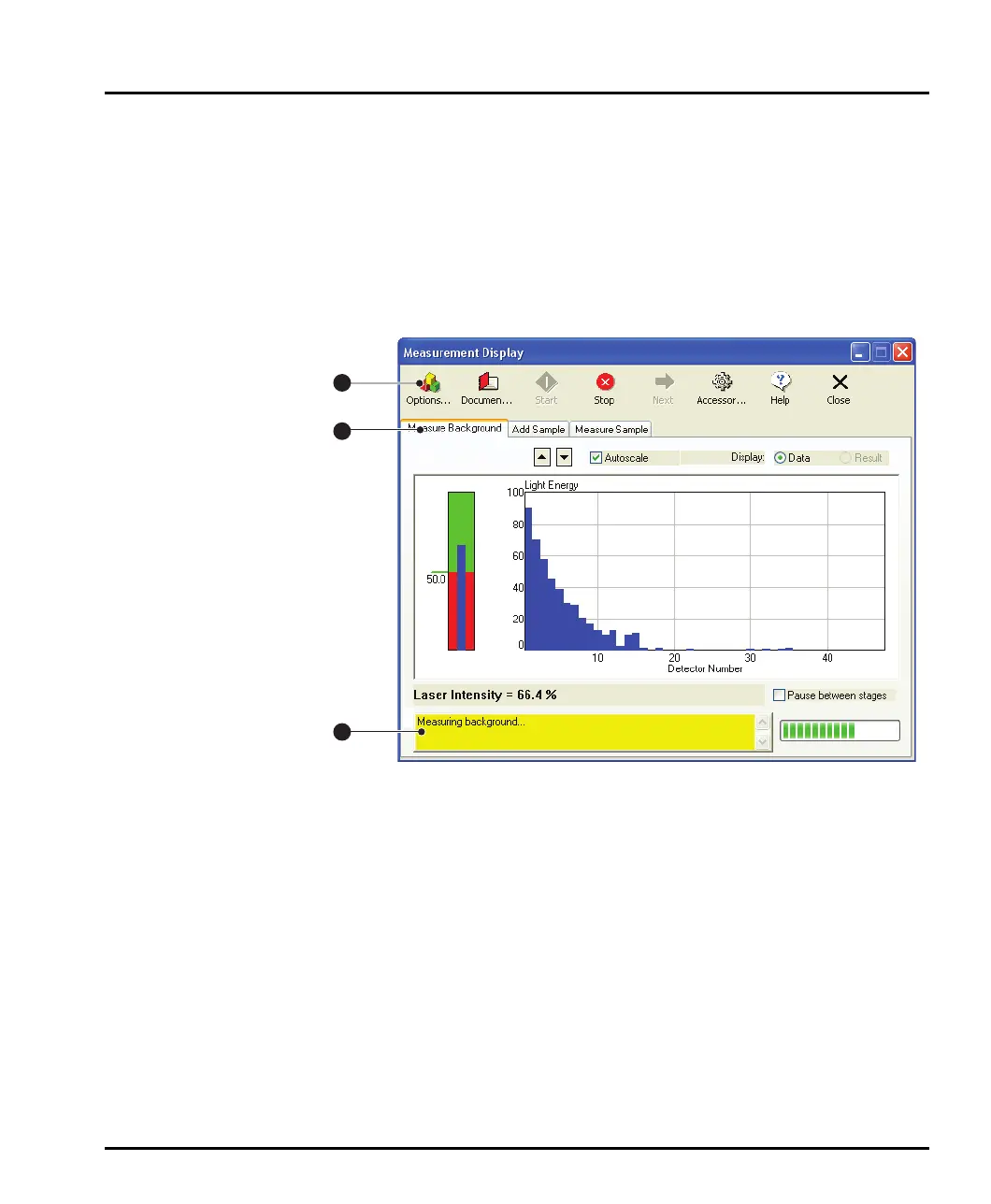
optics. It is worth spending some time to familiarise yourself with this display. The
display is shown below and its main features identified.
ill 7754
Its main features are:
The status area at the bottom left of the dialogue reports what is going on. The
information in the dialogue changes as the measurement progresses.
The tabbed displays show information on the four stages of making a measure-
ment:
Measuring a background – the measurement data from a particle field is
contaminated by background electrical noise and also by scattering data
from dust on the optics and contaminants floating in the “clean” disper-
sant. The “measure background” facility makes a measurement of the sys-
tem with only clean dispersant in as well as a measurement of the electrical
background. This background information is subtracted from the sample
measurement in order to “clean” the data.
1
2
3
MAN0384-1.0 Mastersizer 2000.book Page 12 Tuesday, March 20, 2007 8:56 AM



 To Next Page