33
DESKTOP PRINTER SERVICE MANUAL
REPLACING THE TENSIONER ASSEMBLY
Note: Take care not to discard any hardware you remove during this procedure, as you will need it
during the reinstallation.
Tools
● 3mm hex key
● 2.5mm hex key
TENSIONER ASSEMBLY REMOVAL
1.
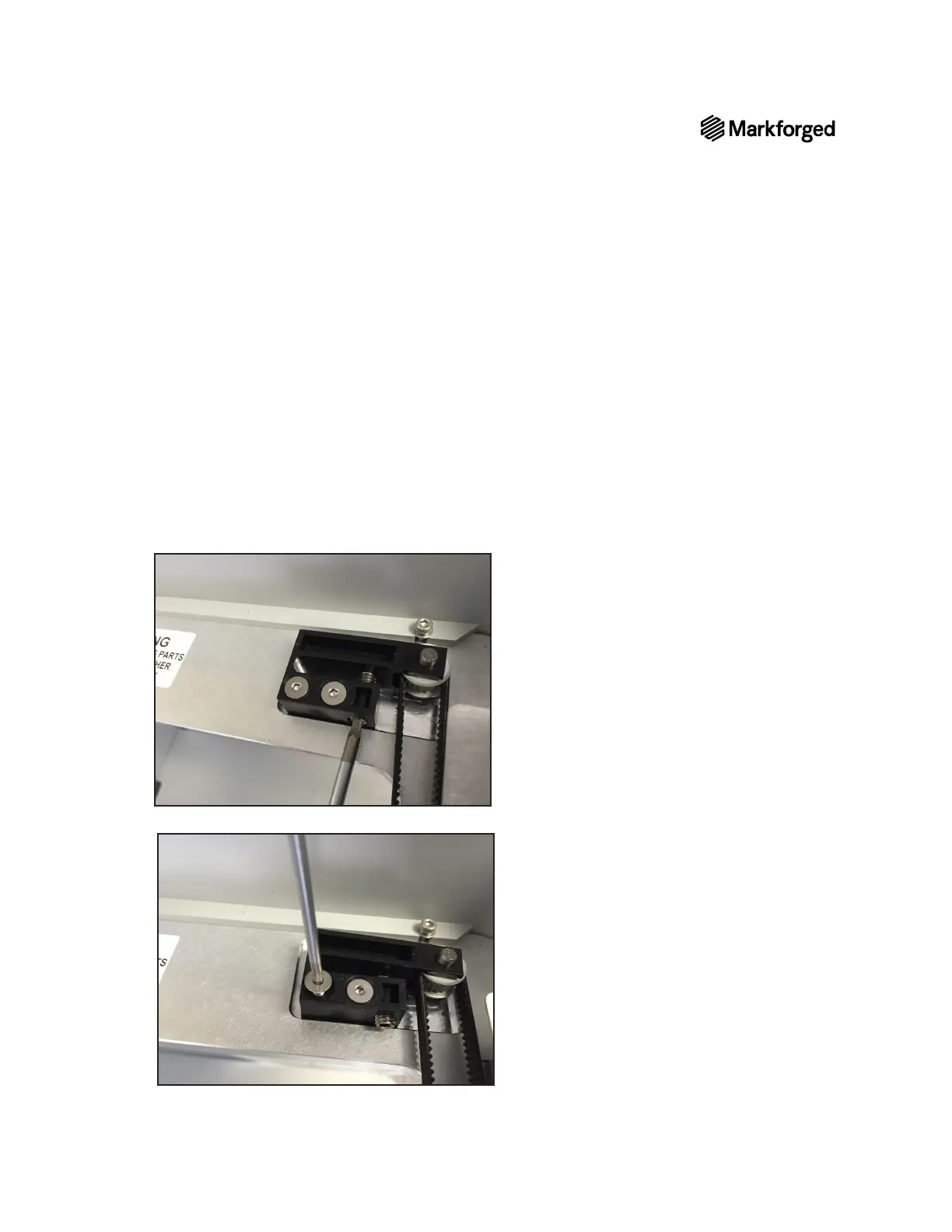
2. Use the 3mm hex key to loosen the belt’s tensioner by turning it 3–4 full rotations.
3. Use the 2.5mm hex key to loosen and remove the two screws that hold the tensioner in place.



 To Next Page