39
DESKTOP PRINTER SERVICE MANUAL
15. Pull the BeagleBone case away from the prongs that secure it to the touchscreen. If necessary, gently
rock the BeagleBone from left to right to loosen it.
TOUCHSCREEN REPLACEMENT
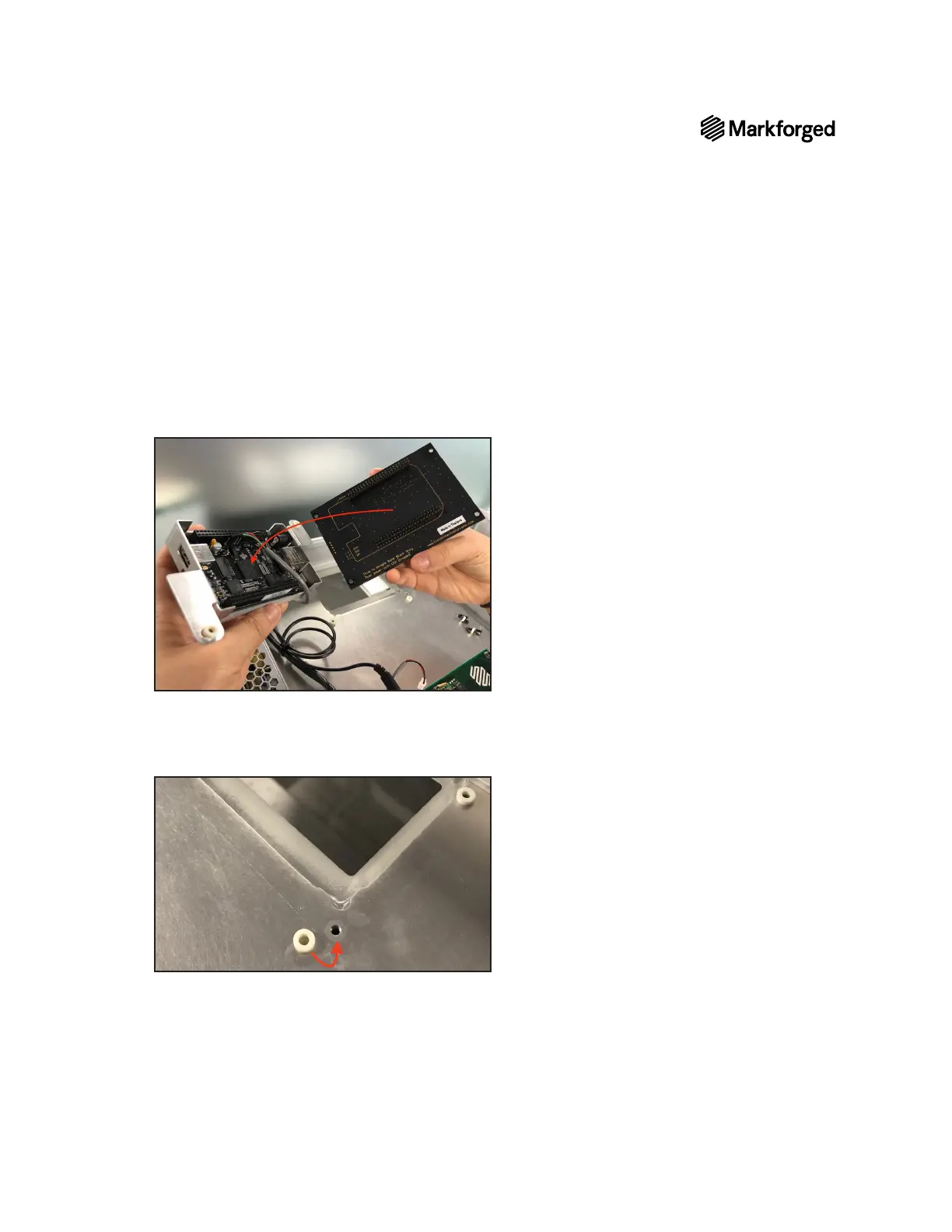
1. Connect the replacement touchscreen to the BeagleBone, using the markings on the touchscreen
2. Align four white spacers with the holes around the touchscreen opening in the printer casing.
3. Keeping the grey cable out of the way, carefully seat the replacement touchscreen into its opening,
Note: Ensure that the USB port on the BeagleBone faces toward the USB hub.
4. Place two spacers directly on the exposed corners of the board and insert the other two between the
touchscreen board and the tabs of the BeagleBone cover.



 To Next Page