EasyManua.ls Logo

Markforged MARK TWO - Replace A1095 Extruder

Markforged MARK TWO
58 pages
Print Icon
To Next Page IconTo Next Page
To Previous Page IconTo Previous Page
Loading...
13
DESKTOP PRINTER SERVICE MANUAL
10. Unclip the white wire clip that connects wires between the plastic extruder and the printer.
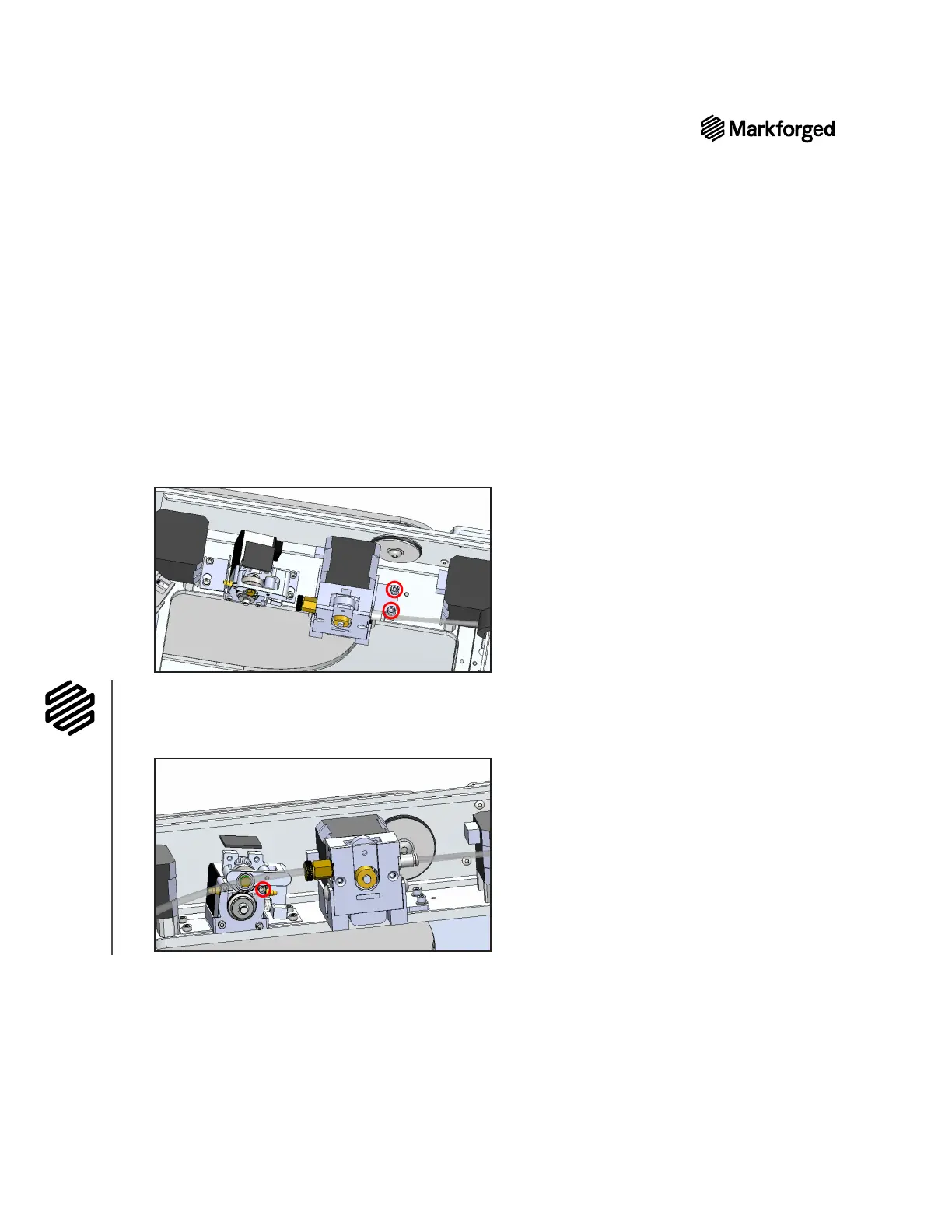
11. Remove the plastic extruder from the printer. Take care not to remove the supporting bracket.
Replace A1095 extruder
1. Place the new plastic extruder in the bracket on the printer chassis where the old extruder sat.
2. 
3. Place the screws and lock washers from the old extruder into the holes on the bracket and tighten them

4. 
the printer.
5. 

6. 
thumbscrew.
7. Reinstall the plastic feed tube to the rear of the plastic extruder.
8. Power on the printer and reload materials. For more information, see Loading Plastic and Loading Fiber,
if applicable, in the User Guide.


Other manuals for Markforged MARK TWO

Related product manuals