4-6 Masterflex
®
I/P
®
MasterSense™ Process Drives
Section 4: Communication Specification
Masterflex
PROFIBUS
Profibus Mode
In Pro bus mode the pump will be operated remotely either in Continuous, Volume or Time mode.
Profibus Setup
Ensure your computer and the PLC are both connected to a network switch. Also verify the pump can send/
receive ping commands from your computer. Connect the DB-9 Pro bus cable on both the pump side as well
as the Pro bus connector either on the Pro bus module or the controller itself.
Profibus Settings
NOTE: Assuming the pump is online with the PLC and has been toggled into Pro bus mode:
To Select Pro bus Settings:
1. Tap SETTINGS
.
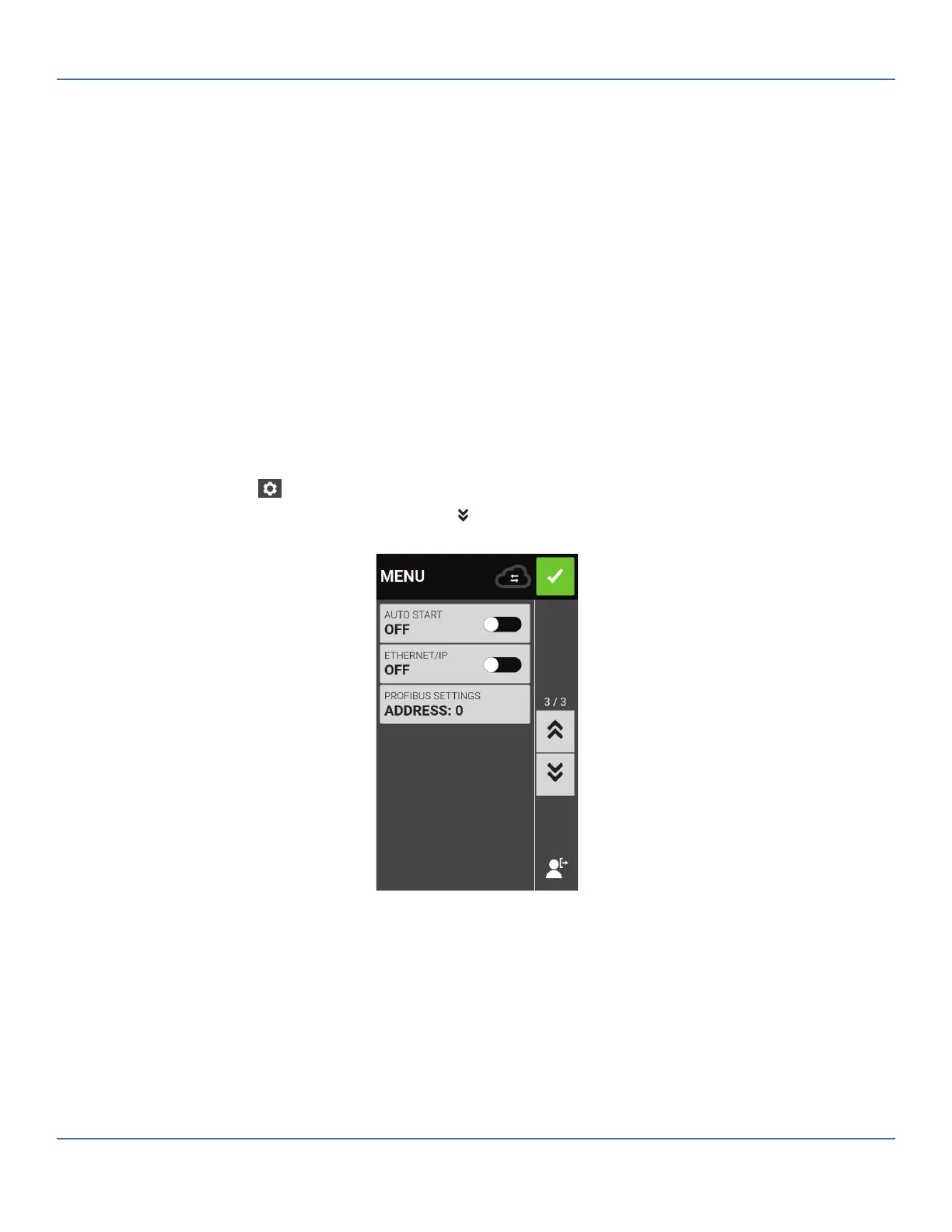
2. From the resulting MENU screen SCROLL
down to page 3/3 and access PROFIBUS SETTINGS.
3. Once that eld is selected you now enter the PROFIBUS SETTINGS screen. Here you can assign the
Pro bus address to be a value (in between 1 and 126). e default Pro bus address is 7.



 To Next Page