2-10 Masterflex
®
I/P
®
MasterSense™ Process Drives
Section 2: Basic Setup & Settings
Masterflex
Auto Start
e I/P has an auto start that will resume pump operation when power is restored after a power outage.
To enable auto start:
1. Tap SETTINGS
from any of the mode screens. e Settings Screen will be displayed.
2. SCROLL
through the Settings Screen pages to locate AUTO START.
3. Tap the AUTO START toggle to select either ON or OFF.
PRIMING THE PUMP DRIVE
It is recommended that you prime the pump drive before use. Priming the pump draws uid through the
tubing and eliminates air pockets from the system.
CAUTION: Turn the drive o before removing or installing tubing. Fingers or loose clothing
could get caught in the drive mechanism.
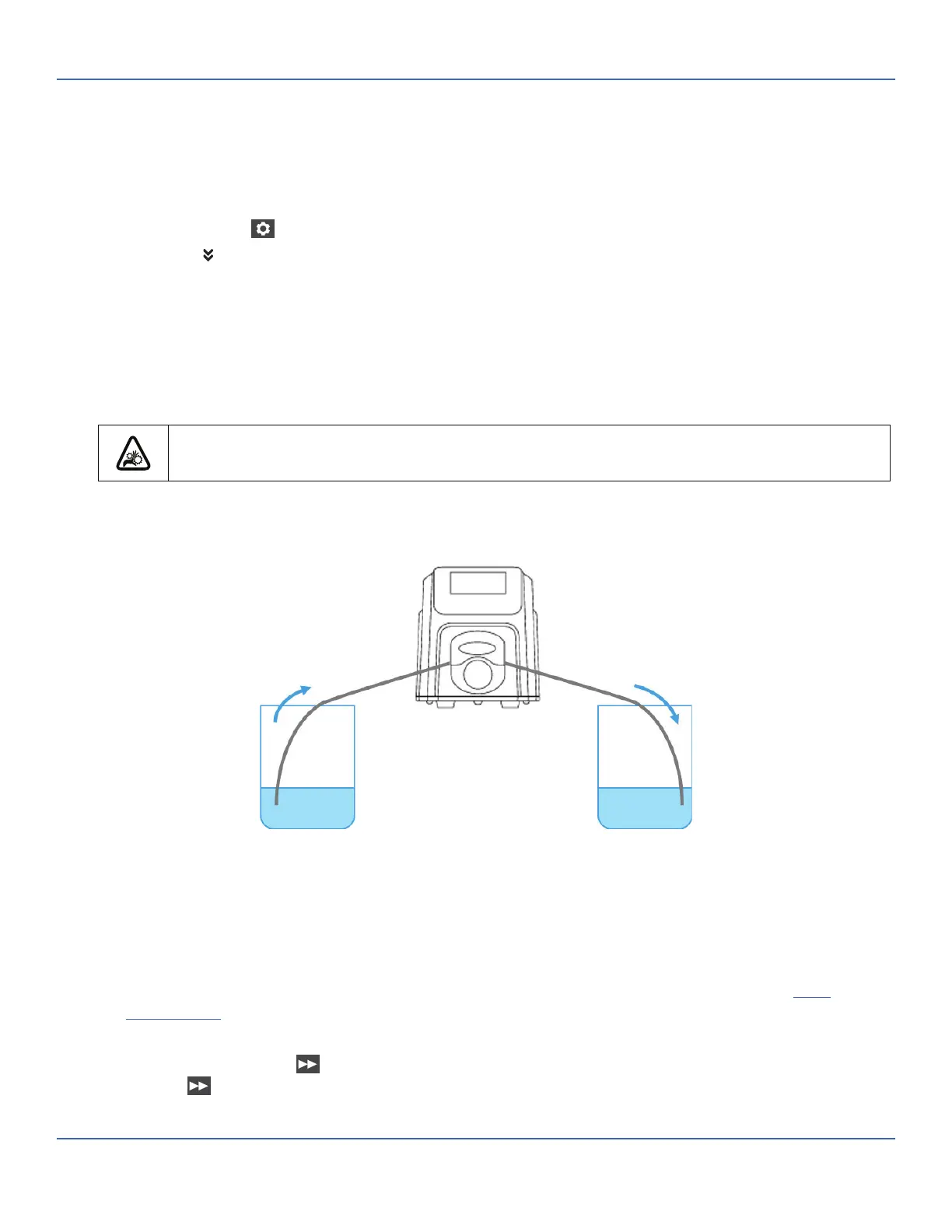
Example Flow System
To prime the pump drive:
1. Insert the tubing into the pump head (refer to the pump head user manual for further information).
2. Insert the tube inlet into the supply uid.
3. Insert the tube outlet into an appropriate container.
4. Switch the drive on using the power switch located at the rear of the drive. NOTE: If Manage User
is enabled you may be prompted for a username and password (For further information see "
User
Management
" on page 2-8).
5. Navigate to the Continuous, Time or Volume Mode screens.
6. Press and hold PRIME
until there are no bubbles visible in the tubing. Priming will stop when
PRIME
is released.



 To Next Page