3-13 Masterflex
®
I/P
®
MasterSense™ Process Drives
Section 3: Operation
Masterflex
5. Tap START . e drive will now begin pump operation while recording the uid volume.
6. If required, adjustments can be made to ow rate during operation. To make adjustments:
a. Tap STOP
and then repeat steps 4–6 above.
b. Tap START
to complete the pump operation once the desired changes have been made. NOTE:
If required, tap STOP
and then CANCEL to discard recording and return to the Volume
Mode Edit Screen.
7. Tap STOP
when the desired volume of uid has been pumped. e recorded dispense volume will
now be displayed under VOLUME.
8. Tap CONFIRM
to save or CANCEL to discard recording and return to the Volume Mode Edit
Screen. If saved, the recorded dispense volume will now be displayed under VOLUME.
9. Tap CONFIRM
. e Volume Mode Run Screen will be displayed.
ANALOG INPUT MODE
!
CAUTION: Power must be turned o before connecting the external analog control cable to prevent
damage to the drive.
e I/P Process Drive can be monitored through the pump drive’s 31-Pin female connection port. See
www.master ex.com for more information.
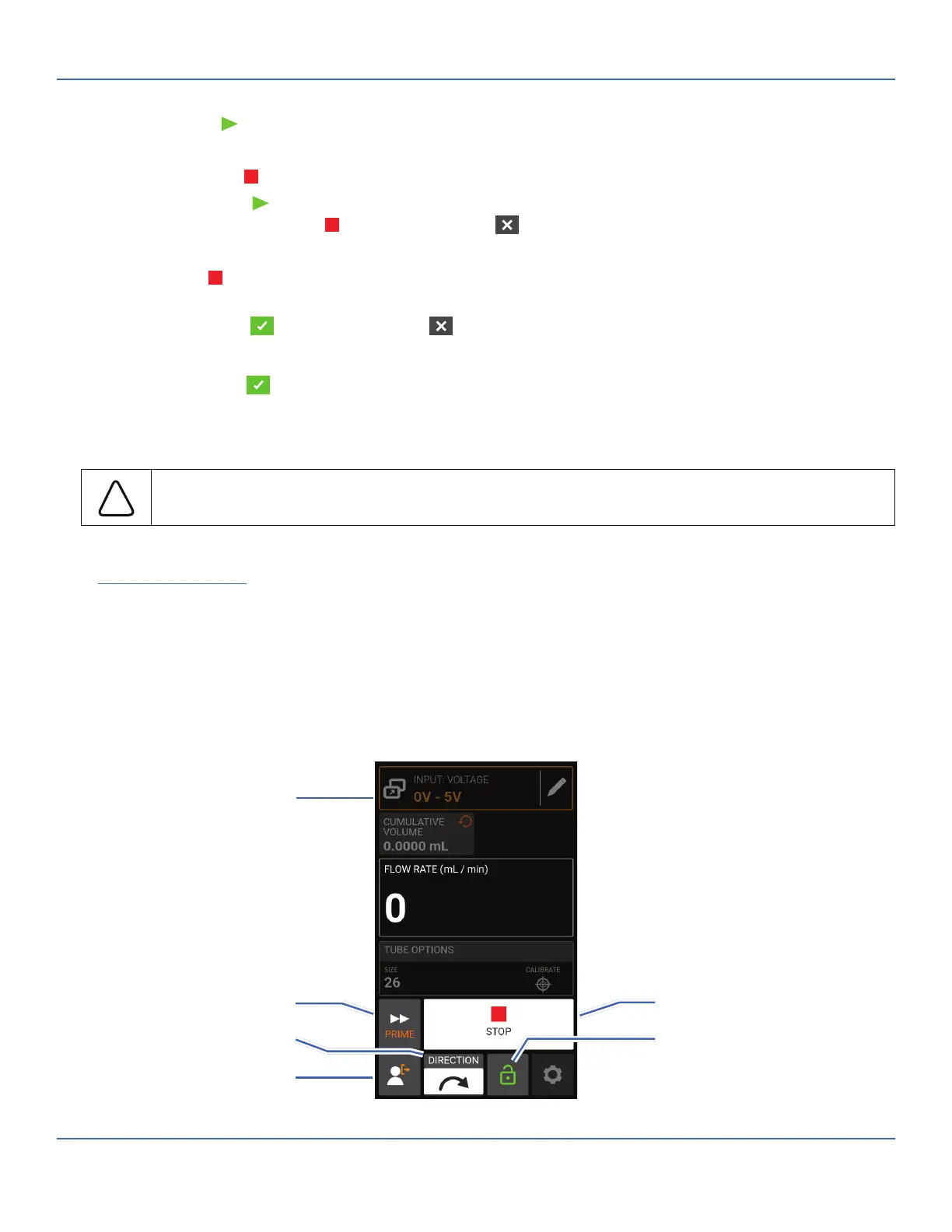
Analog Input Mode Run Screen
e Analog Input Mode Run Screen will be displayed on the pump drive’s touchscreen during analog input
operation. e screen displays the currently selected operation dispense settings from an external remote
control device. e Analog Input Mode Run Screen is accessed by selecting ANALOG INPUT from the
Mode Selection Screen.
C. Start/Stop
E. Screen Lock
A. Mode Name Banner
B. Prime
D. Flow Direction
F. Logout



 To Next Page