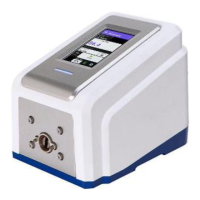
3-4 Masterflex REGLO Digital Pump Drive with Advanced Connectivity
Section 2: Basic Setup & Settings
Masterflex
Pump Preparation
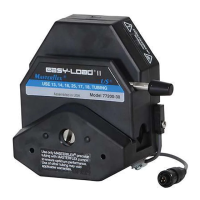
1. Mount the pump head to the drive (for further information see "Pump Head Replacement" on page 3-45).
2. Attach the tubing adapters to the pump head. NOTE: To help protect the thread and ensure optimum
sealing it is recommended that PTFE tape be wrapped around the adaptor threads.
3. Connect the tubing to your system.
4. Fasten the tubing to the tubing adapters using the supplied tubing clamps.
5. Plug in and securely fasten the supplied desktop power supply to the power cable barrel connector located
at the rear of the drive.
6. Switch on the drive.
7. Navigate to the Continuous, Time or Volume Mode screens.
8. Tap HEAD OPTIONS. e Head Options Screen will be displayed.
a. Select the desired pump head size from the list of available options.
b. Tap CONFIRM to save or CANCEL to discard changes and return to the previous screen.
9. Prime the new pump head (for further information see "Priming the Pump" on page 3-11).
10. Calibrate the new pump head (for further information see "Pump Head Calibration" on page 3-12).
e pump is now ready for operation.
SWITCHING ON THE DRIVE
1. Plug in and securely fasten the supplied desktop power supply to the power cable barrel connector located
at the rear of the drive.
2. Plug the opposite end of the power cable into a mains power outlet.
3. Switch the drive on using the power switch located at the rear of the drive. NOTE: e drive takes
approximately two minutes to complete start-up.
NOTE:
• On the initial start-up the Language Settings Screen will be displayed. A language must be selected before
pump operation (for further information see "Language Settings" on page 3-5).
• If Manage User is enabled you may be prompted for a Username and Password (for further information
see "User Management" on page 3-9).
• Following the initial start-up all subsequent start-ups will revert to the mode of operation screen
previously in use.
• After 30 minutes of inactivity the REGLO will enter sleep mode and the display will turn o. Tapping
the touchscreen will reactivate the drive. To enable (default) or disable the screen saver see "Auto Start" on
page 3-10.



 To Next Page