11.2 mvDeviceConfigure 121
See also
More informations about ACPI: http://en.wikipedia.org/wiki/Advanced_Configuration←-
_and_Power_Interface
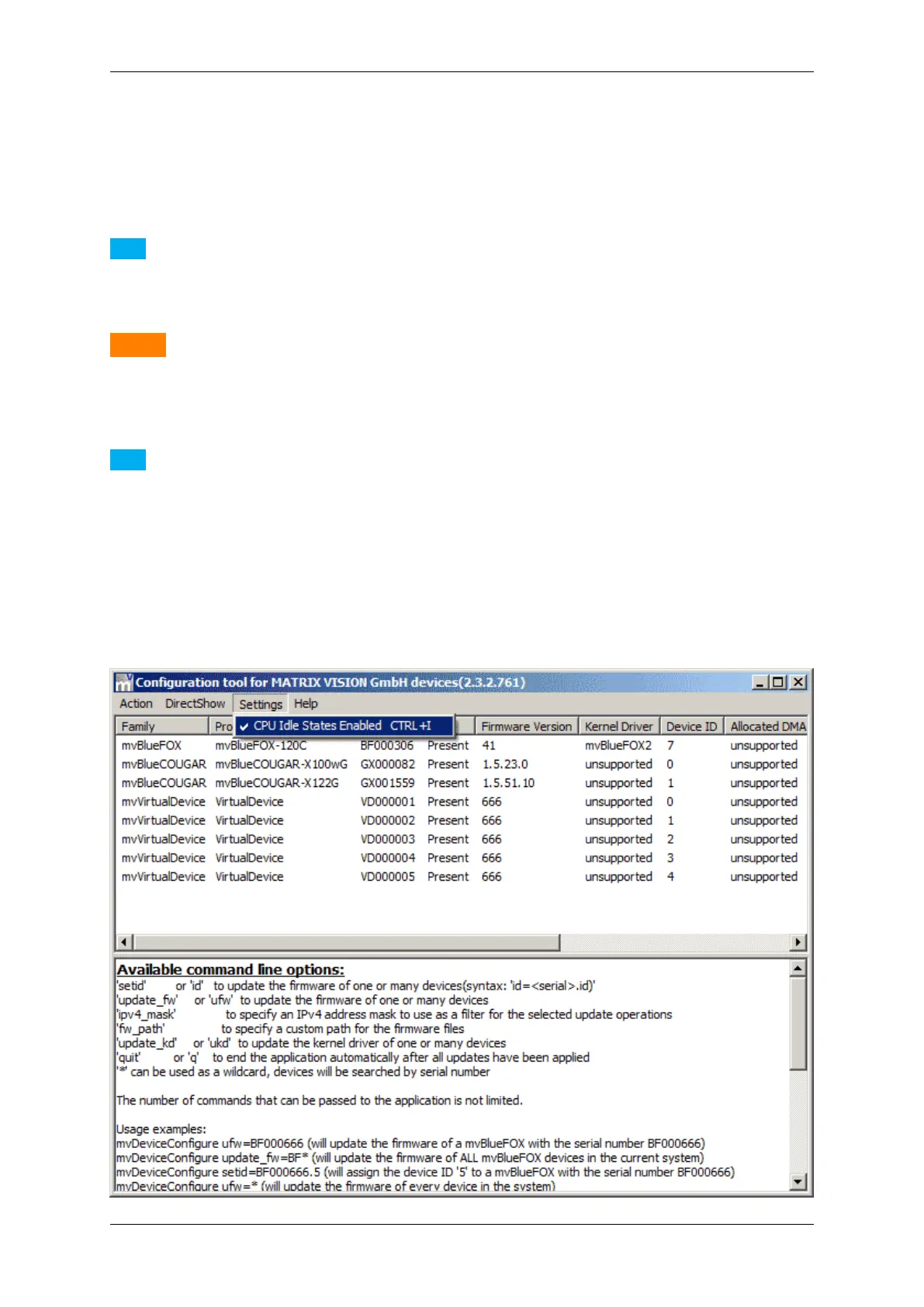
To disable the power management on the processor level (so-called "C states"), you can use mvDevice←-
Configure:
Note
With Windows XP it is only possible to disable the C2 and C3 states. With Windows Vista / 7 / 8 all C states
(1,2, and 3) will be disabled.
Warning
Please be sure you know what you do! To turn off the processor's sleep states will lead to a higher power
consumption of your system. Some processor vendors might state that turning off the sleep states will result
in the processors warranty will expire.
Note
Modifying the sleep states using mvDeviceConfigure does only affects the current power scheme. For
notebooks this will e.g. make a difference depending on whether the notebook is running on battery or not.
E.g. if the sleep states have been disabled while running on battery and then the system is connected to an
external power supply, the sleep states might be active again. Thus in order to permanently disable the sleep
states, this needs to be done for all power schemes that will be used when operating devices.
1. Start mvDeviceConfigure.
2. Go to tab "Settings" and unselect "CPU Idle States Enabled".
MATRIX VISION GmbH



 To Next Page