42 CONTENTS
• The current firmware version of the device can be obtained either by using one of the applications which
are part of the SDK such as mvDeviceConfigure (p. 116) or by reading the value of the property Device/←-
FirmwareVersion or Info/FirmwareVersion using the API
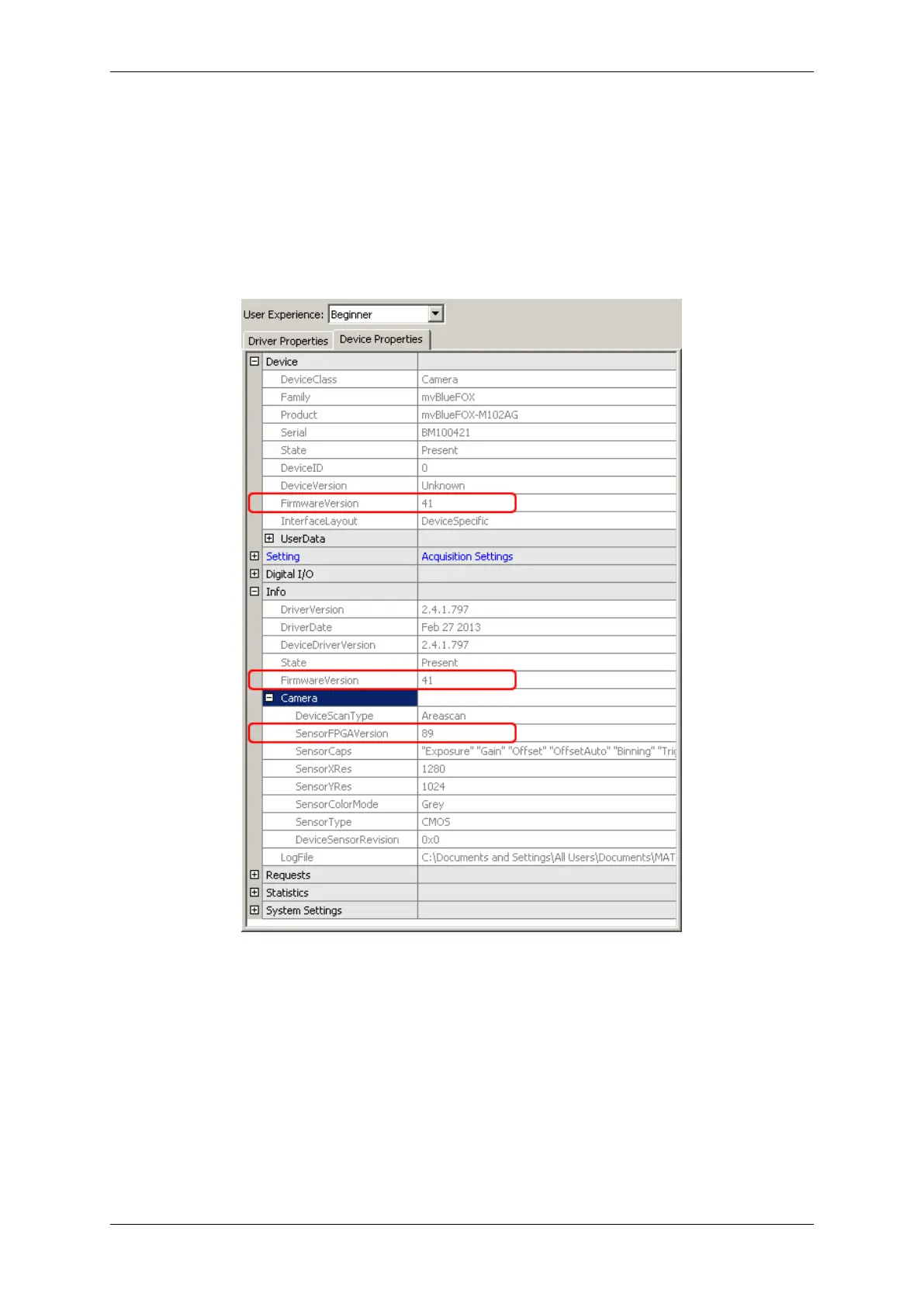
• The current FPGA file version used by the device can be obtained by reading the value of the property
Info/Camera/SensorFPGAVersion
Using wxPropView the same information is available as indicated by the following figure:
Figure 20: wxPropView - FPGA and Firmware version numbers
7.4 Settings behaviour during startup
A setting contains all the parameters that are needed to prepare and program the device for the image capture.
Every image can be captured with completely different set of parameters. In almost every case, these parameters
are accessible via a property offered by the device driver. A setting e.g. might contain
• the gain to be applied to the analogue to digital conversion process for analogue video sources or
• the AOI to be captured from the incoming image data.
MATRIX VISION GmbH



 To Next Page