40 CONTENTS
7.3.1 FPGA
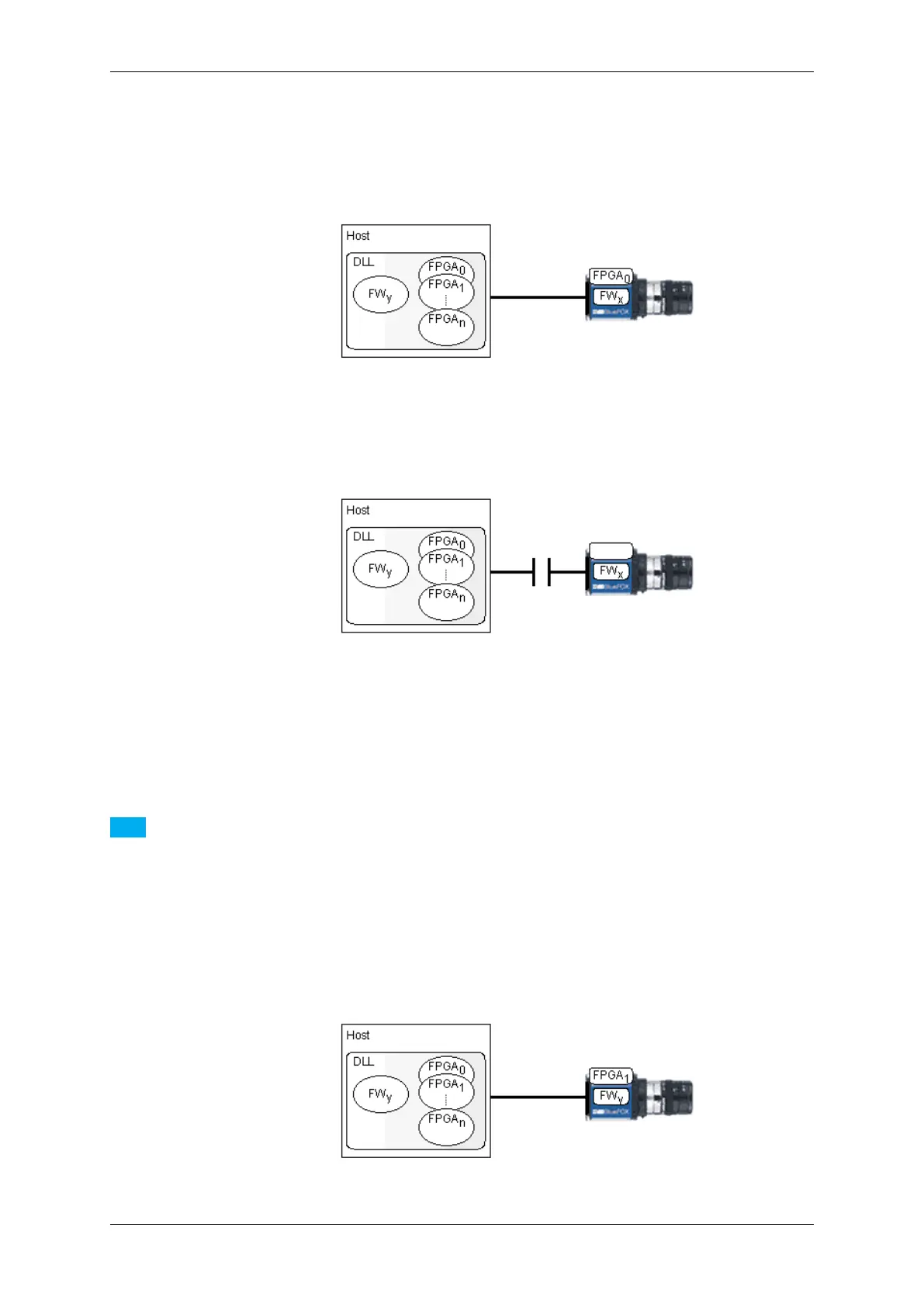
Until the device gets initialized using the API no FPGA file is loaded in the FPGA on the device. Only by opening
the device through the API the FPGA file gets downloaded and only then the device will be fully operational:
Figure 14: The FPGA file gets downloaded when the device will be opened through the API
As the FPGA file will be stored in RAM, disconnecting or closing the device will cause the FPGA file to be lost. The
firmware however will remain:
Figure 15: The FPGA file will be lost if the device is disconnected or closed
In case multiple FPGA files are available for a certain device the FPGA file that shall be downloaded can be selected
by an application by changing the value of the property Device/CustomFPGAFileSelector. However the value of this
property is only evaluated when the device is either initialized using the corresponding API function OR if a device
has been unplugged or power-cycled while the driver connection remains open and the device is then plugged back
in.
Note
There is just a limited set of devices that offer more than one FPGA file and these additional FPGA files serve
very special purposes so in almost every situation the default FPGA file will be the one used by an application.
Before using custom FPGA files, please check with MATRIX VISION about why and if this makes sense for
your application.
So assuming the value of the property Device/CustomFPGAFileSelector has been modified while the device has
been unplugged, a different FPGA file will be downloaded once the device is plugged back into the host system:
Figure 16: A different FPGA file can be downloaded
MATRIX VISION GmbH



 To Next Page