7.3 Relationship between driver, firmware and FPGA file 39
7.2.3 Installing the hardware
Warning
If using the Binder connector first connect the cable to the camera, then connect the camera to the PC.
The driver for Linux does not include hot-plugging support at the application level. I.e. a running application will not
be informed of new mvBlueFOX devices that have been plugged in and will probably crash if an mvBlueFOX camera
is unplugged whilst it is being used. You need to stop the application, plug in the new camera and then restart the
application. This will change in a later version.
7.3 Relationship between driver, firmware and FPGA file
To operate a mvBlueFOX device apart from the physical hardware itself 3 pieces of software are needed:
• a firmware running on the device (provides low-level functionality like allowing the device to act as a USB
device, support for multiple power states etc.)
• an FPGA file loaded into the FPGA inside the device (provides access features to control the behaviour of
the image sensor, the digital I/Os etc.)
• a device driver (this is the mvBlueFOX.dll on Windows® and the libmvBlueFOX.so on Linux) running on the
host system (provides control over the device from an application running on the host system)
The physical mvBlueFOX device has a firmware programmed into the device's non-volatile memory, thus allowing
the device to act as a USB device by just connecting the device to a free USB port. So the firmware version that will
be used when operating the device does NOT depend on the driver version that is used to communicate with the
device.
On the contrary the FPGA file version that will be used will be downloaded in volatile memory (RAM) when accessing
the device through the device driver thus the API. One or more FPGA files are a binary part of the device driver.
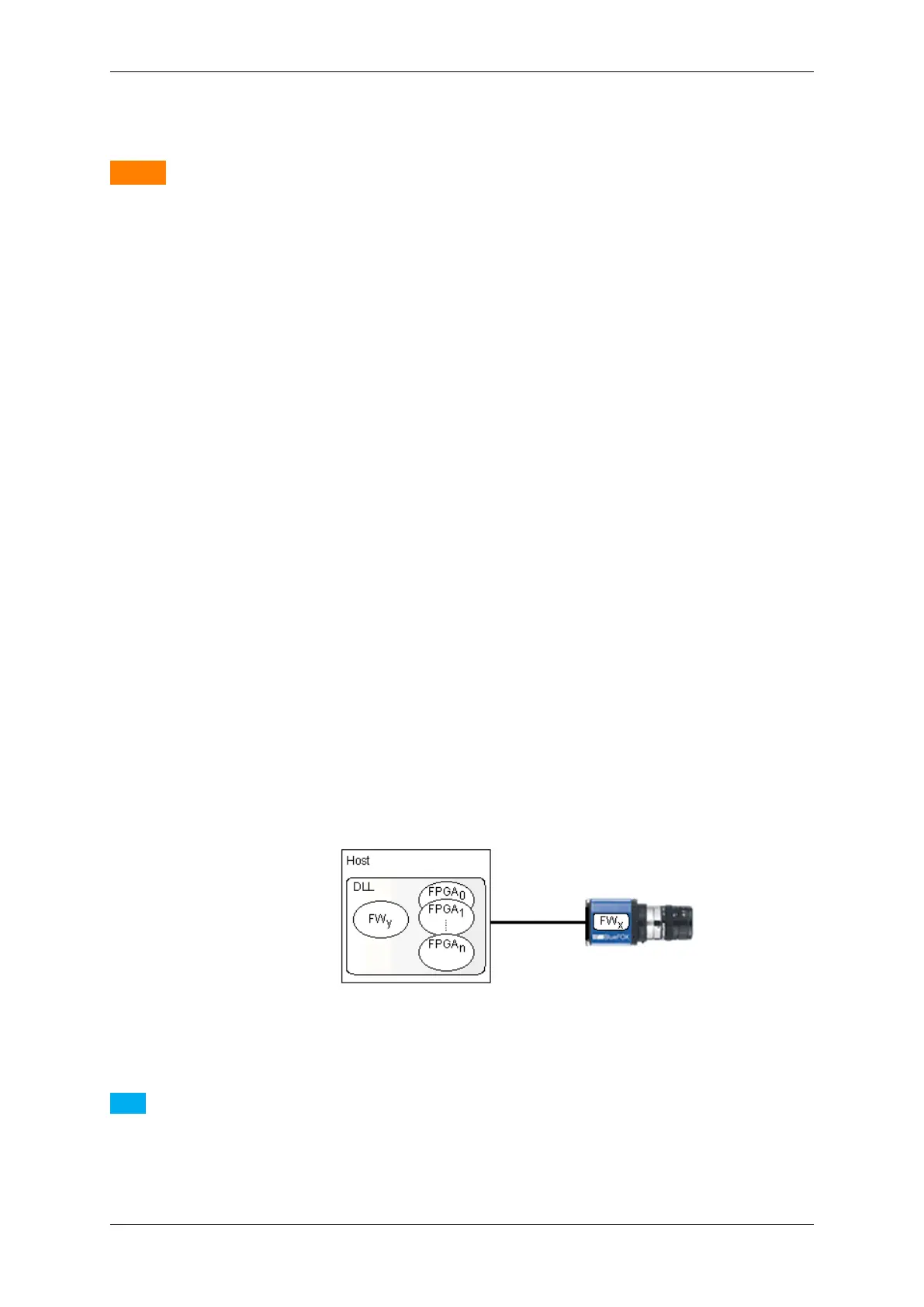
This shall be illustrated by the following figure:
Figure 13: The firmware file is a binary part of the device driver
Note
As it can be seen in the image a single firmware file is also a binary part of the device driver. However it
is important to notice that this firmware file will NOT be used automatically but only when the user or an
application explicitly updates the firmware on the device and will only become active after power-cycling the
device.
MATRIX VISION GmbH



 To Next Page