188 CONTENTS
19.9.2 Multiple camera samples (HRTC)
Note
Please have a look at the Hardware Real-Time Controller (HRTC) (p. 124) chapter for basic information.
Using a multiple camera there are following samples available:
• Delay the expose start of the following camera (HRTC) (p. 188)
19.9.2.1 Delay the expose start of the following camera (HRTC)
Note
Please have a look at the Hardware Real-Time Controller (HRTC) (p. 124) chapter for basic information.
The use case Synchronize the cameras to expose at the same time (p. 178) shows how you have to
connect the cameras.
If a defined delay should be necessary between the cameras, the HRTC can do the synchronization work.
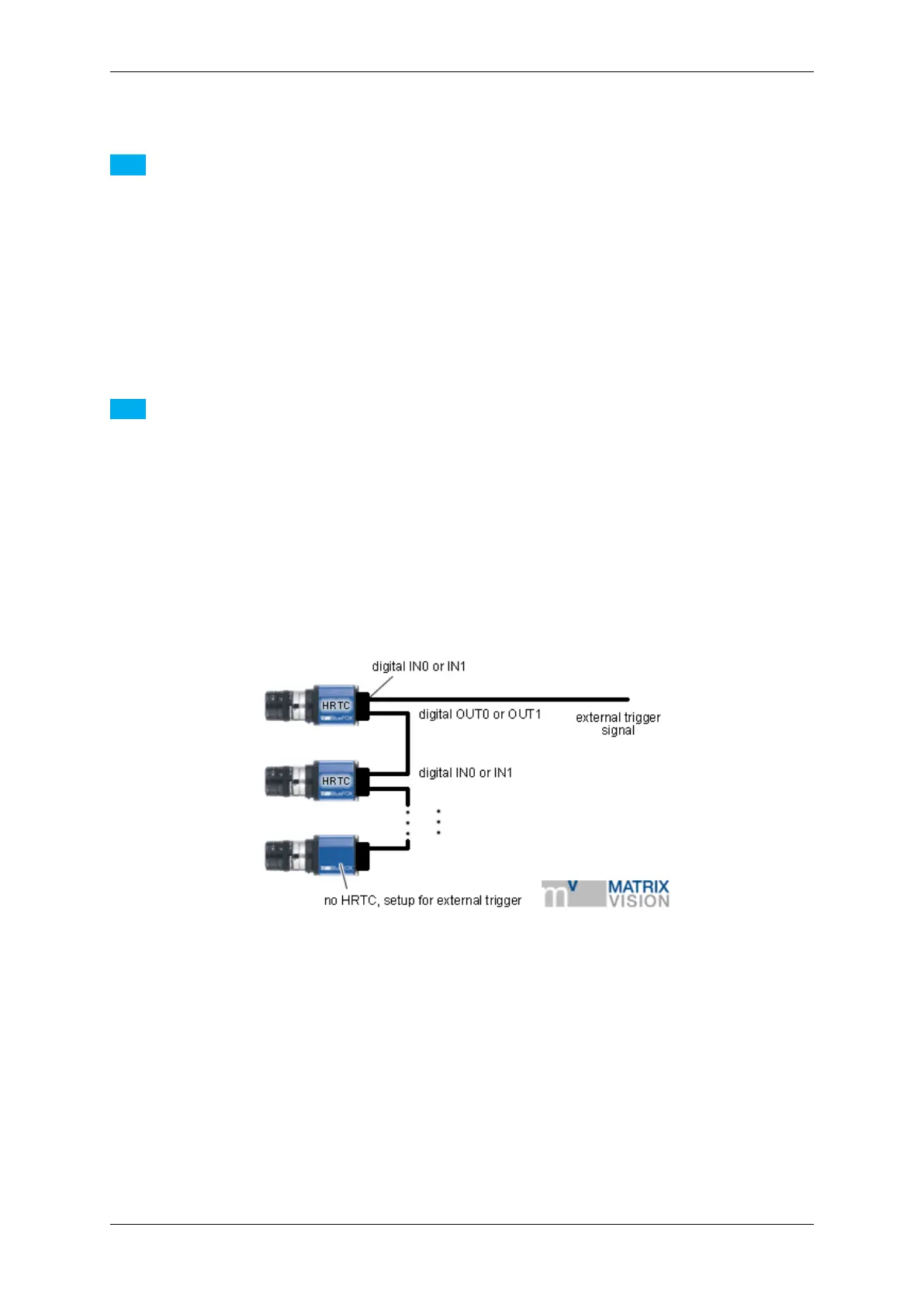
In this case, one camera must be the master. The external trigger signal that will start the acquisition must be
connected to one of the cameras digital inputs. One of the digital outputs then will be connected to the digital input
of the next camera. So camera one uses its digital output to trigger camera two. How to connect the cameras to
one another can also be seen in the following image:
Figure 1: Connection diagram for a defined delay from the exposure start of one camera relative to another
Assuming that the external trigger is connected to digital input 0 of camera one and digital output 0 is connected
to digital input 0 of camera two. Each additional camera will then be connected to it predecessor like camera 2 is
connected to camera 1. The HRTC of camera one then has to be programmed somehow like this:
0. WaitDigin DigIn0->On
1. TriggerSet 0
2. WaitClocks <trigger pulse width>
3. TriggerReset
4. WaitClocks <delay time>
5. SetDigout DigOut0->On
6. WaitClocks 100us
7. SetDigout DigOut0->Off
8. Jump 0
<trigger pulse width> should not less than 100us.
MATRIX VISION GmbH



 To Next Page