118 CONTENTS
11.2.1.3 Step 3: Assign the new ID
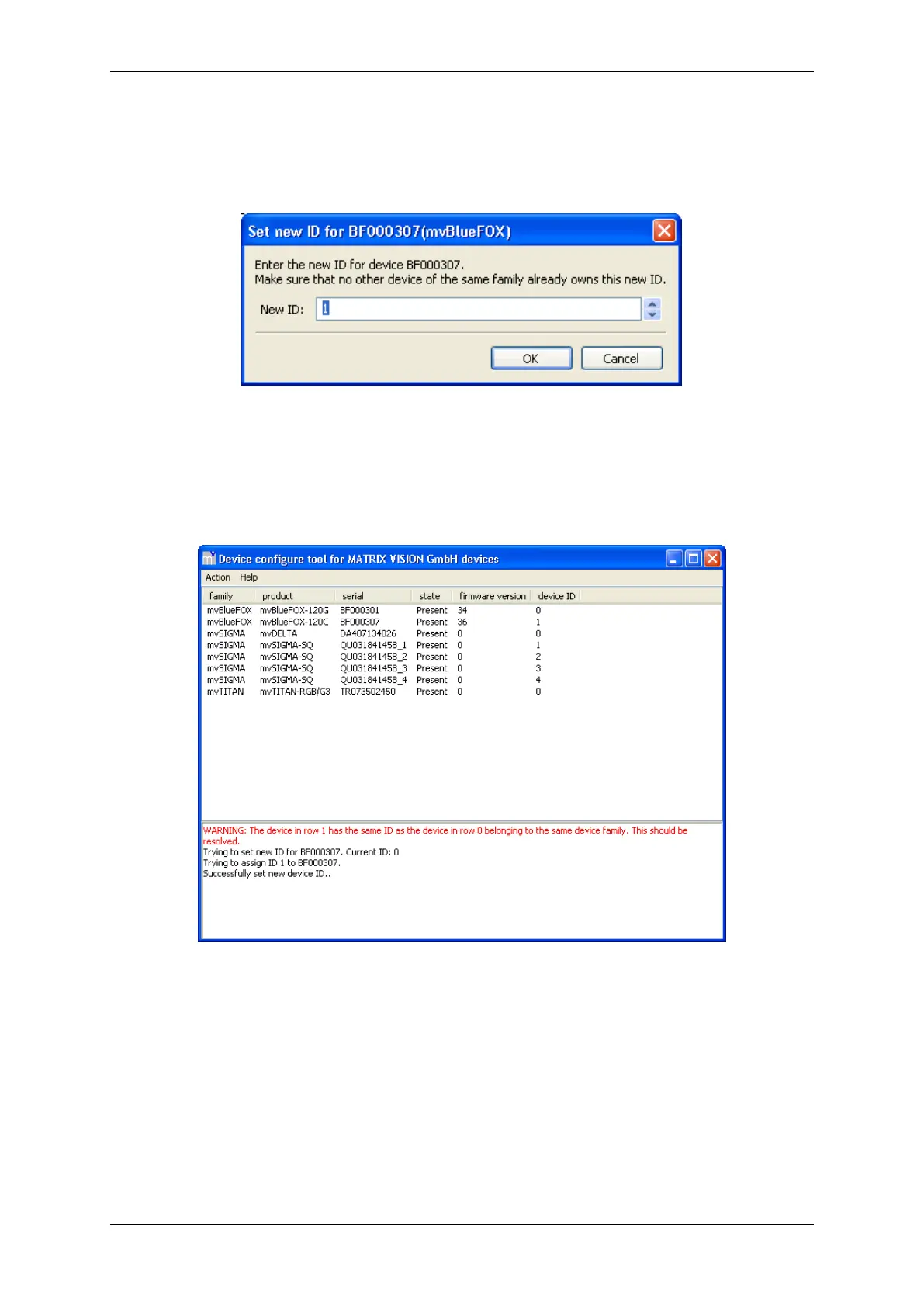
Enter the new ID and click OK.
Figure 49: mvDeviceConfigure - New ID
Now the overview shows you the list with all devices as well as the new ID. In case there has been an ID conflict
before that has been resolved now mvDeviceConfigure (p. 116) will no longer highlight the conflict now:
Figure 50: mvDeviceConfigure - Resolved ID conflict
11.2.2 How to update the firmware
With the mvDeviceConfigure tool it is also possible to update the firmware. These steps are necessary:
11.2.2.1 Step 1: Device selection
Select the device you want to update from the list box.
MATRIX VISION GmbH



 To Next Page