154 CONTENTS
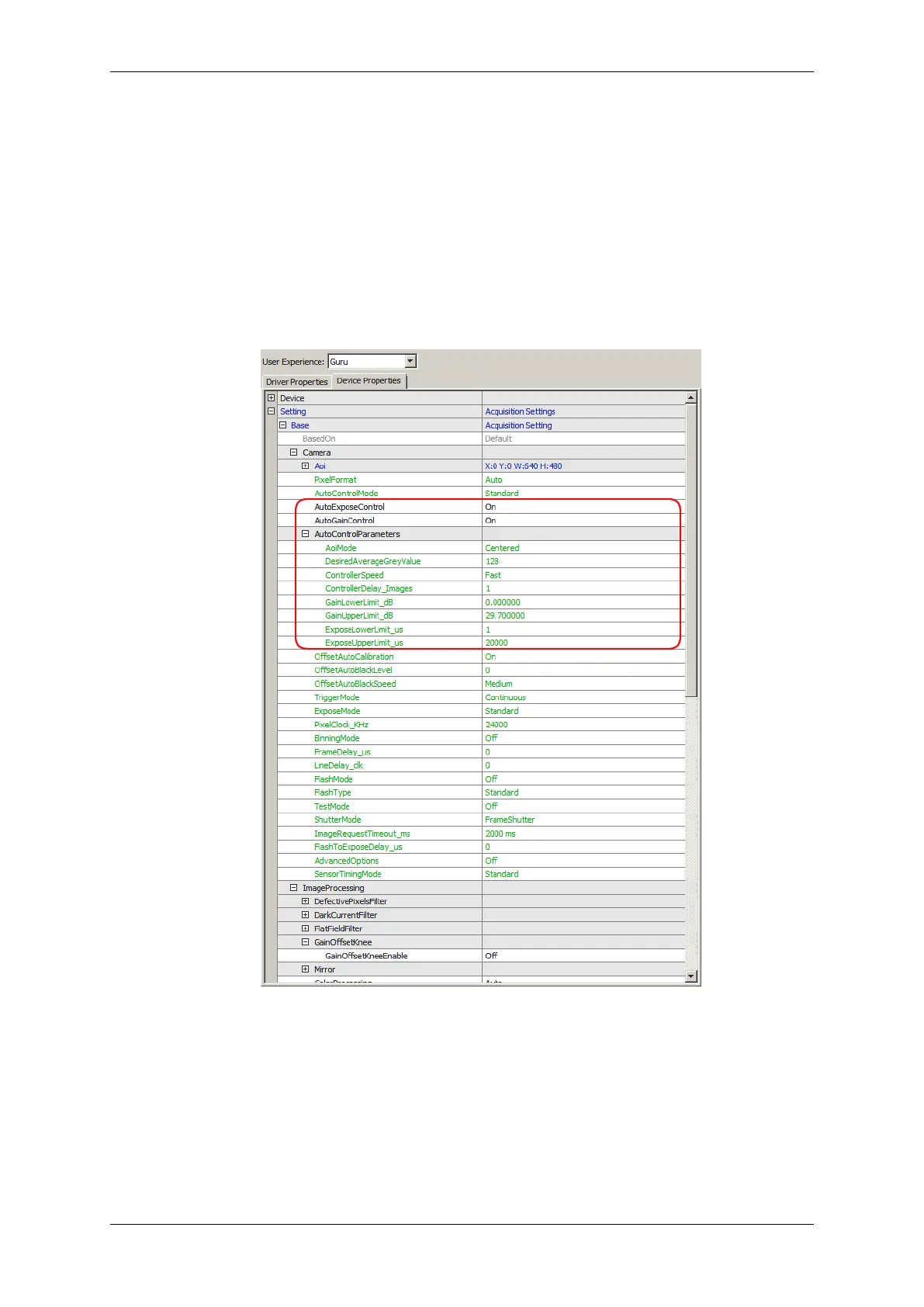
You can change the gain via wxPropView (p. 77) like the following way:
1. Click on "Setting -> Base -> Camera". There you can find
(a) "AutoGainControl" and
(b) "AutoExposeControl".
Figure 5: wxPropView: Setting -> Base -> Camera
You can turn them "On" or "Off". Using the auto controls you can set limits of the auto control; without you
can set the exact value.
After gamma correction, the image will look like this:
MATRIX VISION GmbH



 To Next Page