19.5 Working with LUTs 169
• "Gamma"
You can use "Gamma" to lift darker image areas and to flatten the brighter ones. This compensates the con-
trast of the object. The calculation is described here. It makes sense to set the "Gamma←-
StartThreshold" higher than 0 to avoid a too extreme lift or noise in the darker areas.
• "Interpolated"
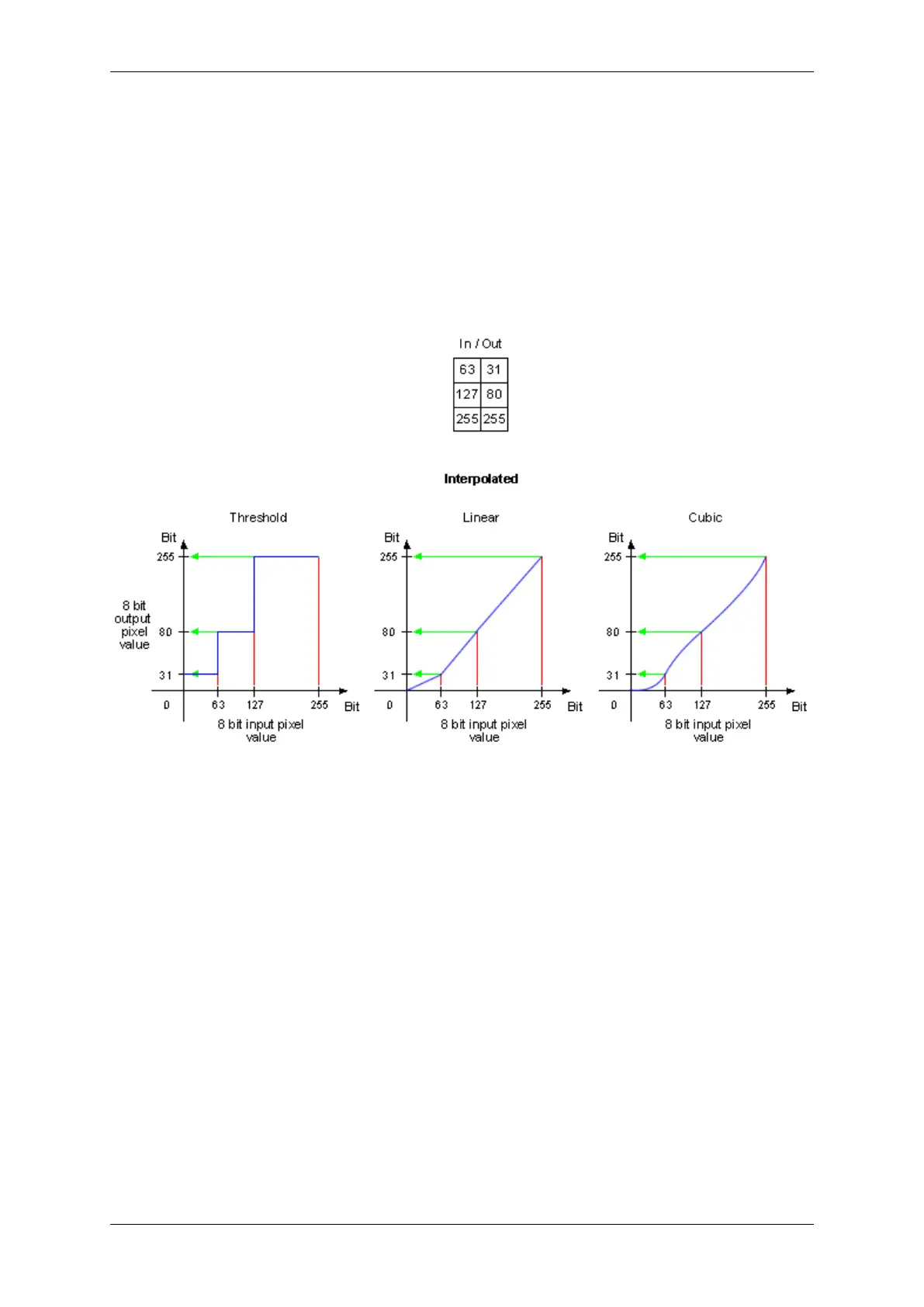
With "Interpolated" you can set the key points of a characteristic line. You can defined the number of key
points. The following figure shows the behavior of all 3 LUTInterpolationModes with 3 key points:
Figure 2: LUTMode "Interpolated" -> LUTInterpolationMode
• "Direct"
With "Direct" you can set the LUT values directly.
19.5.1.3.1 Example 1: Inverting an Image
To get an inverted 8 bit mono image like shown in Figure 1, you can set the LUT using wxPropView (p. 77). After
starting wxPropView (p. 77) and using the device,
1. Set "LUTEnable" to "On" in "Setting -> Base -> ImageProcessing -> LUTOperations".
2. Afterwards, set "LUTMode" to "Direct".
3. Right-click on "LUTs -> LUT-0 -> DirectValues[256]" and select "Set Multiple Elements... -> Via A User
Defined Value Range".
This is one way to get an inverted result. It is also possible to use the "LUTMode" - "Interpolated".
4. Now you can set the range from 0 to 255 and the values from 255 to 0 as shown in Figure 2.
MATRIX VISION GmbH



 To Next Page