172 CONTENTS
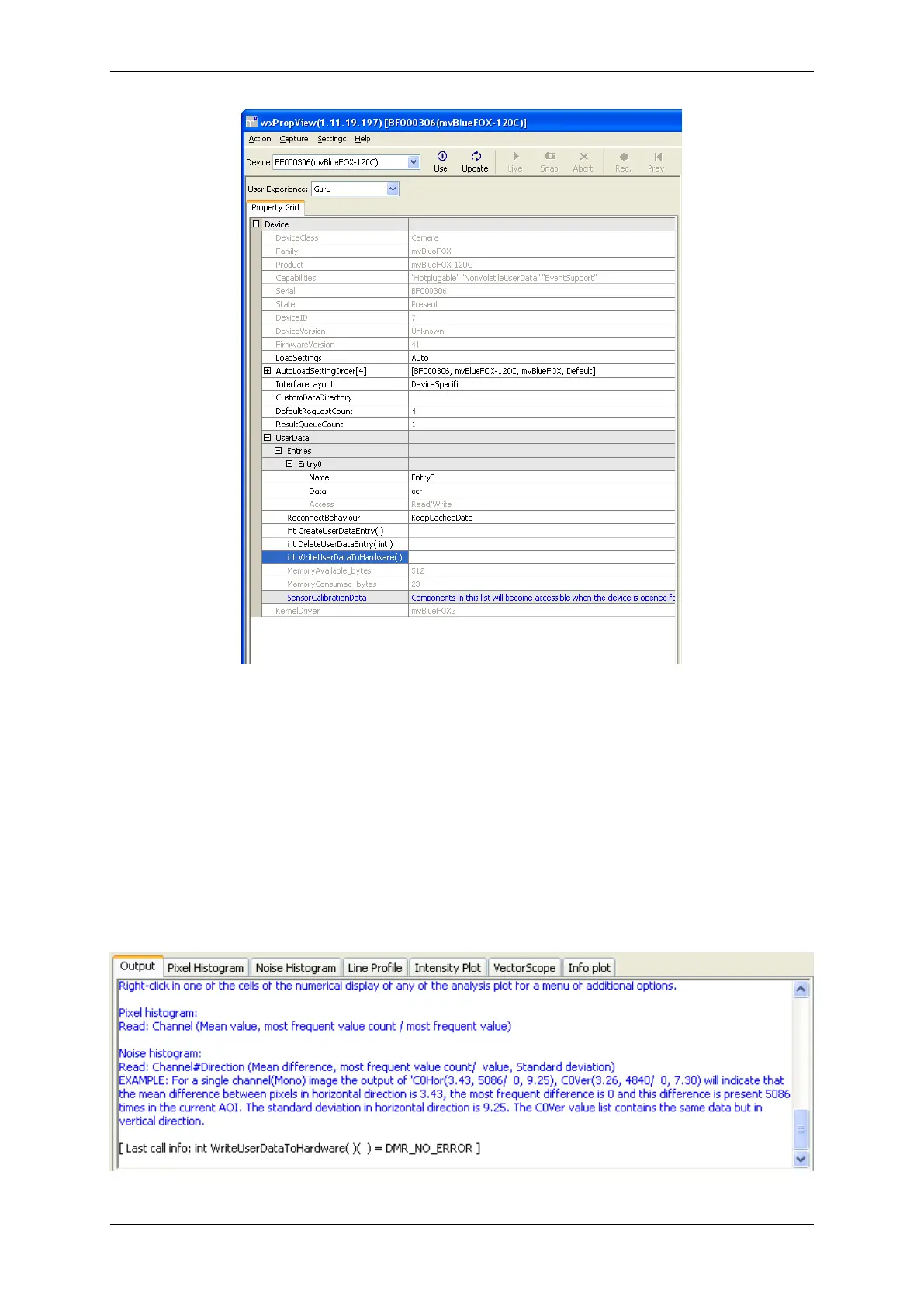
Figure 1: wxPropView - section "UserData -> Entries"
To create a user data entry, you have to
• Right click on "CreateUserDataEntry"
• Select "Execute" from the popup menu.
An entry will be created.
• In "Entries" click on the entry you want to adjust and modify the data fields.
To permanently commit a modification made with the keyboard the ENTER key must be pressed.
• To save the data on the device, you have to execute "WriteDataToHardware". Please have a look at
the "Output" tab in the lower right section of the screen as shown in Figure 2, to see if the write process
returned with no errors. If an error occurs a message box will pop up.
Figure 2: wxPropView - analysis tool "Output"
MATRIX VISION GmbH



 To Next Page