19.9 Working with the Hardware Real-Time Controller (HRTC) 181
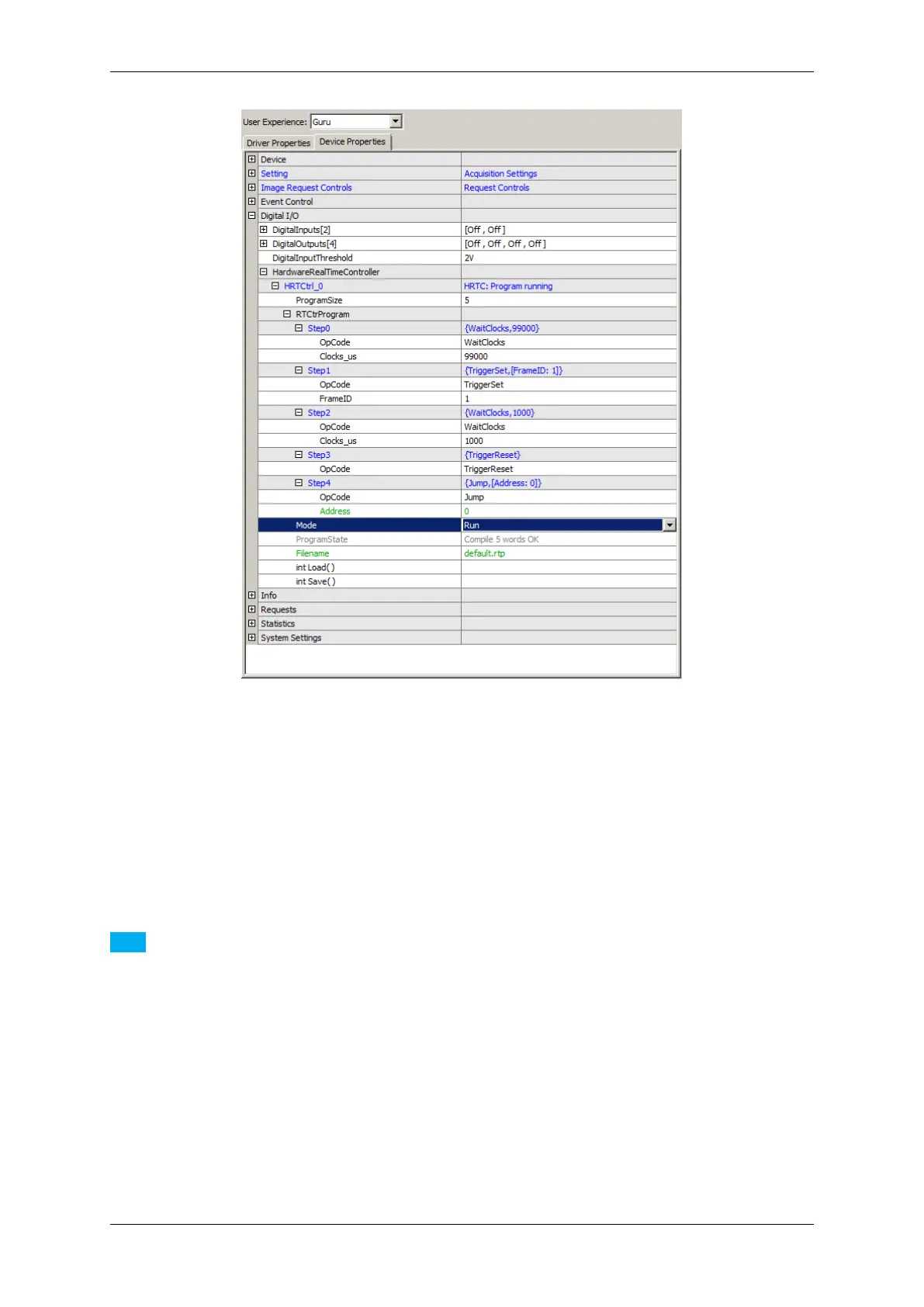
Figure 1: wxPropView - Entering the sample "Achieve a defined image frequency"
See also
Download this sample as an rtp file: Frequency10Hz.rtp. To open the file in wxPropView (p. 77), click
on "Digital I/O -> HardwareRealTimeController -> Filename" and select the down-
loaded file. Afterwards, click on "int Load( )" to load the HRTC program.
Note
Please note the max. frame rate of the corresponding sensor!
To see a code sample (in C++) how this can be implemented in an application see the description of the class
mvIMPACT::acquire::RTCtrProgram (C++ developers)
19.9.1.2 Delay the external trigger signal (HRTC)
MATRIX VISION GmbH



 To Next Page