60 CONTENTS
8.4.2.1 Sensor's optical midpoint and orientation
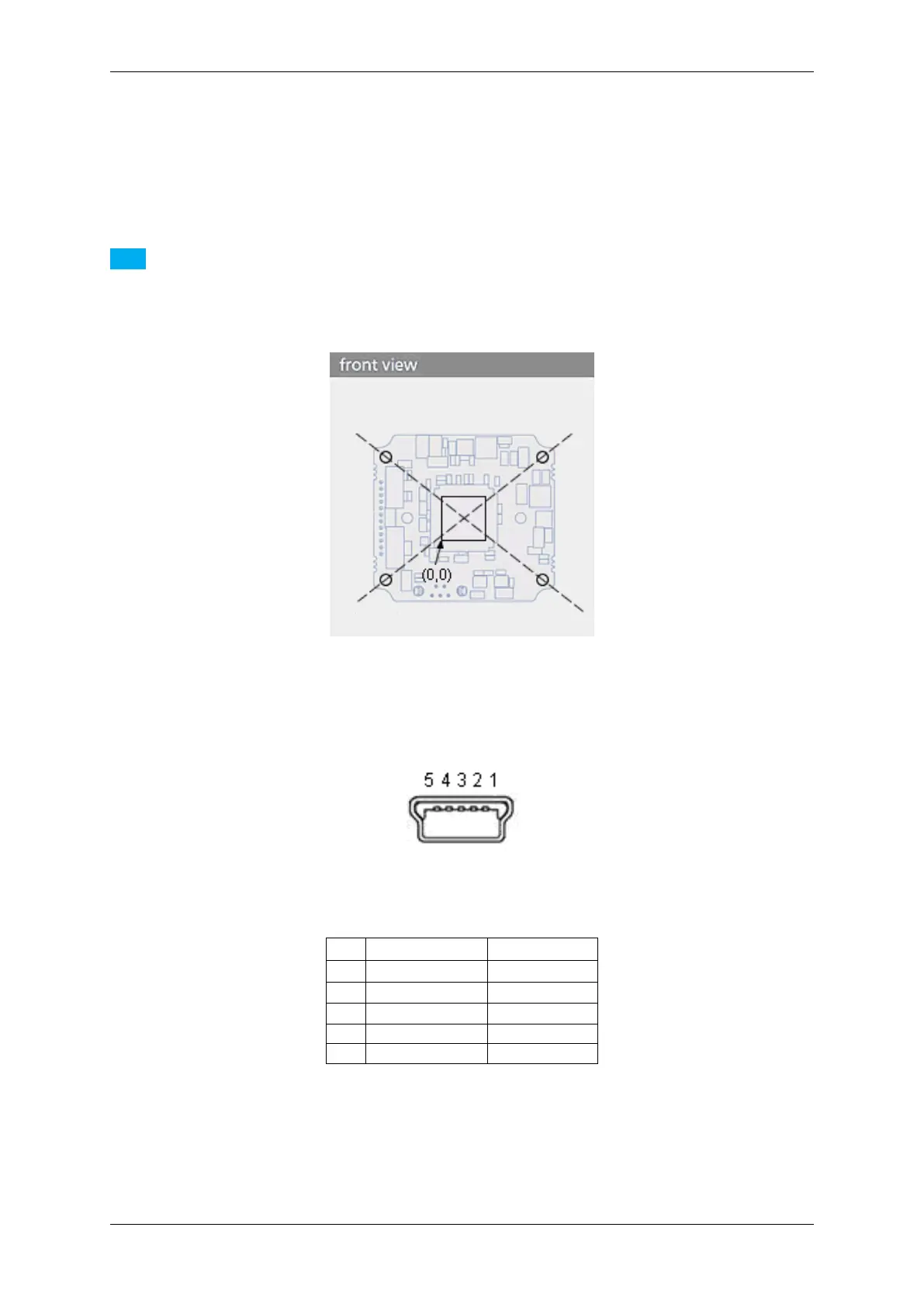
The sensor's optical midpoint is in the center of the board (Figure 21: intersection point of the holes diagonals). The
(0,0) coordinate of the sensor is located at the one bottom left corner of the sensor (please notice that Mini-B USB
connector is located at the bottom at the back).
Note
Using a lens, the (0,0) coordinate will be mirrored and will be shown at the top left corner of the screen as
usual!
Figure 21: Sensor's optical midpoint and orientation
8.4.2.2 Mini-B USB (USB 2.0)
Figure 22: Mini-B USB
Pin Signal Comment
1 USBPOWER_IN Supply voltage
2 USB_DATA- Data
3 USB_DATA+ Data
4 ID Not connected
5 GND Ground
8.4.2.3 12-pin Wire-to-Board header (USB 2.0 / Dig I/O)
MATRIX VISION GmbH



 To Next Page