86 CONTENTS
11.1.1.5 Properties
All properties and functions can be displayed in the list control on the lower left side of the dialog. To modify the
value of a property select the edit control right of the properties name. Property values, which refer to the default
value of the device, are displayed in green. A property value once modified by the user will be displayed in black
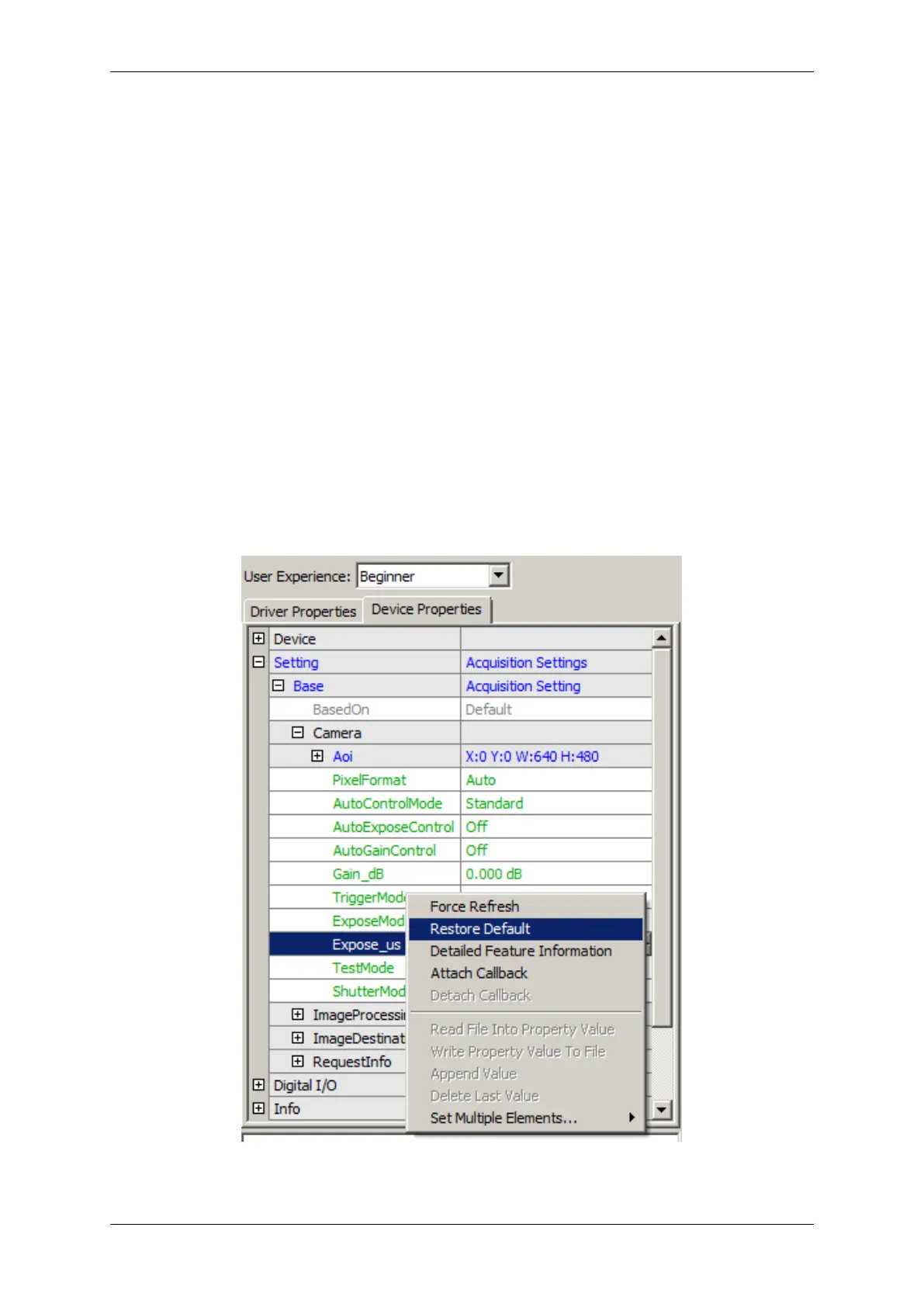
(even if the value itself has not changed). To restore its default value of a single property
• right click on the name of the property and
• select "Restore Default".
To restore the default value for a complete list (which might include sub-lists)
• right click on the name of a list and
• select "Restore Default".
In this case a popup window will be opened and you have to confirm again.
Figure 7: wxPropView - Restore the default value of a property
MATRIX VISION GmbH



 To Next Page