© 2023 Maxeon Solar Technologies, Ltd. All rights reserved. | 549549 Revision A - October 2023
Specications included in this document are subject to change without notice
17
7
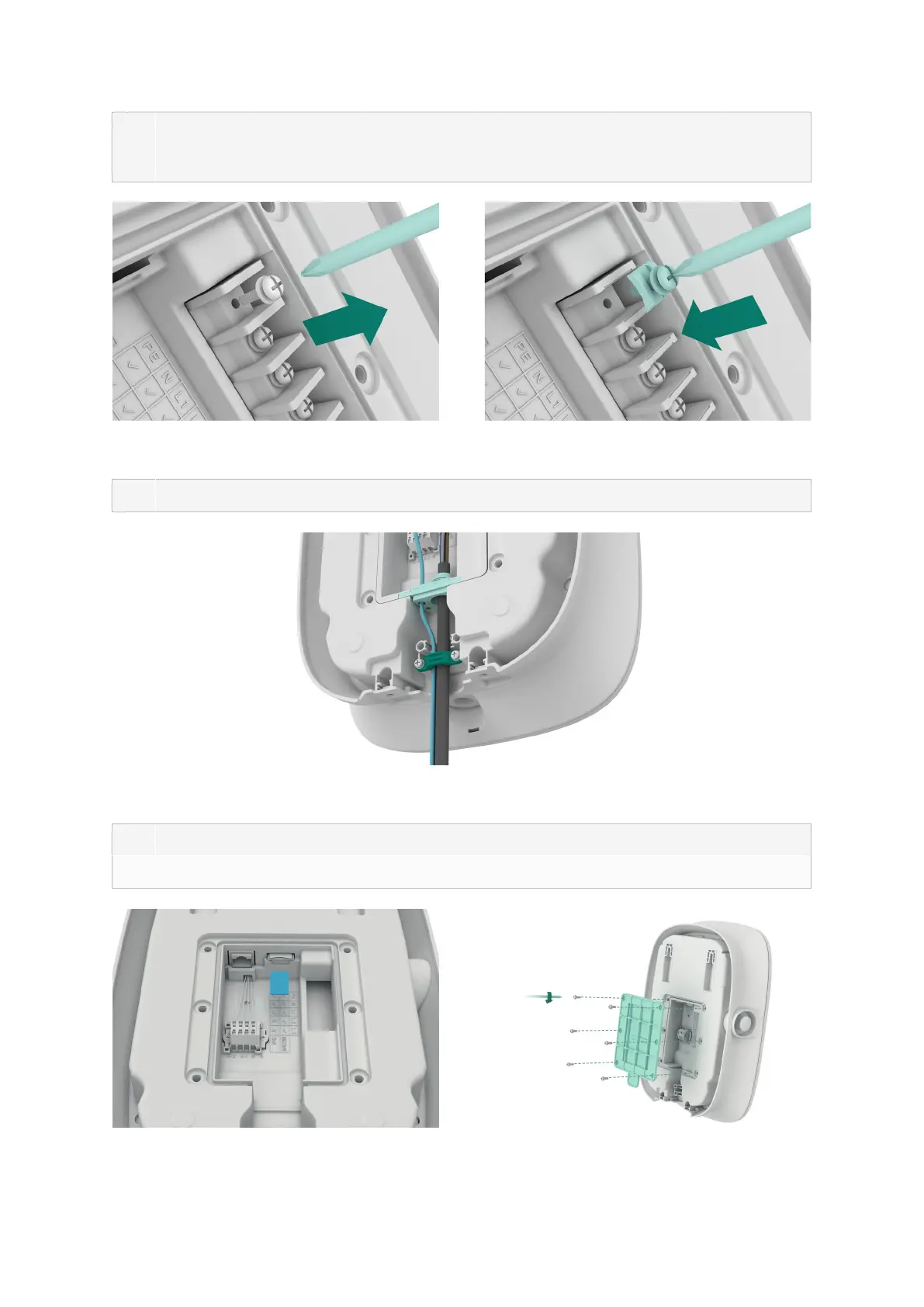
If the solid cable is used as power cable, remove the original screws on the terminal
block and install the screw-clamp to connect the power cable, shown as Figure 9. Solid
cable doesn’t require crimping ring terminals
Figure 9 Installing screw-clamp
8 Fix the cables by the plastic cable clamp, as shown in Figure 10
Figure 10 Plastic cable clamp
9 After completing the wiring, insert the SIM card, as shown in Figure 11
10 Close the rear cover, as shown in Figure 12.
Figure 11 Inserting the SIM card Figure 12 Closing the rear cover
PH2


 To Next Page
 Loading...