18
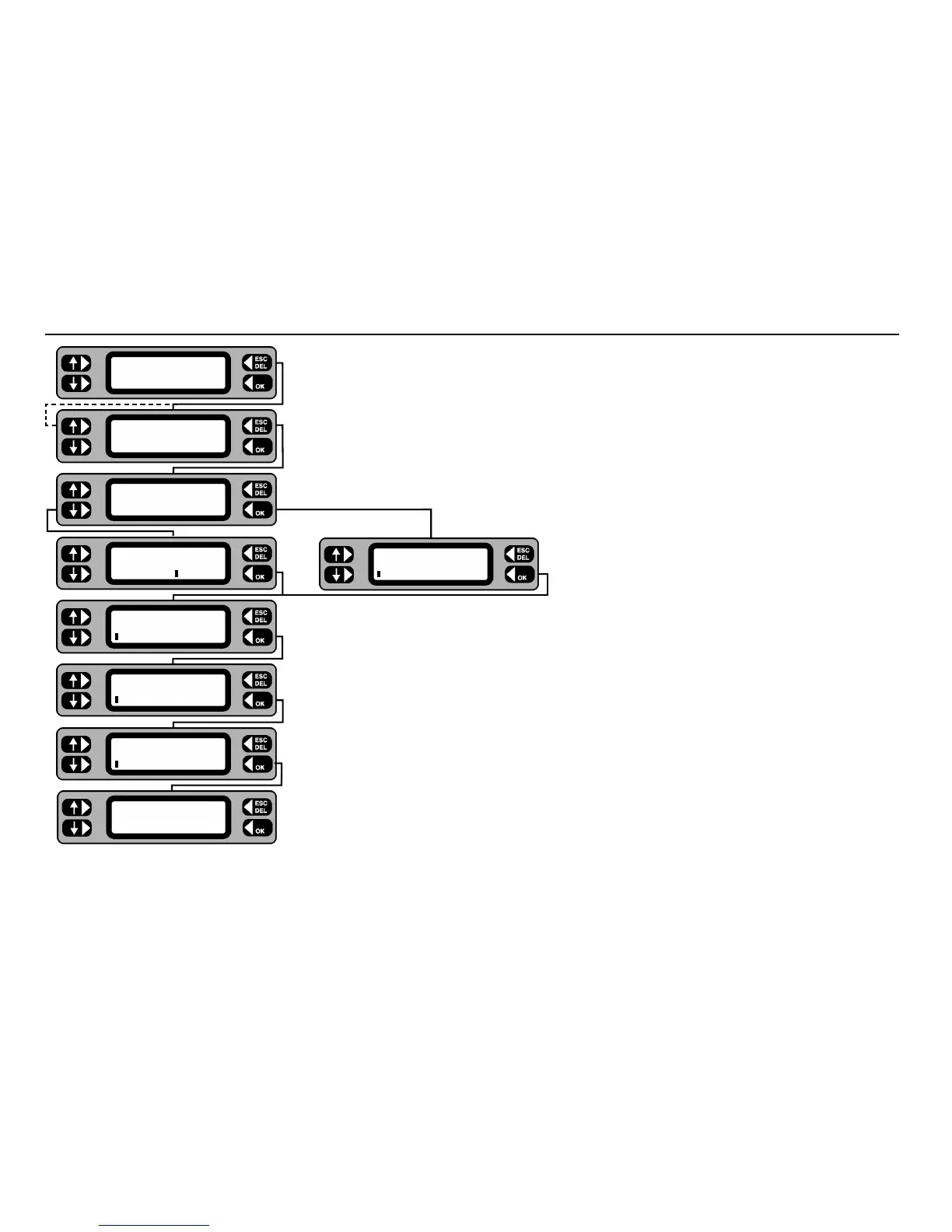
1 Select a client (see preceding instructions on how to do this) Press the SELECT key.
2 If editing is required, display the required location by repeatedly pressing the
NEXT key,
then press the
MORE key. To add a location, just press the MORE key.
3 Press the
ADD or EDIT key as required.
4 Type in or edit the location name, press the
OK key when the location name is complete.
5 Type in or edit the location address details, press the
OK key to step onto the next
address line.
6 When the final address line is complete, press the
OK key, the display will briefly show
the current location name.
7 Press
ACCEPT to return to the Main screen, SELECT to choose another location
or
LOGOUT to select another user.
Adding or editing a Location
Location SELECT
LOGOUT ACCEPT
NEXT Location MORE
DOVER SITE
ERASE Location
EDIT ADD
Edit Location
DOVER SITE
Enter Address Line 1
Enter Address Line 2
Enter Address Line 3
Location SELECT
LOGOUT ACCEPT
Add Location










 To Next Page