33
A variety of reports are available for printing directly from the PAT4, providing the advantages of hard copy output on site. PAT4 permits the printing of
the following range of reports:
• Client List • Location List
• Plain Asset List † • Assets with Current Results (Certificate of Test) †
• Retro report • Groups
• Assets with Due dates for testing †
All reports are printed directly from the
PAT4 using the parallel printer connector on the front panel.
† The asset and results reports indicated list the assets and results that relate to the current Client and Location.
The ‘Retro’ report produces a report which is compatible with the data which may be downloaded into “Shire’s” ‘Safety First’, ‘Safety First+’ packages.
However it must be remembered that the output for this report selection will appear on the parallel output of the PAT4. The above software packages
can only receive data via a PC serial port. It will therefore be necessary to pass the data through a parallel to serial converter, if you wish to download
from the
PAT4 to any of these packages. These are readily available at low cost from many sources.
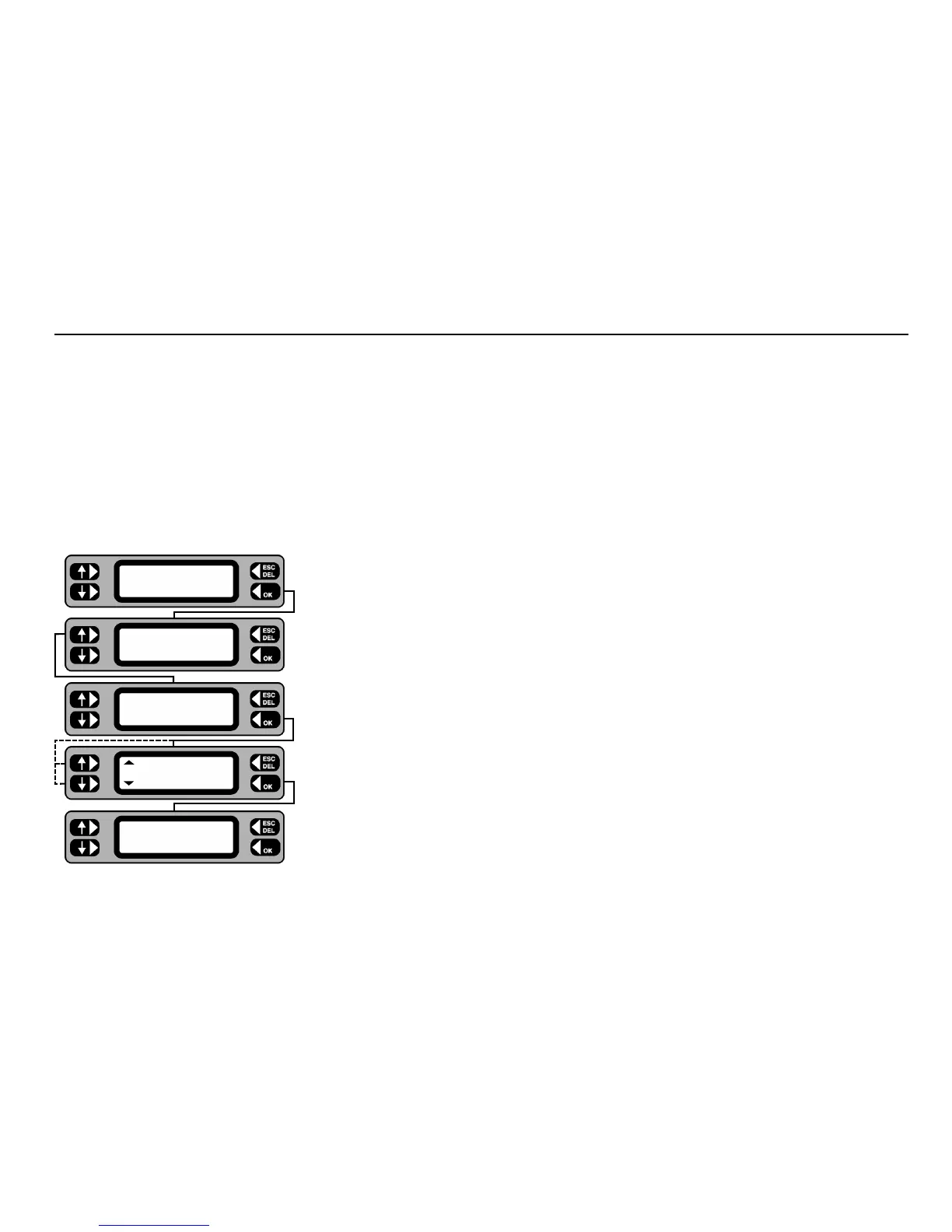
1 From the Main screen press the MENU key.
2 Press the ASSET key.
3 Press the REPORTS key.
4 Toggle the left-hand keys to display the report to be printed.
5 Press the
OK key. The selected report is printed.
6 On completion
ESCape back to the Menu screen.
If a printer is attached to
PAT4’s parallel output during the testing of assets, a simple listing of test results can be printed at the end of each test. (This
feature must be enabled first - see Settings section).
Printing Reports and Results
TESTS QUICK-CHECK
COMMS MENU
ASSET
SETTINGS CLIENT
ASSETS
GROUPS REPORTS
Reports
Clients
Printing Report










 To Next Page