MA-5162-ENG MICRON
+
PISTON ADHESIVE MELTERMELTER OPERATION
4-13
1.1 Heating zones
This menu lets you do the following for each zone:
• Change the name to identify it more easily.
• Edit the set point temperature.
• Edit the standby value. The value indicates the temperature reduction
with respect to its set point.
• Apply PID values. By default the unit comes configured with a Standard
PID.
You can select from four PID options: Standard, Moderate, Quick or
Manual.
Note. The PID values are directly involved in the heating
process. Do not modify these values if you do not have
the required technical knowledge or without the advice of
Meler’s After Sales Service.
MICRON+ PISTÓN
HMI : S02001101 v1.1.2
TC : S02200100 v1.0.84
IO FM : XXXXXXXXX vx.x.x
30
12
300
P:
I:
D:
-60 °C
150 °C152 °C
PID: Standard
Standby
Temperature: Real Set Point
T: Tank
MICRON+ PISTÓN
HMI : S02001101 v1.1.2
TC : S02200100 v1.0.84
IO FM : XXXXXXXXX vx.x.x
1. Heating
1.1 Zones
1.3 Inhibition
1.4 Auto
Standby - OFF
1.5 Extra
1.2 Sequential
B
D
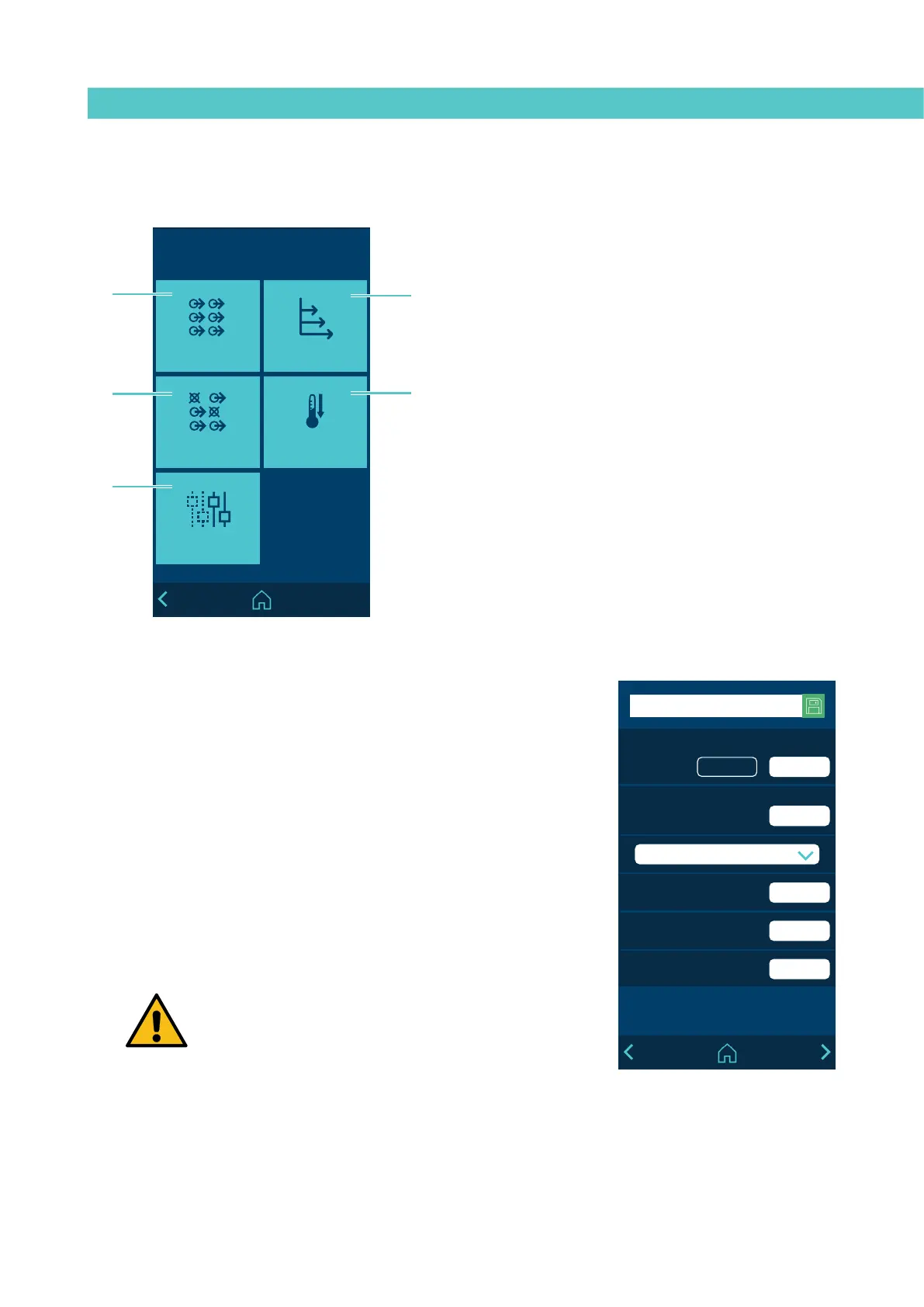
A - Heating zones configuration.
B - Heating sequence by zones configuration.
C - Programming of Inhibitions.
D - Standby modes configuration.
E - Access to extra options.
‘1. Heating’ Menu
A
C
E



 To Next Page