MA-5162-ENG MICRON
+
PISTON ADHESIVE MELTERMELTER OPERATION
4-19
MICRON+ PISTÓN
HMI : S02001101 v1.1.2
TC : S02200100 v1.0.84
IO FM : XXXXXXXXX vx.x.x
XDI1
XDI2
DI3
DO2
XDO3
XDO4
2.3 Input / Output
Imputs
Outputs
Standby
COMs OFF
Pump OFF
Temperature OK
Alarms
Adhesive Level
MICRON+ PISTÓN
HMI : S02001101 v1.1.2
TC : S02200100 v1.0.84
IO FM : XXXXXXXXX vx.x.x
Are you sure
you want to restore
to the default settings??
YESNO
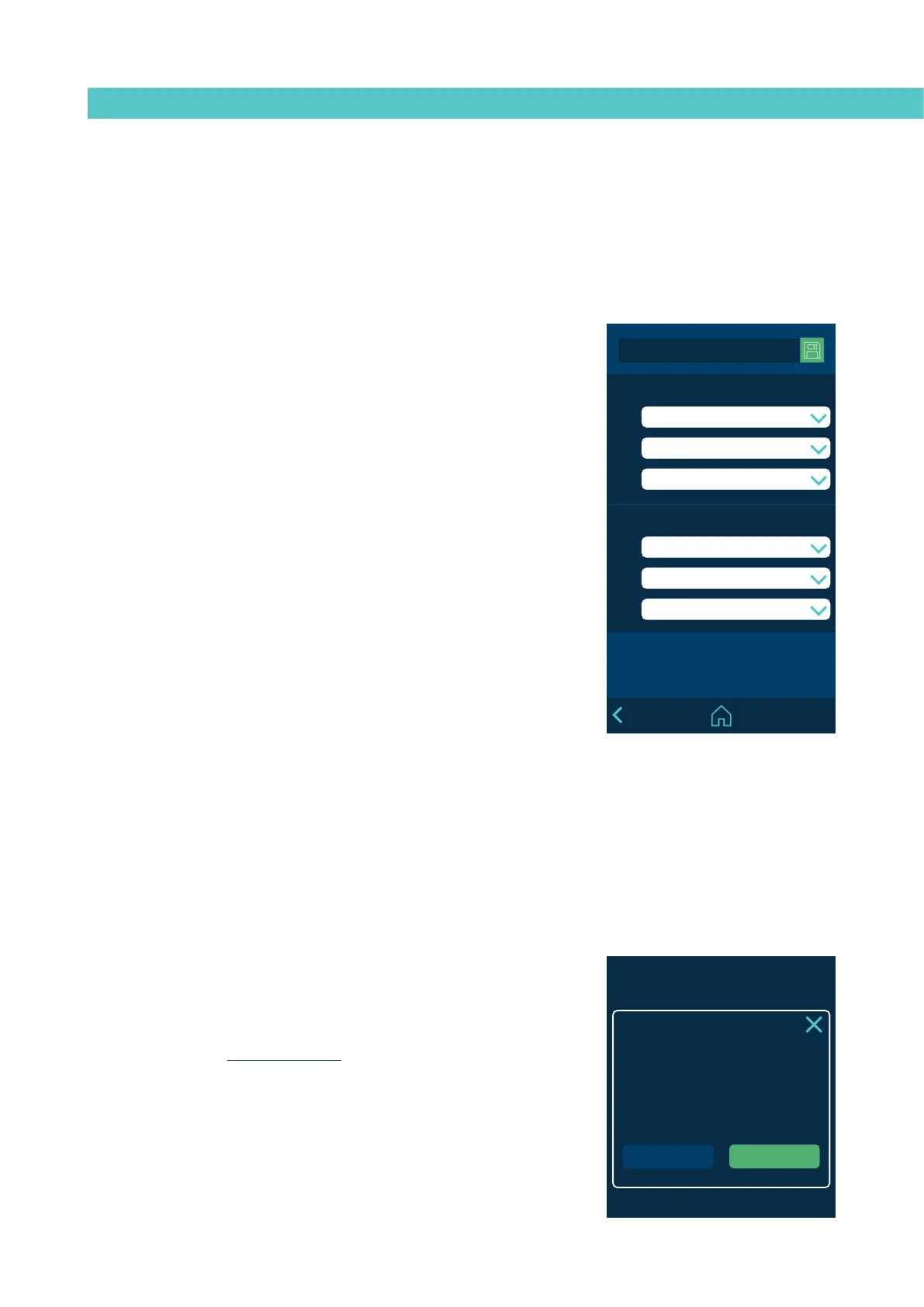
2.3 Configuration of input and output signals
This allows you to configure the unit’s digital input and output signals.
The inputs can be:
• ON/OFF: Switches the unit fully off or on.
• Standby: Activates or deactivates the Standby mode.
• Activity: Enables the activity control to measure the times for switching
automatically to Standby and OFF.
• Pumping Off: Activates or deactivates the pumping.
• COMM. Off: Activates or deactivates the communications.
The outputs can be:
• Standby: Indicates that the unit is in Standby mode.
• Zones in Temperature OK. Indicates that all active zones are in
temperature OK.
• Ready. Indicates that the unit is ready to operate, with temperature OK
and no operating errors.
• Running. The unit is pumping, with temperature OK and no operating
errors.
• Alarm: Indicates that there is an active Alarm.
• Level: Indicates high level of adhesive in the tank.
• No Level: Indicates low level of adhesive in the tank.
2.4 Restore default values
Allows you to delete all the changes made to the system and leave the
unit with the factory-set default parameters. After pressing, the following
confirmation message will appear.
When you press ‘YES’, the device restarts with the default configuration.
• Flowmeter. Activate or disable the adhesive flow control function.
Click on the arrow to go to the configuration screen. See the point on
‘Flowmeter’ for further information.



 To Next Page