MA-5162-ENG MICRON
+
PISTON ADHESIVE MELTERMELTER OPERATION
4-17
MICRON+ PISTÓN
HMI : S02001101 v1.1.2
TC : S02200100 v1.0.84
IO FM : XXXXXXXXX vx.x.x
2. Extra Settings
2.2 Extra
Settings
2.3 Input / Output 2.4 Restore default
2.1 Password
A
C
B
D
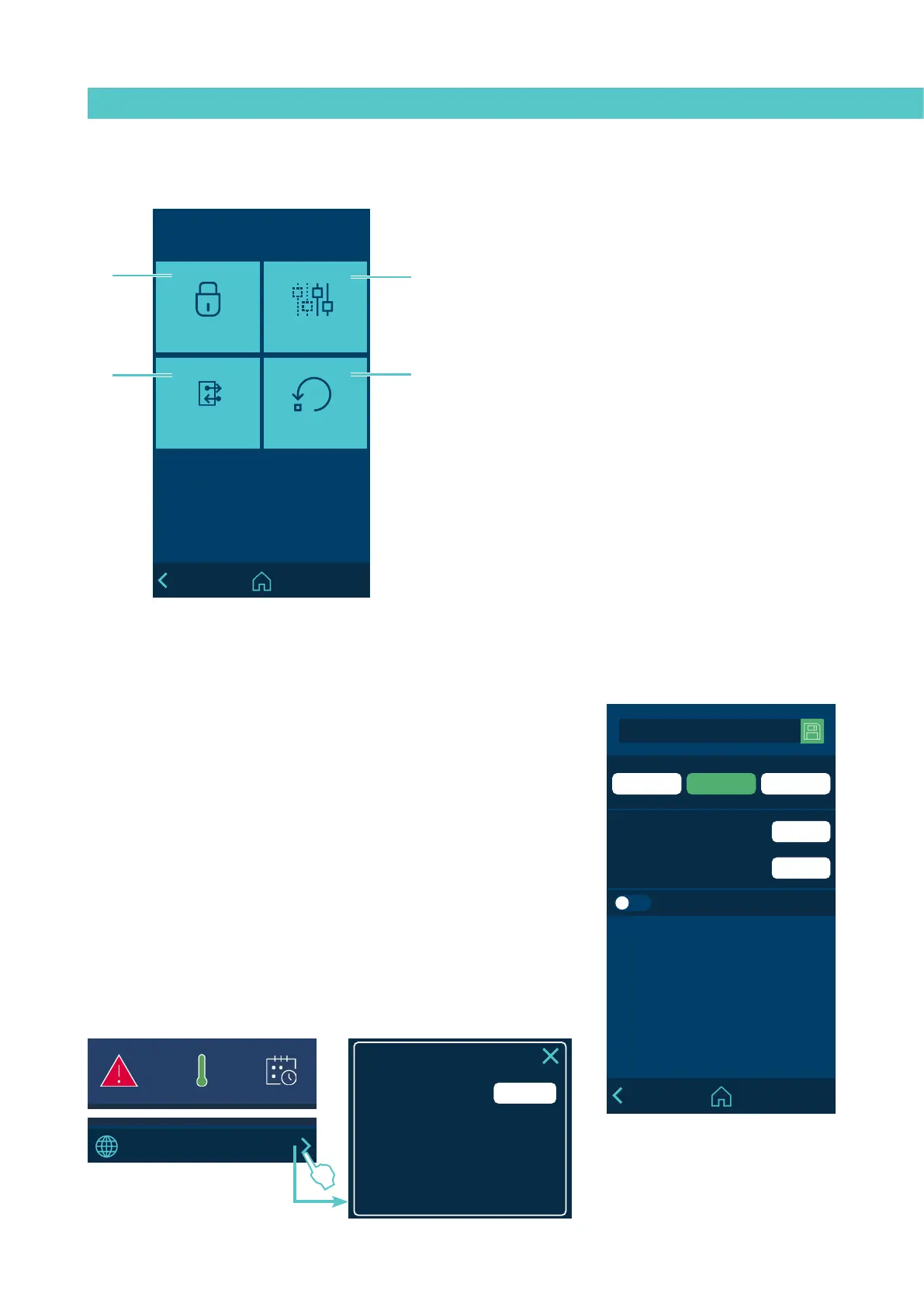
‘2. Extra settings’ Menu
A - Password management.
B - Extra settings.
C - Configuration of input and output signals.
D - System restore.
MICRON+ PISTÓN
HMI : S02001101 v1.1.2
TC : S02200100 v1.0.84
IO FM : XXXXXXXXX vx.x.x
******
******
2.1 Password
New password
USER EXPERTLOCKED
Repeat the new password
Shooting menu locked
MICRON+ PISTÓN
HMI : S02001101 v1.1.2
TC : S02200100 v1.0.84
IO FM : XXXXXXXXX vx.x.x
154
154
A
15:35
°C
08:31
185 170
1
154 154
2
100 100
3
--- ---
4
5
42 42
6
B
MICRON+ PISTÓN
HMI : S02001101 v1.1.2
TC : S02200100 v1.0.84
IO FM : XXXXXXXXX vx.x.x
******
Password:
Restore password code A: 1285
MICRON+ PISTÓN
HMI : S02001101 v1.1.2
TC : S02200100 v1.0.84
IO FM : XXXXXXXXX vx.x.x
154
154
A
15:35
°C
08:31
185 170
1
154 154
2
100 100
3
--- ---
4
5
42 42
6
B
2.1 Password management
LOCKED MODE:
- Access is only provided to the HOME screen.
USER MODE:
- no parameter can be changed. There is direct access to the HOME screen
and shortcuts
- by default, the user level has no password. You can create a user level
password by entering a value between 0000 and 9999
EXPERT MODE:
- Any parameter can be changed after entering a 4-digit password. By
default the password is 0000.
- Direct access is provided to the HOME screen,to shortcuts and the MAIN
MENU for programming
- The expert level password can be changed by entering a value between
0000 and 9999.
- USER or EXPERT operating mode can be selected or LOCKED.



 To Next Page