MA-5162-ENG MICRON
+
PISTON ADHESIVE MELTERMELTER OPERATION
4-31
Flowmeter statistics
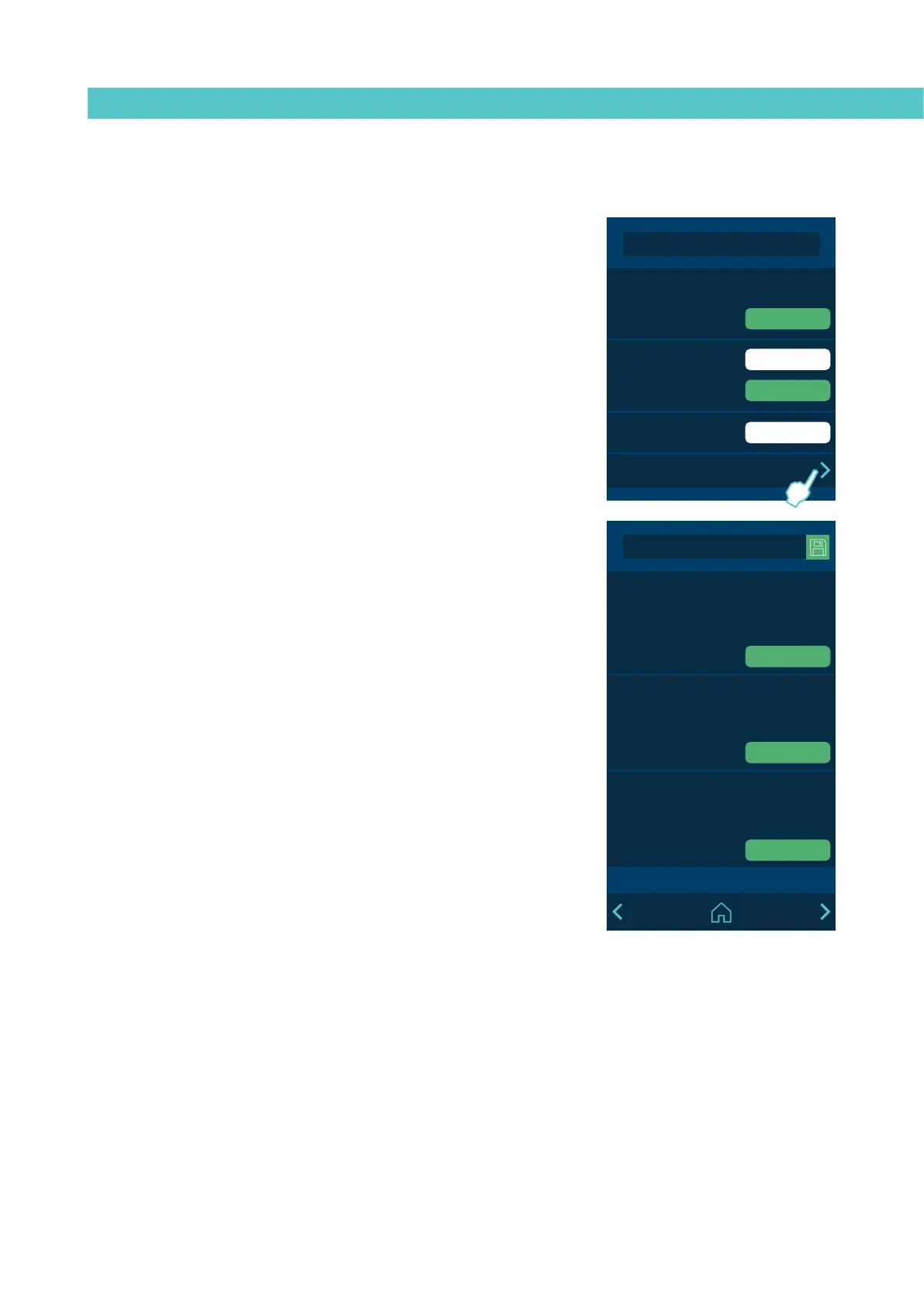
To access the flowmeter statistics menu, go into menu ‘3. Statistics’ and press
the right arrow in ‘Flowmeter’.
The statistics screen is divided into 6 sections. The first section is for TOTAL
PRODUCTS. It is the counter for the accumulated total adhesive consumption,
the total products counted and the total average consumption. The other five
sections are for the 5 configurable products.
The statistics are automatically saved every 30 minutes, every time a product
is reset, every time you select a product, and every time you press ‘Save’.
When there are unsaved data, the ‘Save’ option appears in green and you can
save by pressing it, so as not to lose any data before switching off the unit.
Each individual product and the total products section can be reset separately.
MICRON+ PISTÓN
HMI : S02001101 v1.1.2
TC : S02200100 v1.0.84
IO FM : XXXXXXXXX vx.x.x
RESET
RESET
RESET
Flowmeter Statistics
TOTAL PRODUCTS
Comsuption (kg) 24
For product (g/pr) 120
Products 20
2020-12-20 10:45
Id01: PRODUCT 1
Comsuption (kg) 12
For product (g/pr) 120
Products 10
2020-12-20 10:45
Id02: PRODUCT 2
Comsuption (kg) 12
For product (g/pr) 120
Products 10
2020-12-20 10:45
MICRON+ PISTÓN
HMI : S02001101 v1.1.2
TC : S02200100 v1.0.84
IO FM : XXXXXXXXX vx.x.x
1000 h
1 min
3. Statistics
Working hours 4515
2018-05-20 10:45
Filter change
2018-05-20 10:45
RESET
RESET
Datalogger
Statistics Flowmeter


 To Next Page