FOCKE MELER GLUING SOLUTIONS
4-24
MELTER OPERATION
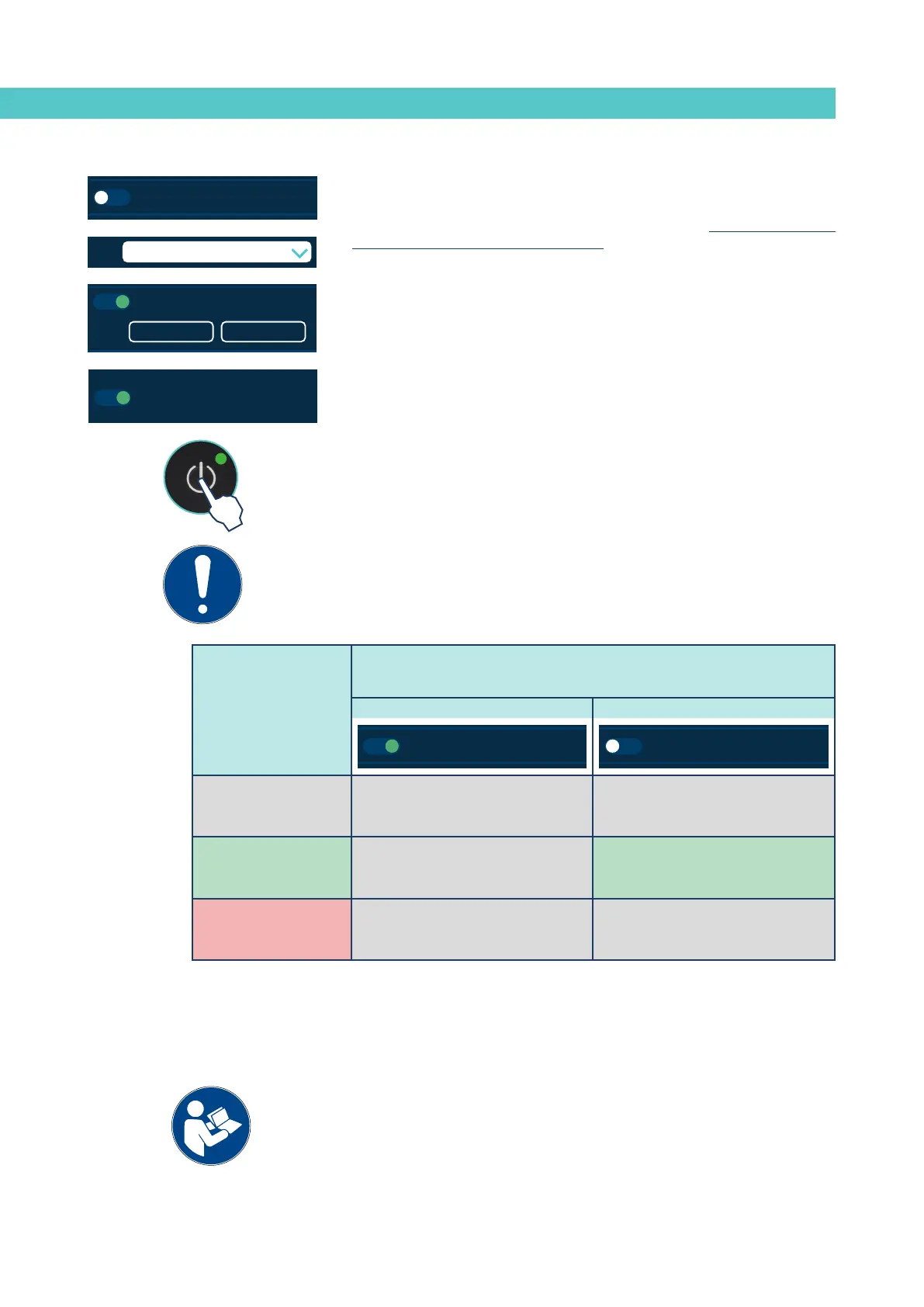
‘Off after reset’ disabled
When this function is disabled, whenever a ‘reset’ occurs, the unit recovers the
ON/OFF status that it was in at that time.
The unit can change status through:
• External “ON/OFF” contact (if installed and enabled),
• or external communications (if installed and enabled),
• or the Calendar function (if programmed and enabled),
• or by pressing the “ON/OFF” button on the front screen,
Important: if the unit is in ERROR mode when the ‘reset’ occurs, it will remain
OFF, even if the function is disabled.
MICRON+ PISTÓN
HMI : S02001101 v1.1.2
TC : S02200100 v1.0.84
IO FM : XXXXXXXXX vx.x.x
10 min
85 °C 60 s
Modbus
B: 57600Node: 10
2.2 Settings
Inside device temperature alarm
Off after reset
Screen saver
Sound on alarm
Pumping autolock
MICRON+ PISTÓN
HMI : S02001101 v1.1.2
TC : S02200100 v1.0.84
IO FM : XXXXXXXXX vx.x.x
XDI1
XDI2
DI3
DO2
XDO3
XDO4
2.3 Input / Output
Imputs
Outputs
Standby
ON / OFF
Temperature OK
Alarms
Adhesive Level
Activity
MICRON+ PISTÓN
HMI : S02001101 v1.1.2
TC : S02200100 v1.0.84
IO FM : XXXXXXXXX vx.x.x
C1 C2 C3 C4 C5 C6
Calendar
Hour ON Standby OFF
07:00
11:00
13:15
15:00
00.00
00.00
Enable all the calendars
MICRON+ PISTÓN
HMI : S02001101 v1.1.2
TC : S02200100 v1.0.84
IO FM : XXXXXXXXX vx.x.x
10 min
85 °C 60 s
Modbus
B: 57600Node: 10
2.2 Settings
Inside device temperature alarm
Off after reset
Screen saver
Sound on alarm
Pumping autolock
Configuration of turning on and activating pumping
These are different possible pump turn on and activation modes depending on
the installation and programming of the unit.
The following images provide a simplified example of the most typical
sequences for turning on and activating the pumping. The unit status changes
may change by pressing the ‘ON/OFF’ or ‘STOP’ buttons, or through external
input signals, communications (ModBus, Profibus, etc.), programming states
or operating errors:
Initial status
After a “reset” the equipment status will be::
Function enabled Function disabled
MICRON+ PISTÓN
HMI : S02001101 v1.1.2
TC : S02200100 v1.0.84
IO FM : XXXXXXXXX vx.x.x
10 min
85 °C 60 s
Modbus
B: 57600Node: 10
2.2 Extra Settings
Inside device temperature alarm
Off after reset
Screen saver
Sound on alarm
Pumping autolock
MICRON+ PISTÓN
HMI : S02001101 v1.1.2
TC : S02200100 v1.0.84
IO FM : XXXXXXXXX vx.x.x
10 min
85 °C 60 s
Modbus
B: 57600Node: 10
2.2 Settings
Inside device temperature alarm
Off after reset
Screen saver
Sound on alarm
Pumping autolock
Equipment OFF
(Screen off)
Equipment OFF Equipment OFF
Equipment ON
(Screen on)
Equipment OFF Equipment ON
Equipment in ERROR
(Screen on)
Equipment OFF Equipment OFF


 To Next Page