FOCKE MELER GLUING SOLUTIONS
4-30
MELTER OPERATION
Product selection
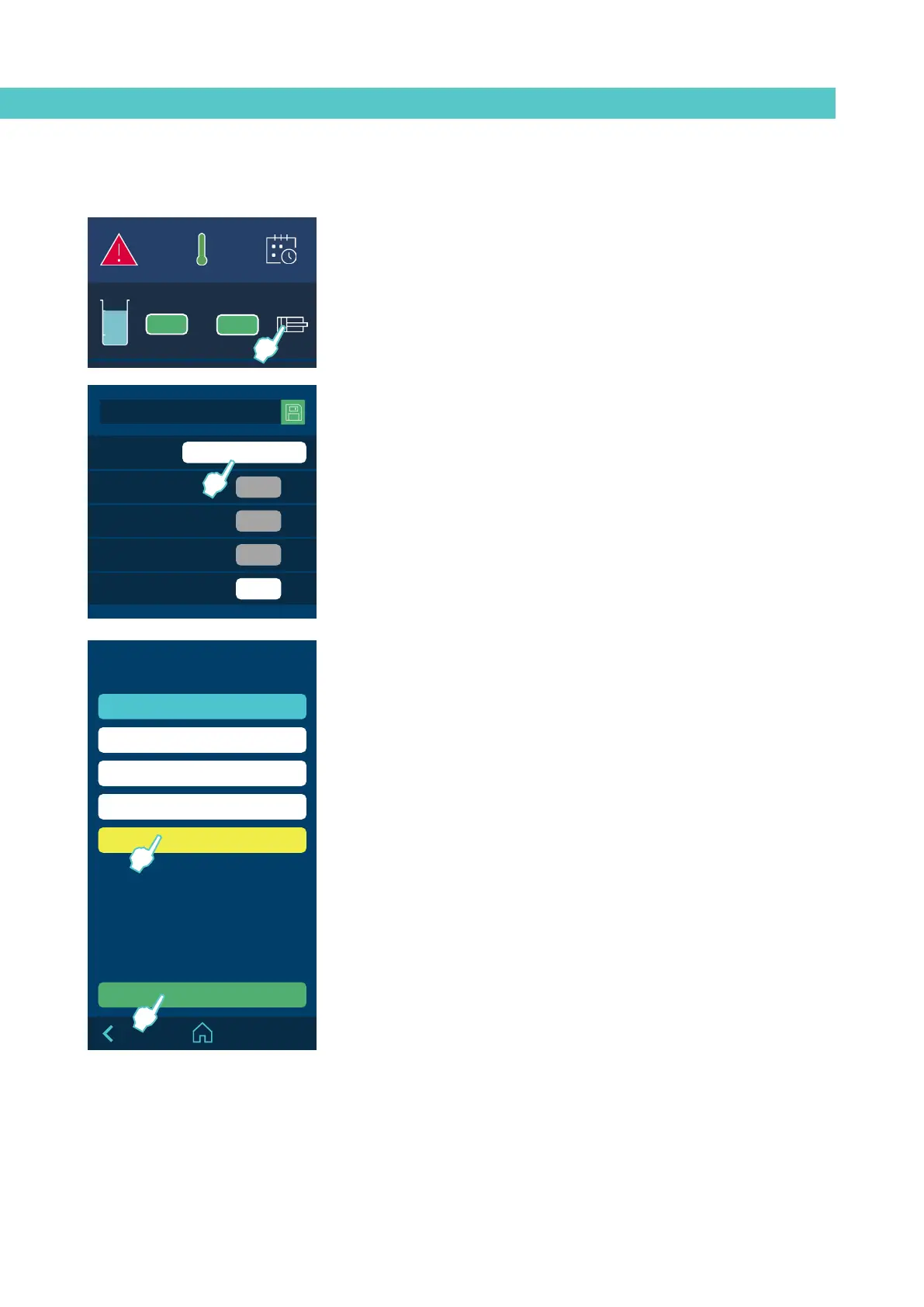
Press the piston icon on the ‘Home’ screen to select the product you want to
work with.
The screen shows the adhesive consumption data in real time by product, as
well as the target consumption programmed for the selected product.
During operation you can change the working pressure without having to
recalibrate, thanks to the system’s automatic adjustment function.
To change the product you want to work with, click the white box with the
product name.
The screen will show the 5 selectable products. The product you are working
with is shown in blue and the product you are now selecting to work with is
shown in yellow.
When you select one of the products, its configuration is loaded into the
flowmeter with the data previously programmed.
MICRON+ PISTÓN
HMI : S02001101 v1.1.2
TC : S02200100 v1.0.84
IO FM : XXXXXXXXX vx.x.x
Select product
Id: 01 PRODUCT 1
Id: 02 PRODUCT 2
Id: 03 PRODUCT 3
Id: 04 PRODUCT 4
Id: 05 PRODUCT 5
Select
MICRON+ PISTÓN
HMI : S02001101 v1.1.2
TC : S02200100 v1.0.84
IO FM : XXXXXXXXX vx.x.x
899
0.22
g/h
g/pr
0.23
g/pr
70
bar
Flowmeter
Product
Comsumption per time
Comsumption per product
Target Comsumption
Pressure
PRODUCT 1
MICRON+ PISTÓN
HMI : S02001101 v1.1.2
TC : S02200100 v1.0.84
IO FM : XXXXXXXXX vx.x.x
154
154
A
°C
08:31
185 170
1
154 154
2
100 100
3
--- ---
4
5
42 42
6
B



 To Next Page