AC1200 Wireless Dual Band Gigabit Router
• Connect Automatically - The connection can be re-established automatically when it is
down.
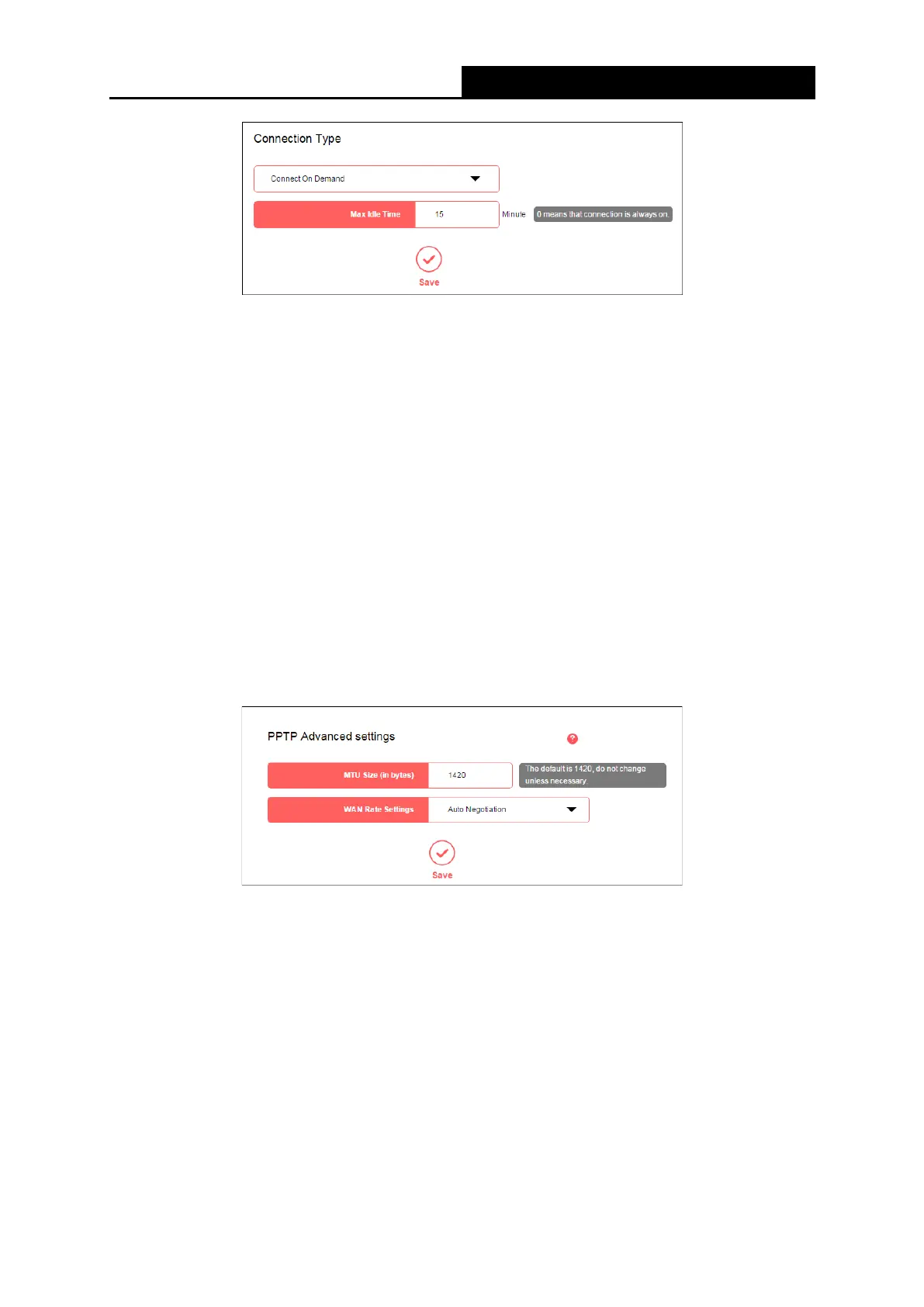
• Connect On Demand - In this mode, the Internet connection can be terminated
automatically after a specified inactivity period (Max Idle Time) and be re-established
when you attempt to access the Internet again. If you want your Internet connection keeps
active all the time, please enter 0 in the Max Idle Time field.
Otherwise, enter the number
of minutes you want to have elapsed before your Internet access disconnects.
• Connect Manually - This mode also supports the Max Idle Time function as Connect on
Demand mode. The Internet connection can be disconnected automatically after a
specified inactivity period.
Click Save to make the settings effective.
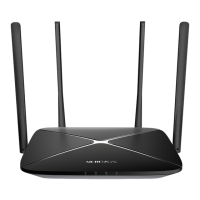
● PPTP Advanced settings
• MTU Size (in bytes) - The default MTU size is 1480 bytes. It is NOT recommended that you
change the default MTU size unless required by your ISP.
• WAN Rate Settings - Select the rate and duplex mode for the WAN port. It is
recommended to keep the default auto mode.
Click Save to make the settings effective.
- 24 -



 To Next Page