14
4 Instrument operation
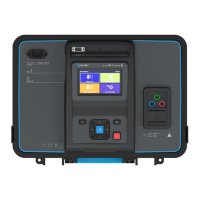
The instrument can be manipulated via a keypad or touch screen.
4.1
ON / OFF key
Switch instrument on / off.
To switch off the instrument press key for
2 s.
The instrument automatically switches off
after 10 minutes of idle state (no key
pressed or any touch screen activity).
Reset instrument (long press >5 s).
Cursor keys are used to:
• Select appropriate option.
• Left, right, up, down.
• In some functions: page up, page down.
RUN key is used to:
• Confirm selected option.
• Start and stop measurements.
Escape key is used to:
• Return to previous menu without
changes.
• Abort measurements.
Option key is used to:
• Expand column in control panel.
• Show detailed view of options.














 To Next Page