34
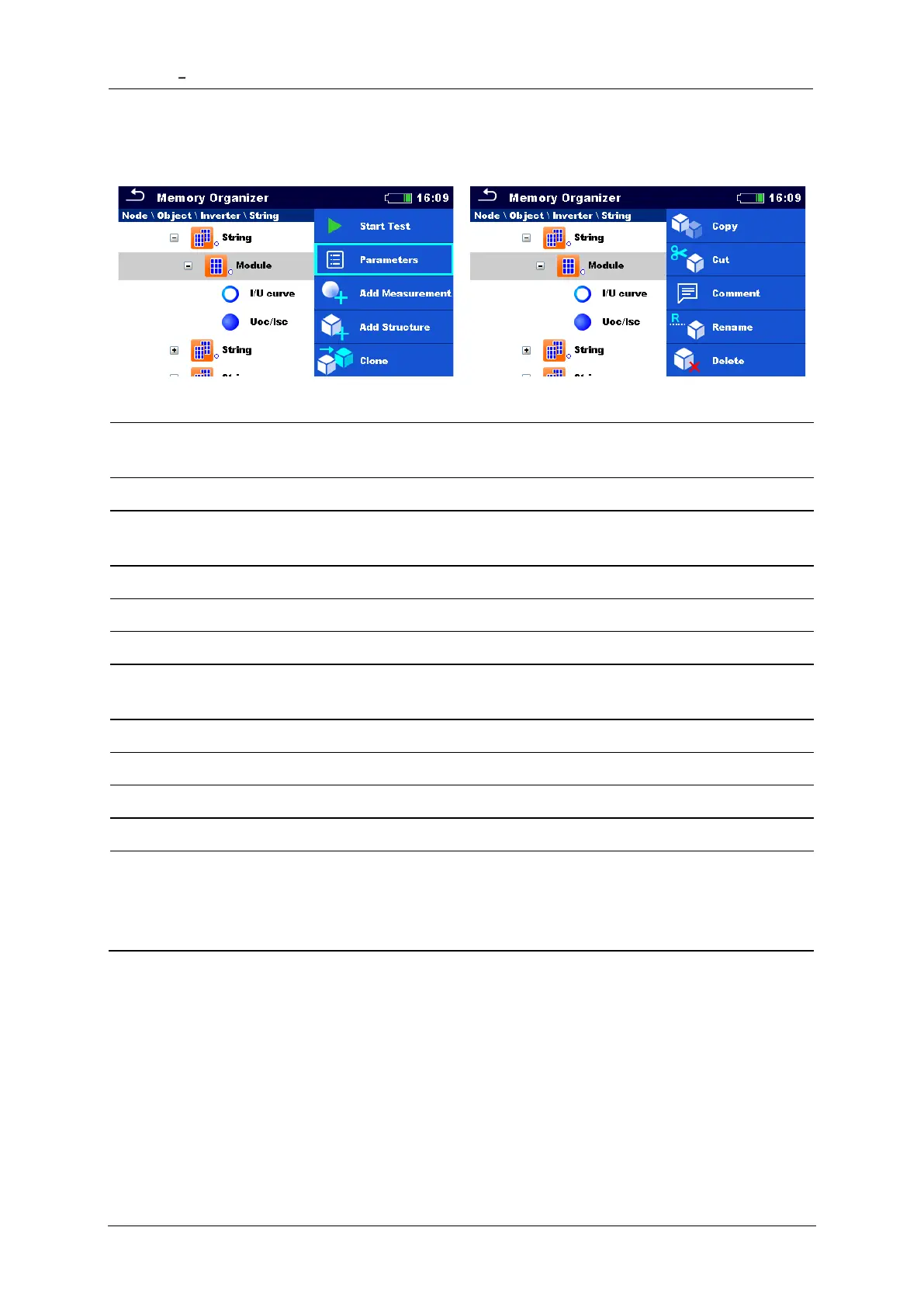
5.1.4 Operations on Structure objects
Start a new measurement (proceeds to menus for selection of
measurement)
Add a new empty measurement. Menu for adding new measurement
will open
Add a new structure element
Copy selected element as to same level in the structure tree
Copy selected element to any allowed location in structure tree
Move selected Structure with child items (sub-structures and
measurements) to any allowed location in structure tree
View/edit/add a comment to the structure element
Rename the structure element
Delete the structure element
Update environmental data in measurements under selected object
and its childs. STC and nominal test results will be changed.
See Synchronization of environmental data between PV Remote
WL and instrument after the test.
5.1.5 Searching in Memory Organizer
In Memory organizer it is possible to search for different structure objects and their
statuses.














 To Next Page