60
For the actual list and description of flow commands see Metrel ES Manager Software help
file.
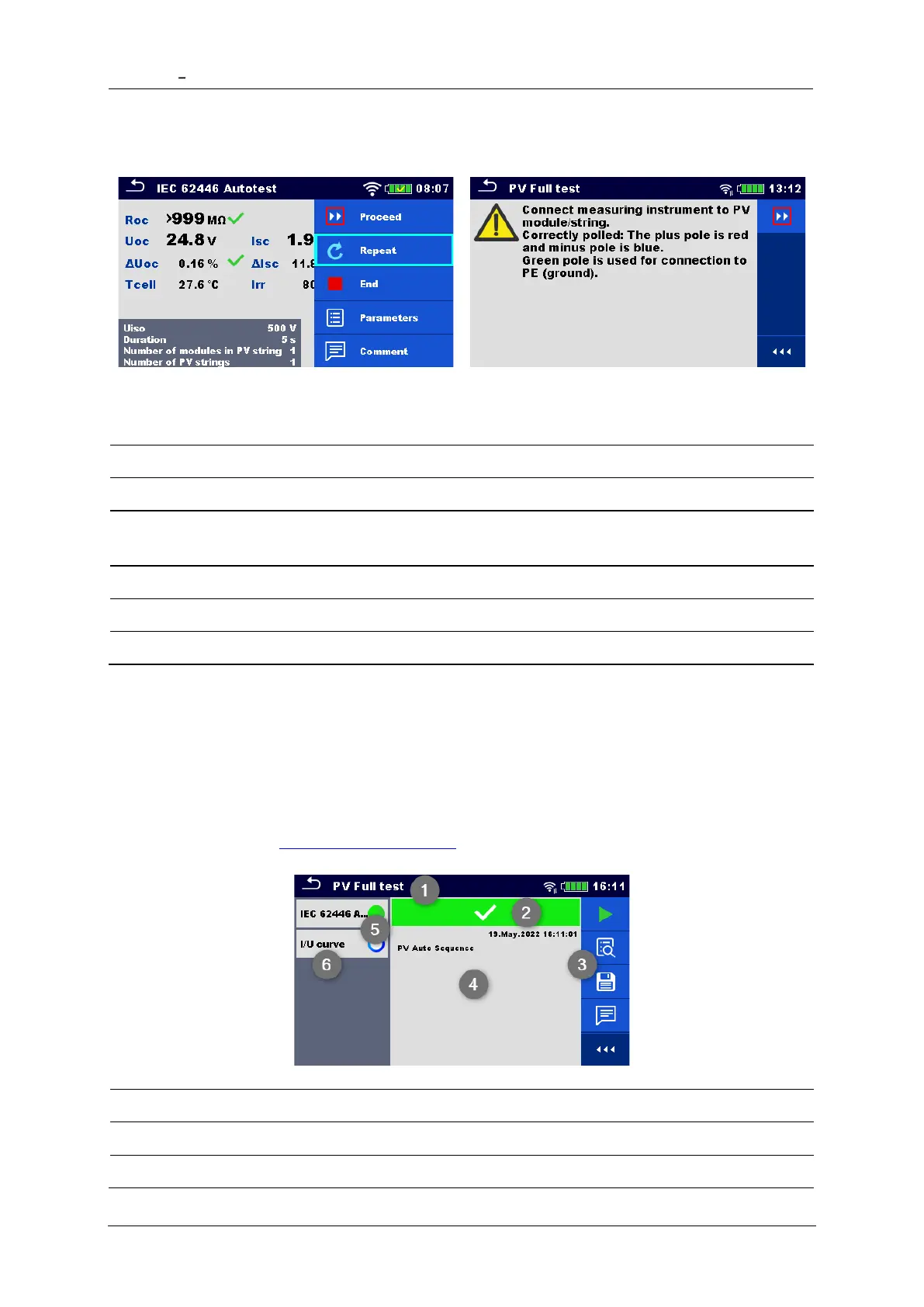
The offered options in the control panel depend on the selected single test, its result and
the programmed test flow.
Proceeds to the next step in the test sequence.
Exit the loop of single tests and proceeds to the next
step.
End the Auto Sequence® and go to result screen.
View parameters/limits of single test.
7.2.5 Auto Sequence result screen
After the Auto Sequence is finished the result screen is displayed. At the left side of the
display the single tests and their statuses in the Auto Sequence are shown. In the middle of
the display the header of the Auto Sequence with Short code and description of the Auto
Sequence is displayed. At the top the overall Auto Sequence result status is displayed. For
more information see Measurement statuses.














 To Next Page