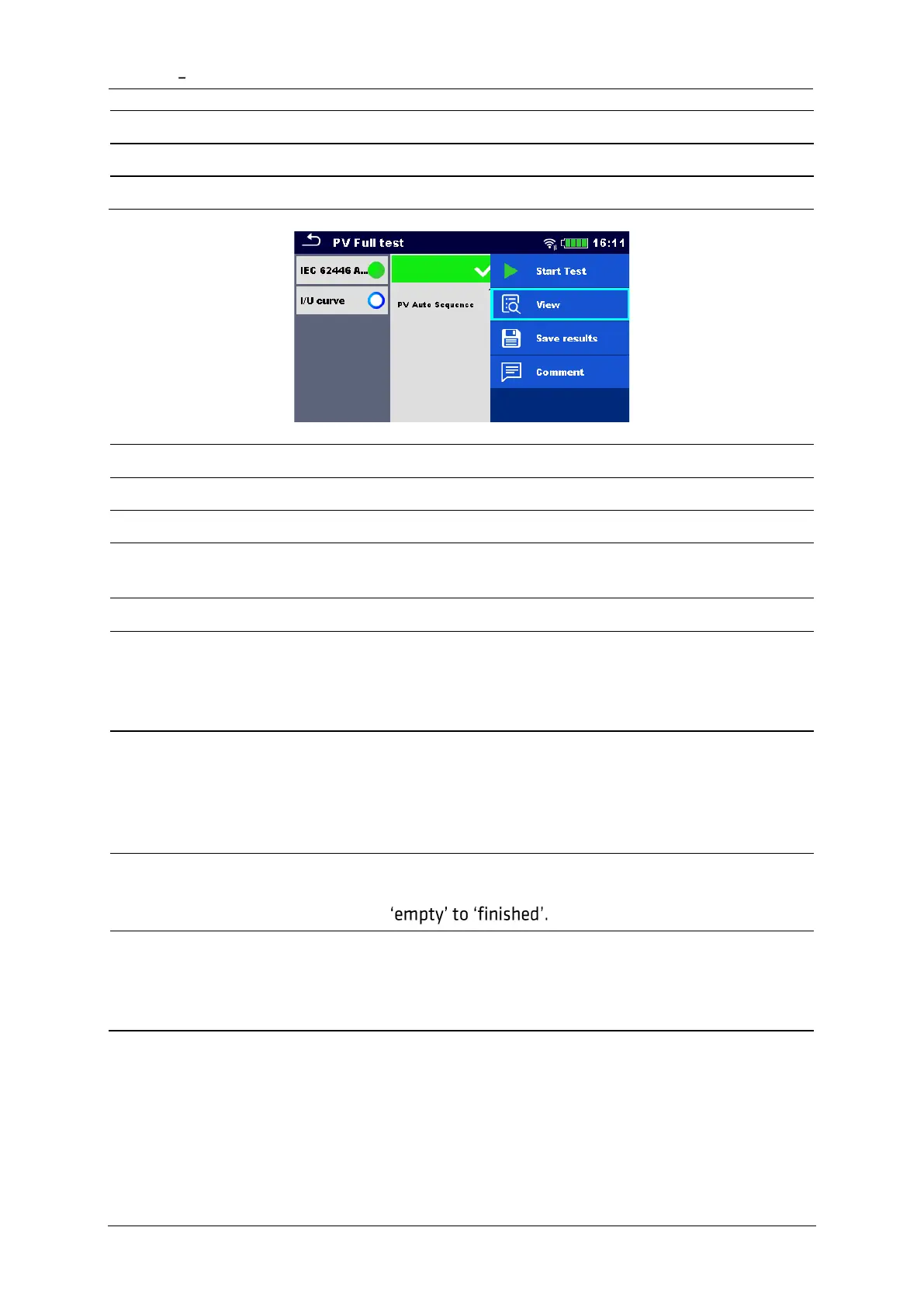
Start a new Auto Sequence
View results of individual measurements.
Add comment to Auto Sequence
Viewing details of individual single tests, add
comment on individual single test
Save the Auto Sequence results
A new Auto Sequence was
selected and started from a
Structure object in the structure
tree
The Auto Sequence result will be saved under the
selected Structure object
A new Auto Sequence was
started from the
Auto Sequence main menu
Saving under the last selected Structure object will be
offered by default. The user can select another
Structure object or create a new Structure object. By
pressing Save in Memory organizer menu the Auto
Sequence result is saved under selected location.
An empty measurement was
selected in structure tree and
started
The result(s) will be added to the Auto Sequence. The
Auto Sequence will change its overall status from
An already carried out Auto
Sequence was selected in
structure tree, viewed and
then restarted
A new Auto Sequence result will be saved under the
selected Structure object.














 To Next Page