Hint
Tap on or use key to set status.
Rules for automatic applying of statuses
The parent items will automatically
get a status on base of statuses in
child items
• The fail status has highest priority. A fail
status for any item will result in a fail status
in all parent items and an overall fail result.
• If there is no fail status in child items the
parent item will get a status only if all child
items have a status.
• Pass status has priority over checked status.
The child items will automatically
get a status on base of status in the
parent item
All child items will get the same status as applied
to the parent item
Note
• Inspections and even inspection items inside one inspection can have different
• Only inspections with an overall status can be saved.
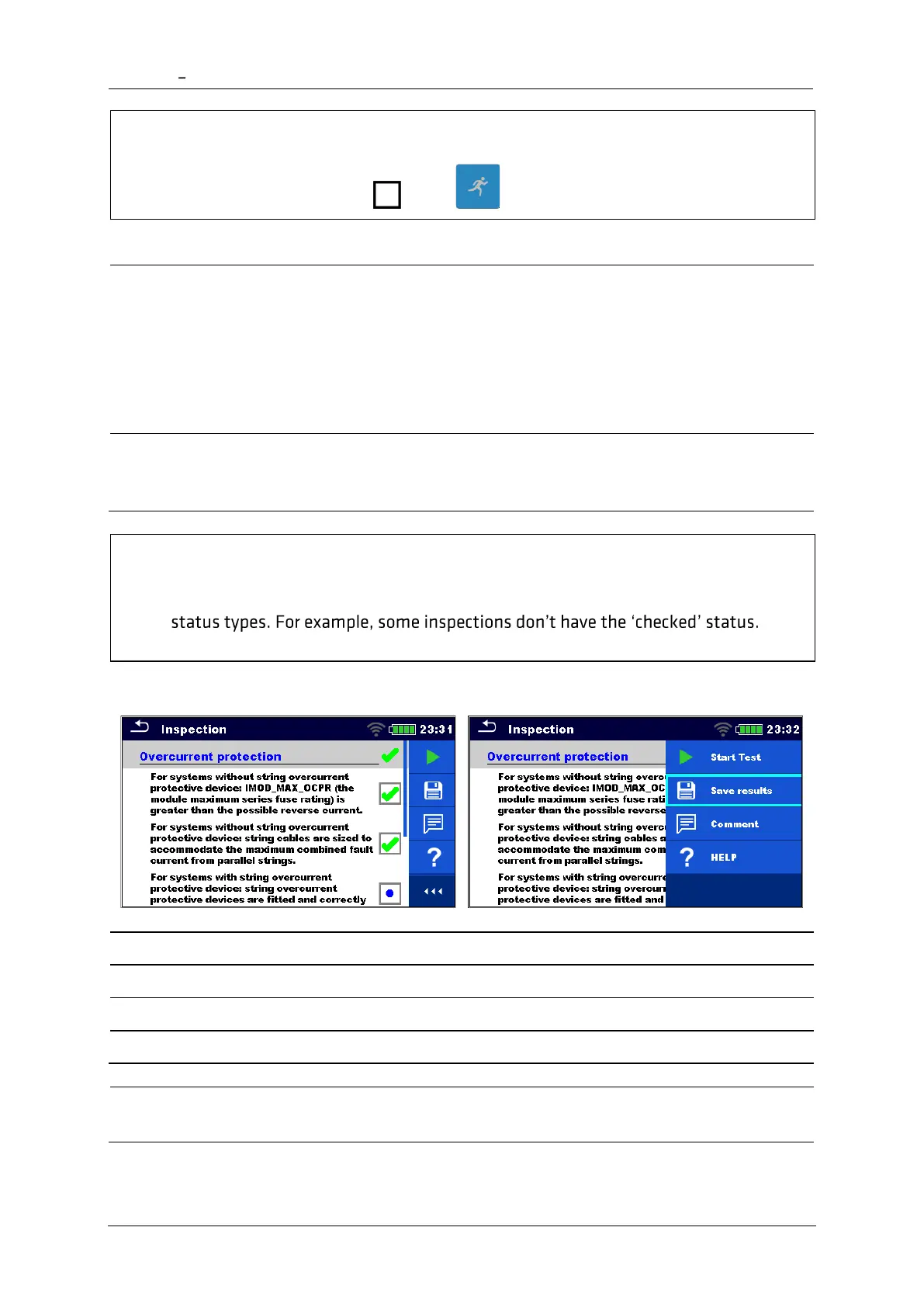
6.3.3 Single test (Inspection) result screen
Add comment to the inspection
A new inspection was started from a
Structure object in the structure tree
The inspection will be saved under the
selected Structure object.














 To Next Page