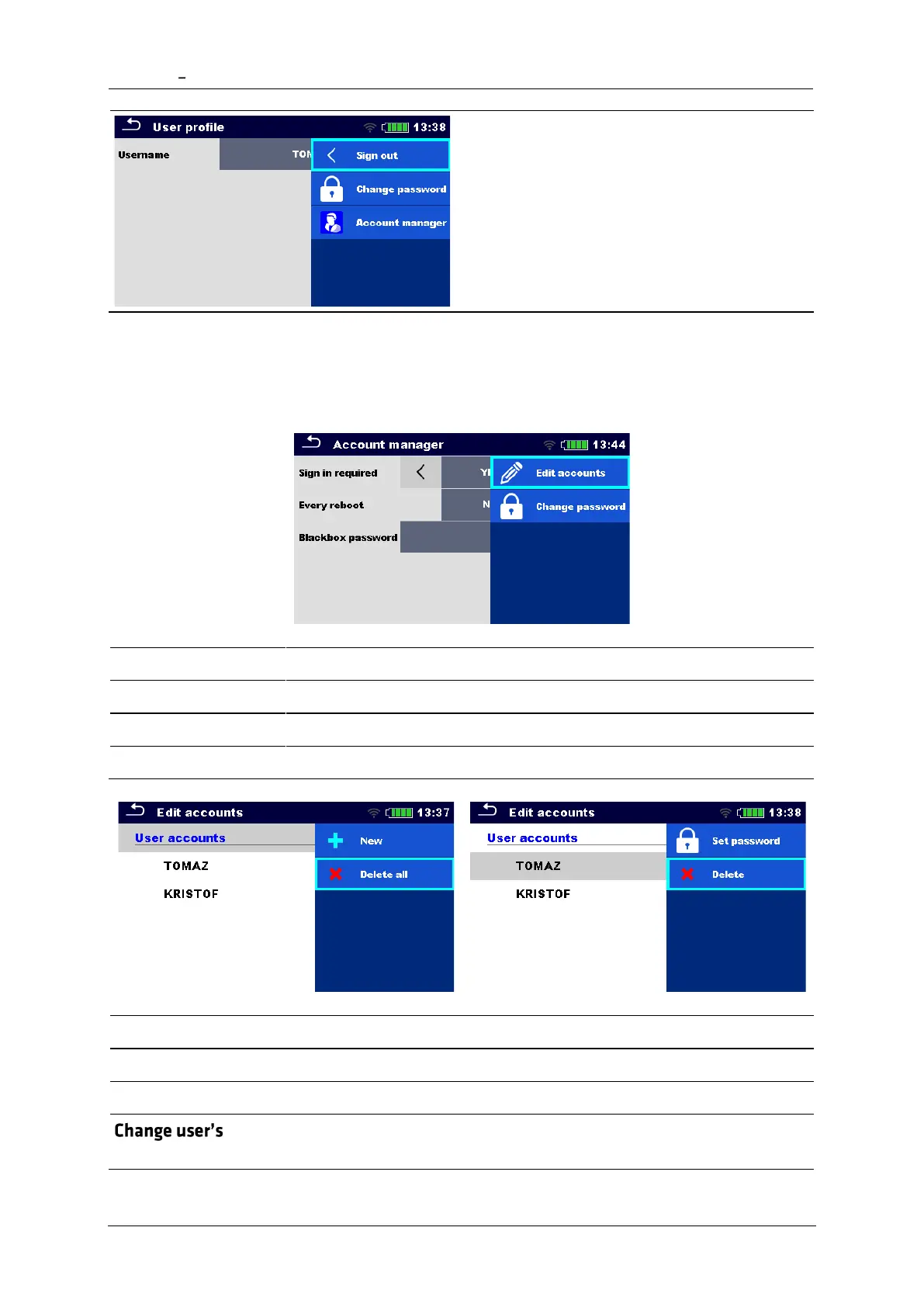
User sign out: select Sign out
Change user password (individual users can
change their password): Select Change
password, set new password.
Account manager sign out: is automatic by
exiting the Account manager menu.
4.6.7 Managing accounts
User Accounts can be managed by the Account manager.
Sign in is required once, or at each reboot of the instrument
Change account manager password. Password is case sensitive.
Set Black Box password (same password is valid for all users)
Header line (User accounts), New, add name and password
Header line (User accounts), Delete all
Select user, Set password














 To Next Page