27
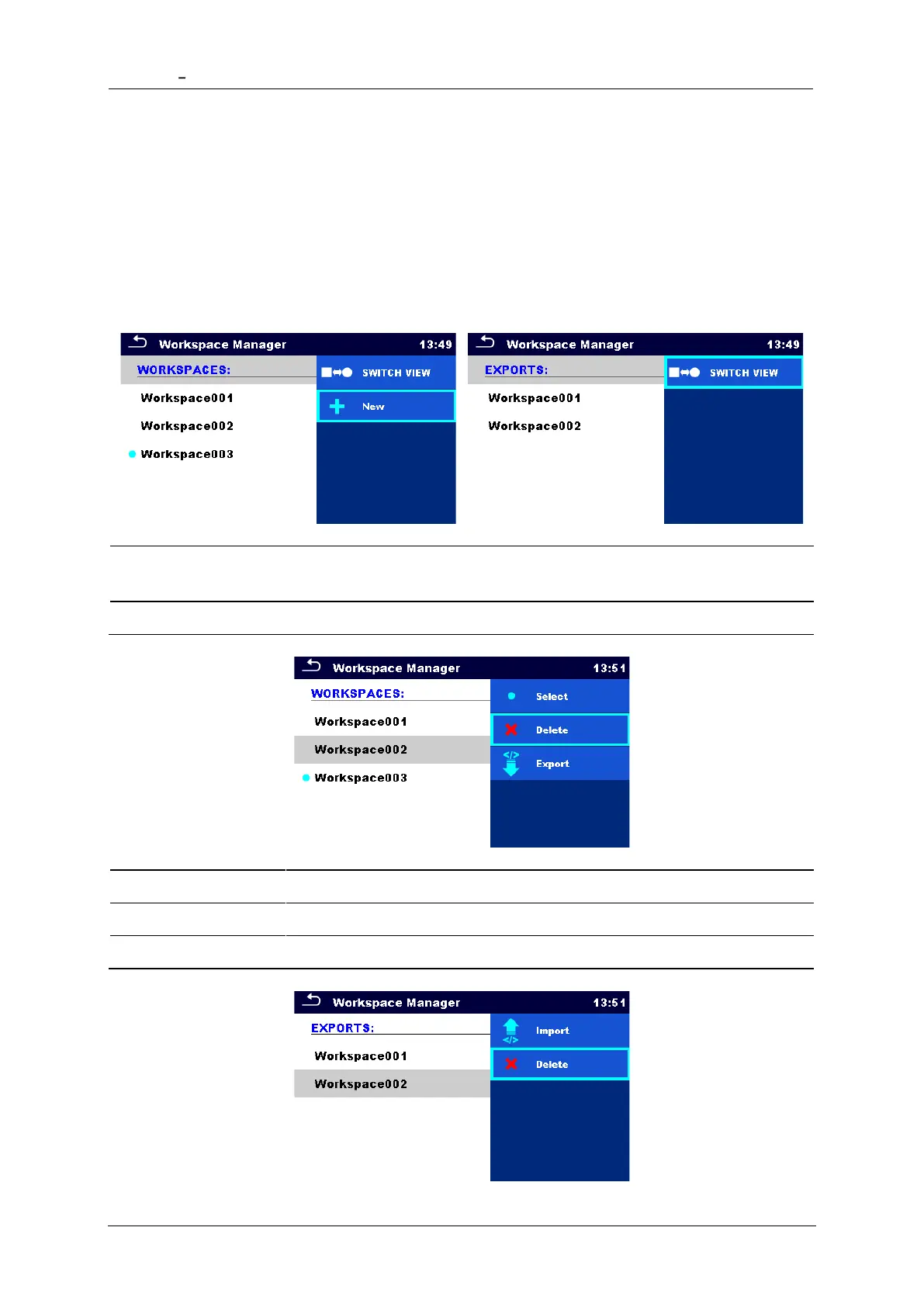
Workspaces are stored on microSD card on directory PROJECTS, while Exports are stored on
directory EXPORTS. Export files can be read by Metrel applications that run on other devices.
Exports are suitable for making backups of important works or can be used for storage of
works if the removable microSD card is used as a mass storage device. To work on the
instrument an Export should be imported first from the list of Exports and converted to a
Workspace. To be stored as Export data a Workspace should be exported first from the list of
Workspaces and converted to an Export. In the Workspace manager menu Workspaces and
Exports are displayed in two separated lists.














 To Next Page