Installation, Programming and Maintenance Microdos Pooltec
Rev. 1.0 EN
16
4.2. ICONS
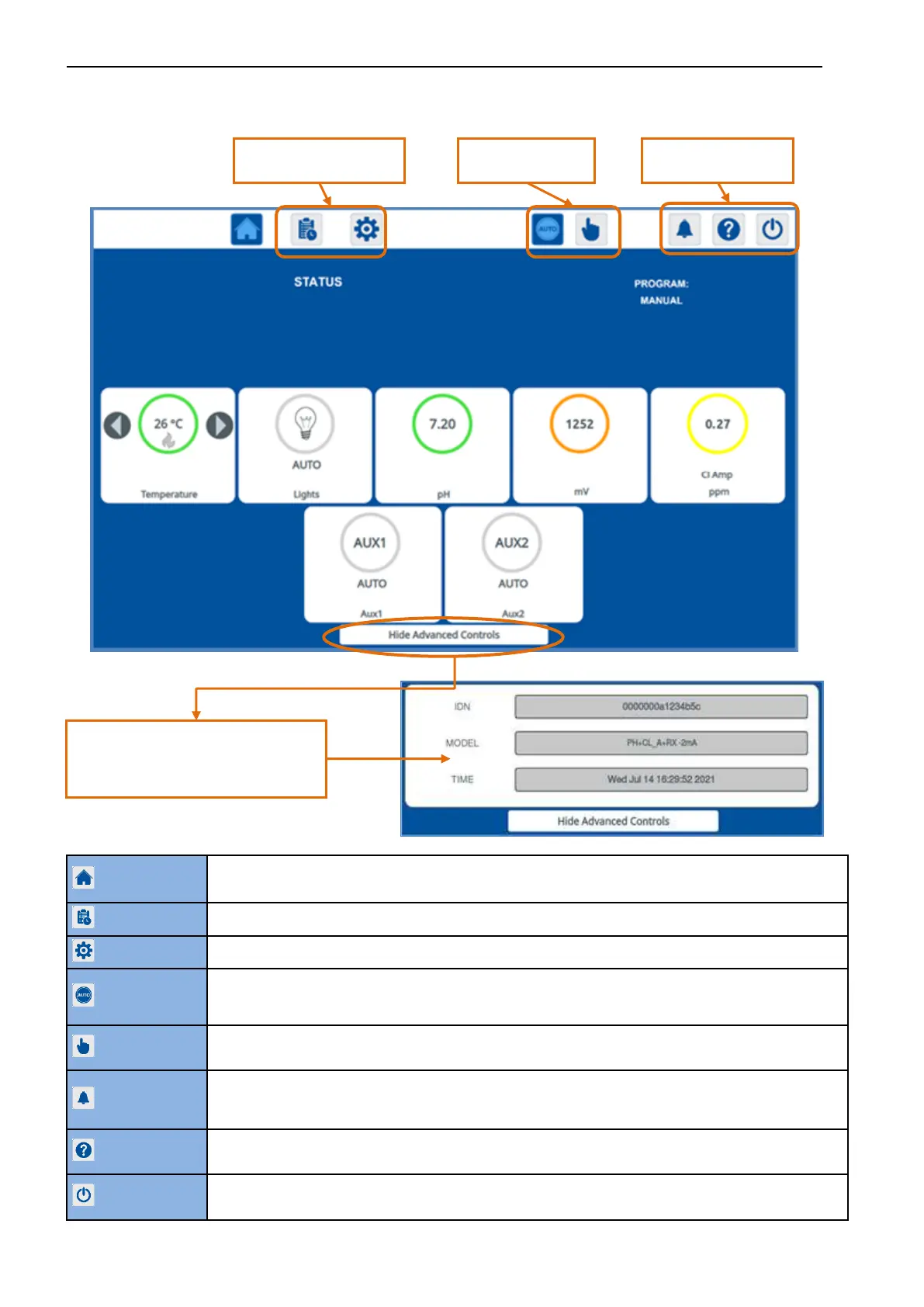
Real-time values for the various measurements.
System status & Information on pump programming.
Access to configure the working programs for recirculation pump.
Access to configure the device settings for measurements, outputs, and operations.
In AUTO MODE, the system will work automatically in accordance with the operating program, settings and
set points entered.
When working in Auto Mode, the Home Page background colour is BLUE.
Inside the MANUAL PAGE, you can manually manage the device and activate/deactivate all the OUTPUTS.
When working in Manual Mode, the Home Page and Manual Page background colour is YELLOW.
If there is a fault of any kind, visual and audible alarms will be activated. To silence the audible alarm,
press the BUZZER button.
The SYSTEM STATUS window in the Home Page will show the alarm.
If you need help while configuring the system, you can consult the help menu on your device. Display a help
page with a description of the elements in the current page.
Put the control unit in stand-by mode. All the operations are stopped but the measures are still displayed. To
shut down the system, you need to unplug the power supply.
Programming buttons:
Programs, Settings.
Functioning buttons:
Auto, Manual
Buttons:
Buzzer, Help, Stand-by
By pressing the “HIDE ADVANCED CONTROLS”
button, you can minimise the second row to
display information about the
IDN/MODEL/TIME.


 To Next Page