Installation, Programming and Maintenance Microdos Pooltec
Rev. 1.0 EN
24
4.5.3. SETTINGS
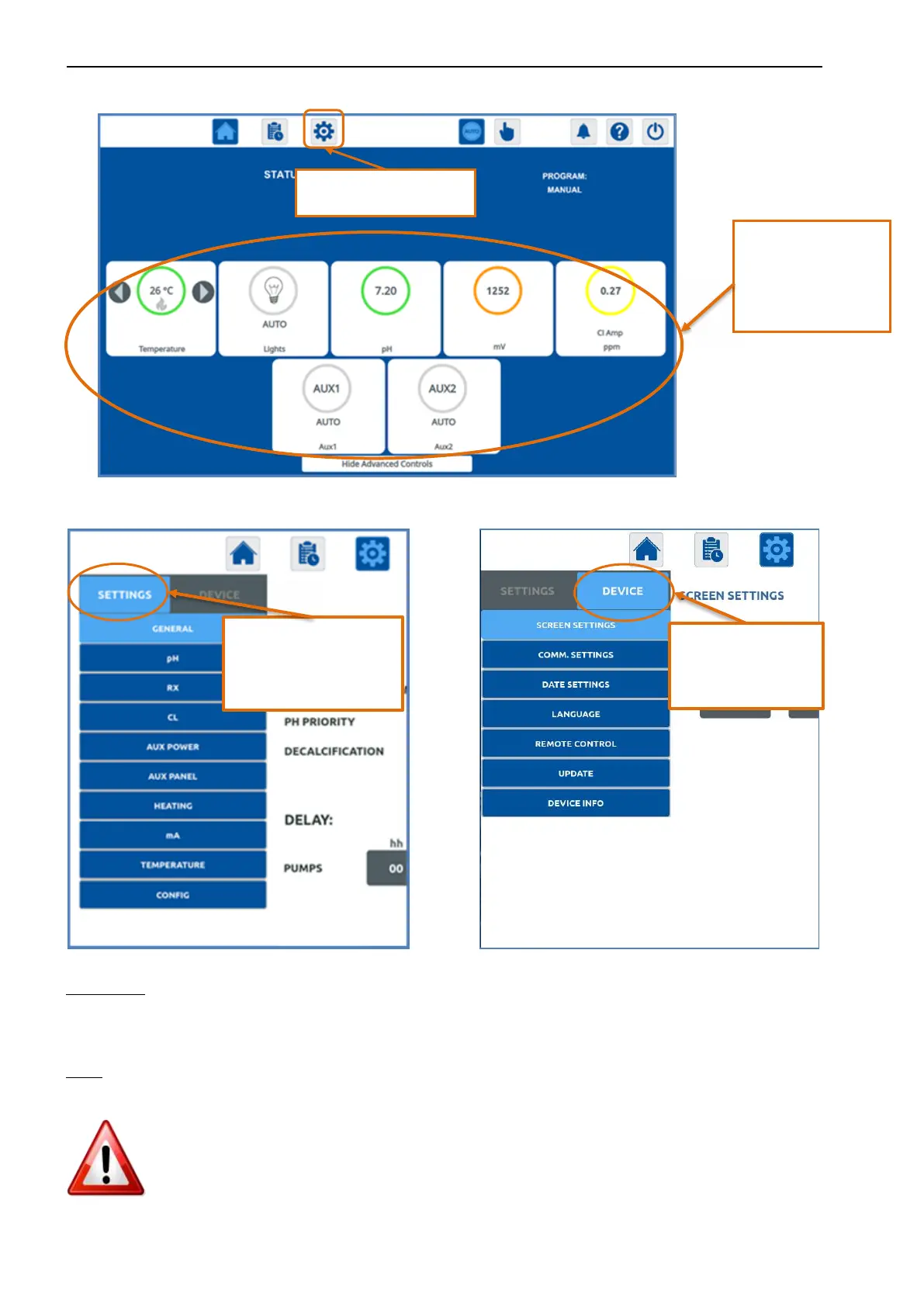
When you access the Settings Menu, you can find 2 different sub-menus:
SETTINGS
4.5.3.1. MODIFY PARAMETERS VALUE
NOTE: It is possible to edit all the numeric values inside the boxes.
1. Press on the box of the value you wish to modify.
2. Modify using the arrows.
3. Always press SAVE to make the modification effective.
4. Value on “00:00” → no programming
By holding the buttons
down, you can access
the corresponding
settings channel to
change commands.
Programming button:
Settings.
allows to program all
functions for updates,
network connection,
date, etc.
allows to program all the
functionalities of outputs
(pH, Rx, CL, Temperature,
AUX, Lighting, etc.).


 To Next Page