Installation, Programming and Maintenance Microdos Pooltec
Rev. 1.0 EN
43
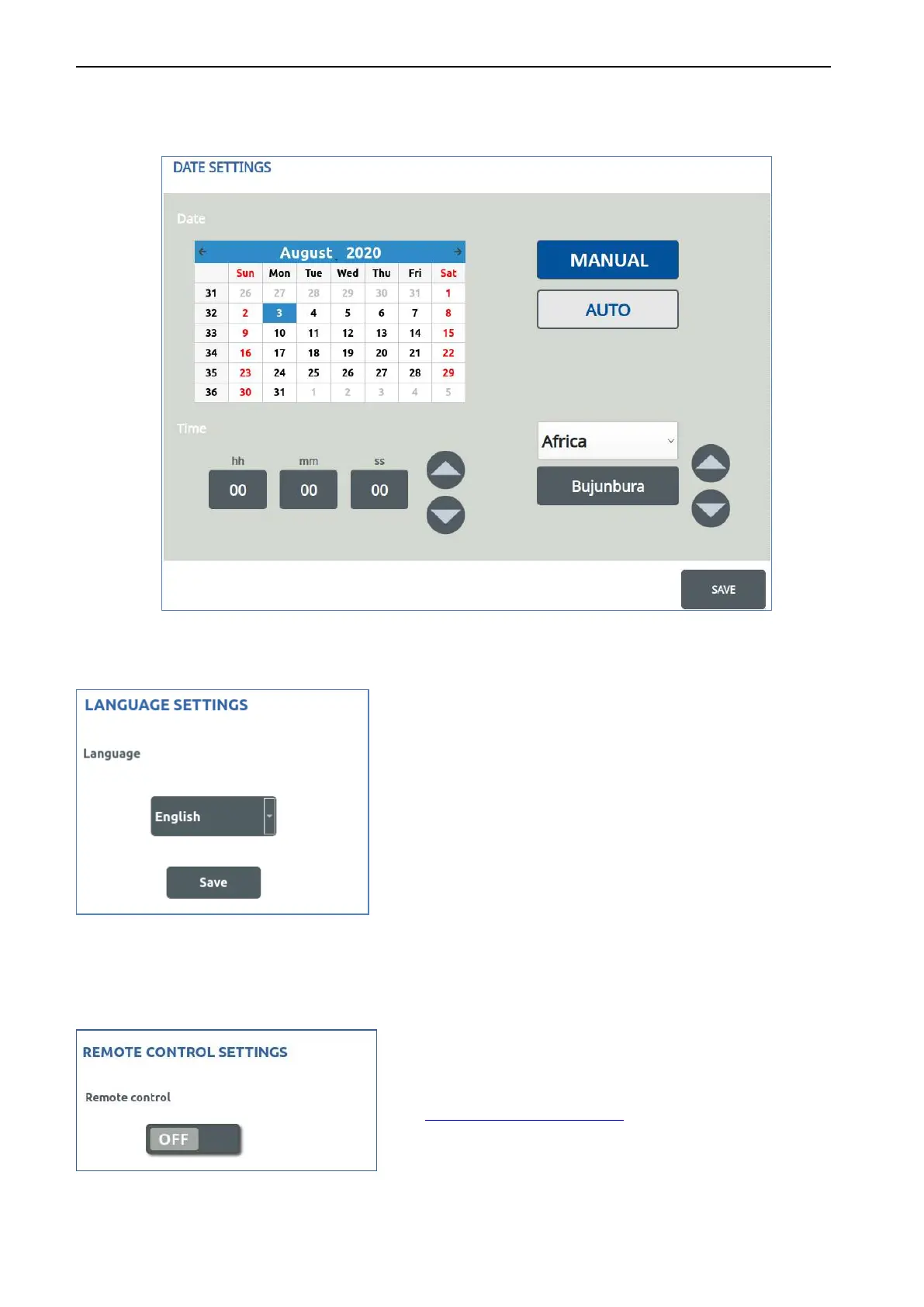
- MANUAL:
If the system is not connected to the internet, you can choose the MANUAL MODE.
Press the MANUAL button.
First of all set the time zone and then set date and time manually.
Press SAVE to make the modification effective.
4.5.4.4. CHANGING THE LANGUAGE
To change the system language, select a language and
press SAVE.
Available languages:
• English
• French
• Italian
• Spanish
• Dutch
• German
• Russian
4.5.4.5.
ACTIVATE/DEACTIVATE REMOTE CONTROL
To activate/deactivate remote control and enable remote/Internet system access, you need to set this option to ON.
When ON, this option enables the connection to the Server:
https://www.pooltec-pro.com/
Press SAVE to make the modification effective.


 To Next Page