Installation, Programming and Maintenance Microdos Pooltec
Rev. 1.0 EN
41
4.5.4. DEVICE SETTINGS
4.5.4.1. SET THE SLEEP TIMER OF THE SCREEN
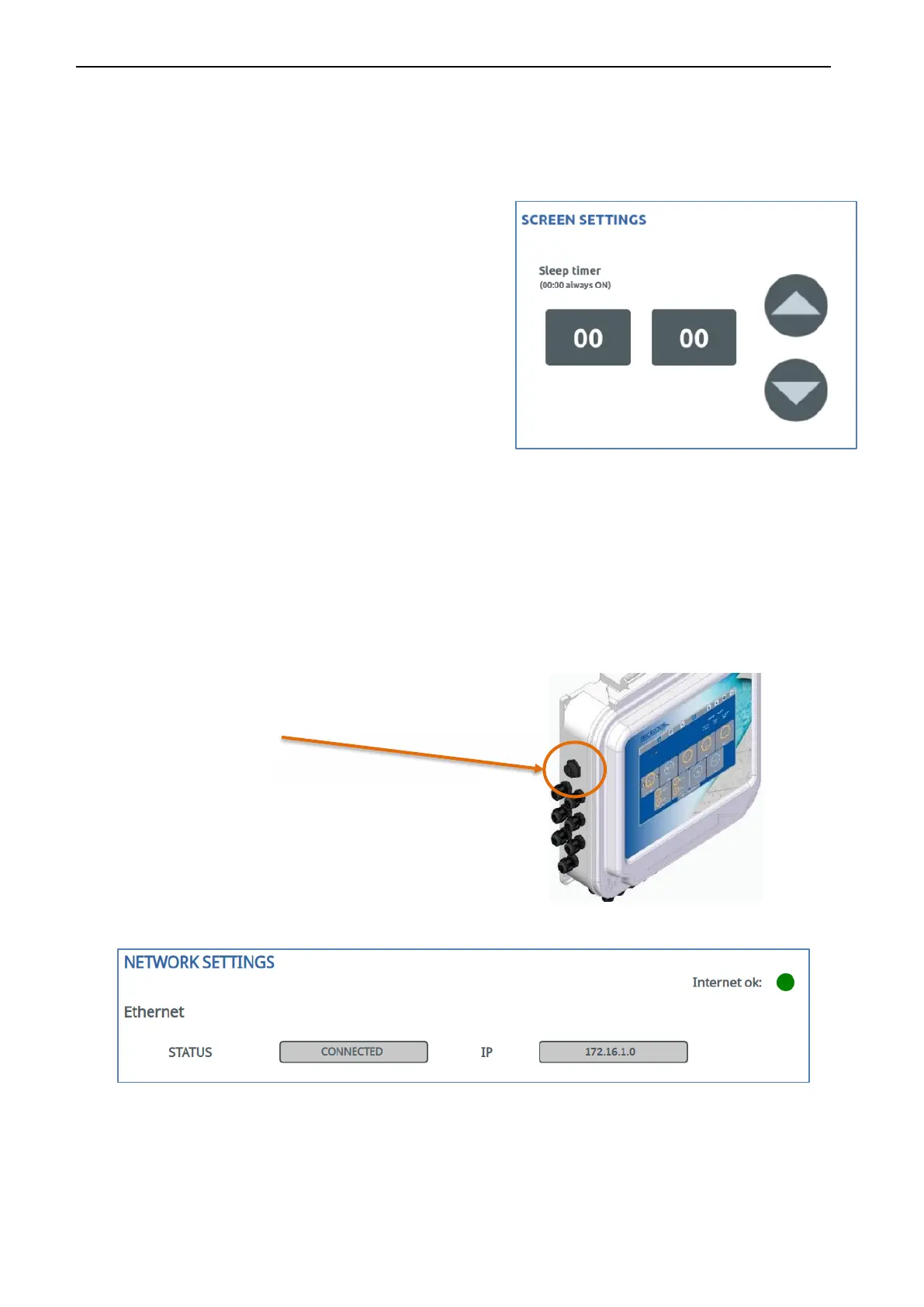
The unit has an automatic screen stop system as a function of
time that you can program. The screen will then turn off, but the
unit will continue to operate normally. To turn it back on, simply
touch the screen.
If you put 00:00 it will never go out.
NOTE:
Always press SAVE to make the modification effective.
4.5.4.2. CONNECTION WIFI OR ETHERNET
It is advisable to have access to Internet service, to update the software and to manipulate, maintain and have full information on your
system through your computer or mobile phones (Android and iOS apps are available). To do this you can us an Ethernet connection
or a WIFI connection. Follow next steps:
ETHERNET CABLE CONNECTION
- connect the LAN cable
- Turn on Ethernet
WHEN THE DEVICE DETECTS THE CONNECTION AND CONNECTS TO INTERNET, THE STATE AND THE IP WILL APPEAR. Also, the
“Internet ok” dot will turn from
RED to GREEN.
If it does not connect, the message “NOT CONNECTED” will appear on the STATUS and the “Internet ok” dot will stay RED.


 To Next Page